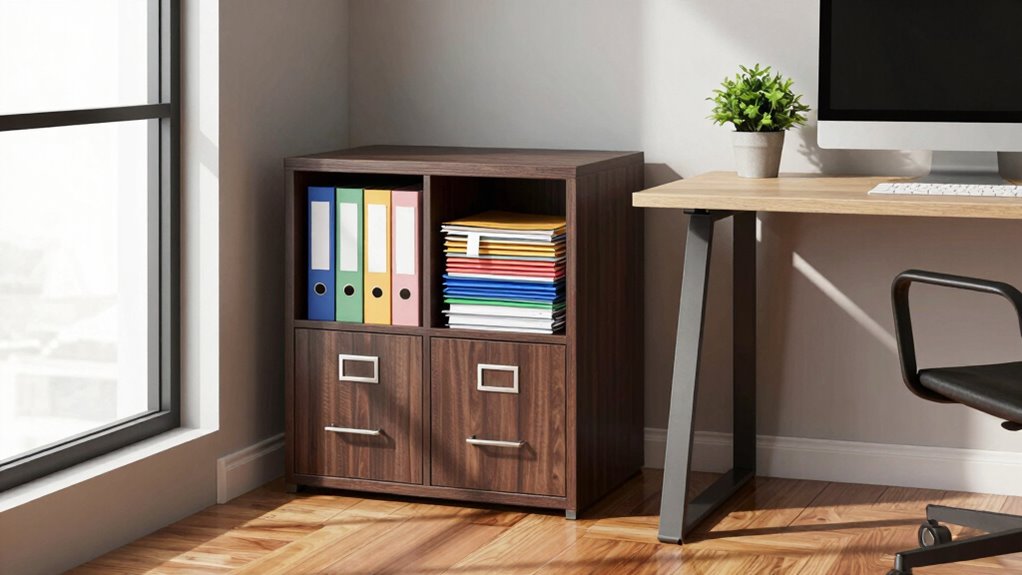
For a small business, you likely only need one or two filing cabinets to handle essential documents like contracts, client records, and legal papers. Your space requirements depend on your industry, document volume, and organization method. Digital storage can reduce physical space needs, but keep enough cabinet space for documents that must be preserved physically. To optimize your setup and plan for growth, you’ll find helpful tips if you continue exploring the options available.
Key Takeaways
- Assess current document volume and categorize files to determine necessary cabinet size.
- Consider future growth and choose larger cabinets or digital options accordingly.
- Prioritize digital storage for routine documents to reduce physical space needs.
- Allocate physical space for critical files that require physical preservation.
- Regularly review and declutter to optimize storage efficiency and prevent overcrowding.

Managing file cabinet space is a common challenge for small businesses looking to stay organized without sacrificing valuable office real estate. You might find yourself asking how much space is really enough for your needs. The truth is, the answer depends on your business’s volume of paperwork, industry requirements, and your approach to filing organization. As technology advances, digital storage has become an essential tool, reducing the reliance on physical files and helping you optimize your space. You don’t need a massive filing cabinet if most of your documents are stored digitally, but you still need some physical space for essential records.
Managing file space balances paper needs and digital storage for an efficient, clutter-free office.
Start by evaluating your typical document flow. How many files do you handle each week or month? If you’re in a service-based industry or operate a small retail shop, your paperwork might be minimal, meaning a small filing cabinet or even a single drawer could suffice. On the other hand, if you deal with contracts, legal documents, or detailed client records, you’ll need more storage. Think about your filing organization system—are you categorizing files by client, project, or date? An organized system helps you avoid unnecessary clutter and makes it easier to determine what files you actually need to keep on hand. Additionally, assessing your digital storage options can help you decide how much physical space is truly necessary and whether you should consider modern filing solutions. Staying informed about file organization best practices can further streamline your storage strategy. Incorporating file management technology can also increase efficiency and reduce physical clutter.
Next, consider how much space you want to dedicate to physical files versus digital storage. While physical filing cabinets are still necessary for certain documents, shifting as many files as possible to digital storage reduces the footprint of physical space requirements. Digital storage options like cloud-based services or external drives allow you to keep your records accessible without occupying large areas of your office. This not only frees up room but also makes it easier to back up important data and ensure regulatory compliance.
You should also factor in your future growth. If your business is expanding, your filing needs will grow as well. Investing in a slightly larger cabinet now might save you the hassle of upgrading later. Alternatively, implementing a robust digital filing system can make scaling easier without taking up more physical space. Remember, the goal isn’t just to store files but to do so efficiently. Proper filing organization ensures you can locate documents quickly, reducing downtime and frustration.
Ultimately, the right amount of file cabinet space for your small business hinges on your specific needs. Embrace digital storage to minimize physical clutter, but keep enough space for the critical files that require physical preservation. Regularly review and declutter your files, and you’ll strike a balance that keeps your office organized, efficient, and space-conscious.

Aobabo 4 Drawer File Cabinet with Lock and Wheels, Metal Vertical Filing Cabinet with Anti-Tilt Interlock System for Home Office, Fits Letter/Legal Size, Black,Required Assembly
【NO MORE TIPPING OR HEAVY LIFTING】 Directly addressing the common complaints of immovable and unstable cabinets, our rolling…
As an affiliate, we earn on qualifying purchases.
As an affiliate, we earn on qualifying purchases.
Frequently Asked Questions
How Do I Estimate Future Filing Needs for My Business?
To estimate your future filing needs, assess your current storage organization and project growth over time. Consider how much new information you’ll generate weekly or monthly and how long you need to retain records. Think about implementing a flexible filing system that adapts as your business expands. Regularly review your storage habits, and stay proactive to guarantee your filing system accommodates future needs without clutter.
What Are the Best Alternatives to Traditional File Cabinets?
You can replace traditional file cabinets with paperless solutions and cloud storage, which save space and improve accessibility. Digital files can be organized efficiently using secure cloud platforms, allowing you to access documents anytime, anywhere. Consider tools like Google Drive, Dropbox, or specialized document management software. These options reduce clutter, enhance collaboration, and guarantee your files are safe without sacrificing physical space in your business.
How Often Should I Review and Purge Stored Files?
You should review and purge stored files at least once a year to stay organized and comply with document retention policies. For example, a small business owner found that annual reviews helped clear outdated contracts, improving file organization and freeing up space. Regularly evaluating your filing system guarantees you keep only necessary documents, reduces clutter, and adheres to legal requirements, making your file management more efficient and less overwhelming.
Can Digital Storage Reduce the Need for Physical File Space?
Yes, digital storage reduces the need for physical file space considerably. By using cloud storage and digital archiving, you can keep important documents accessible without cluttering your office. These options let you organize files efficiently, save space, and improve security. Plus, digital storage makes it easier to back up and retrieve files quickly, freeing up valuable physical space and streamlining your small business operations.
What Security Measures Are Recommended for Physical Document Storage?
Like the guardians of the Temple, you should implement robust security measures for your physical documents. Use access control to restrict entry, ensuring only authorized personnel can handle sensitive files. Combine this with document encryption—protecting contents from unauthorized viewing—especially during storage or transport. Regularly update your security protocols, monitor access logs, and secure your storage areas with locks or security systems to safeguard your business’s essential information effectively.

ENGPOW Fireproof File Organizer Bag with 13 Colorful Pockets Accordion File Folder,5200℉ Document Organizer Box with Lock&Labels,Multi-Layer Portable Home Safe Storage for Important Documents,Files
Fireproof and Water-resistant: The multi-Layer file organizer is made of silicone coated material and aluminum foil which withstand…
As an affiliate, we earn on qualifying purchases.
As an affiliate, we earn on qualifying purchases.
Conclusion
In the end, figuring out your file cabinet needs is all about your unique business. Don’t let the thought of storing every scroll and parchment scare you—modern solutions and a bit of organization go a long way. Think of it like your trusty quill and ink, but for the digital age. Keep only what’s necessary, and you’ll find your filing space is just right, no more, no less. After all, even Robin Hood knew the value of a well-stocked quiver!
vertical filing cabinet for office
As an affiliate, we earn on qualifying purchases.
As an affiliate, we earn on qualifying purchases.
file organization system
As an affiliate, we earn on qualifying purchases.
As an affiliate, we earn on qualifying purchases.