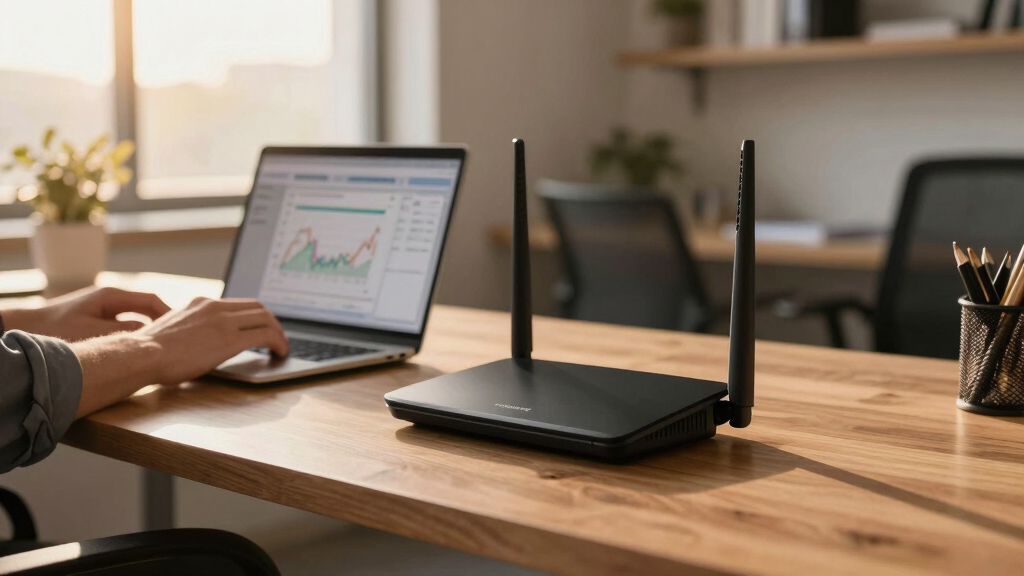

Finding the best small business Wi-Fi system for a tax office requires balancing reliable connectivity, robust security, and ease of management. The eero 6 Mesh WiFi Router stands out as the overall top choice for its seamless coverage and user-friendly setup. For those needing high-speed connections, the ASUS ExpertWiFi EBM68 AX7800 offers exceptional performance, while the HPE Aruba Instant On AP25 emphasizes enterprise-grade security. The main tradeoffs involve choosing between simplicity and advanced features, or between cost and performance. Keep reading for a detailed breakdown to help you find the best fit for your tax office environment.

Get smart everyday buys delivered free with Prime
- Fast, free delivery on millions of items
- Prime Video, Amazon Music and more included
- Member-only deals all year
Key Takeaways
- Top-ranked systems balance ease of setup with strong security features essential for sensitive tax data.
- Mesh systems like eero 6 provide broader coverage, reducing dead zones in office spaces.
- Choosing a Wi-Fi 6 or Wi-Fi 7 system offers future-proofing and higher speeds, which benefit data-heavy tasks.
- Security features such as WPA3 and VLAN support are critical for protecting client information and complying with regulations.
- Cost-effective options like Cudy AC1200 deliver reliable performance for smaller or less complex setups, but may lack advanced management tools.
| eero 6 Mesh WiFi Router |  | Best Overall for Easy, Reliable Coverage in Small Offices | Coverage: 1,500 sq. ft. | WiFi Speed: up to 900 Mbps | WiFi Standard: Wi-Fi 6 (802.11ax) | VIEW LATEST PRICE | See Our Full Breakdown |
| Zyxel WiFi 7 Wireless Access Point BE6500 | 2.5G | PoE+ | NWA50BEPRO |  | Best for Tech-Savvy Offices Needing Enterprise-Grade Speed | WiFi Generation: WiFi 7 | Maximum Speed: 6.5 Gbps | Bands: 2.4GHz, 5GHz, 6GHz | VIEW LATEST PRICE | See Our Full Breakdown |
| ASUS ExpertWiFi EBM68 AX7800 Tri-Band Business Mesh WiFi 6 System (1 Pack) |  | Best for High-Speed, Secure Business Mesh Networks | WiFi Standard: WiFi 6 | Speed: 7,800 Mbps | Bands: Tri-band | VIEW LATEST PRICE | See Our Full Breakdown |
| Deco 7 BE25 Dual-Band WiFi 7 Mesh System 5 Gbps |  | Best for Extensive Coverage and Device Capacity | Wi-Fi Standard: Wi-Fi 7 | Speed: 5 Gbps | Frequency Bands: Dual-band | VIEW LATEST PRICE | See Our Full Breakdown |
| HPE Aruba Instant On AP25 Wi-Fi 6 Indoor Access Point (R9B27A), Dual-Band |  | Best for High-Density Environments with Easy Cloud Management | Wi-Fi Standard: Wi-Fi 6 (802.11ax) | Max Speed: 4800 Mbps | Frequency Bands: 2.4 GHz, 5 GHz | VIEW LATEST PRICE | See Our Full Breakdown |
| Omada AX3000 Wireless Access Point with 5-Year Warranty |  | Best Overall for Modern, Cloud-Managed Networks | Wireless Technology: Wi-Fi 6 | Max Speed: 2976 Mbps | Management: Cloud-based via Omada app | VIEW LATEST PRICE | See Our Full Breakdown |
| ASUS ExpertWiFi EBR63 AX3000 WiFi 6 Business Router |  | Best for Network Segmentation and Security | WiFi Standard: WiFi 6 (AX3000) | Number of SSIDs: Up to 5 | Security: AiProtection Pro | VIEW LATEST PRICE | See Our Full Breakdown |
| HPE Networking Instant On AP22 WiFi 6 Indoor Access Point, Dual-Band, Long Range, Secure, Smart Mesh Support |  | Best for High Performance with Smart Mesh | WiFi Technology: 802.11ax Wi-Fi 6 | Bands: Dual-Band | Maximum Throughput: 1774 Mbps | VIEW LATEST PRICE | See Our Full Breakdown |
| Cudy AC1200 Dual-Band Wi-Fi 5 Access Point, AP1300 |  | Best for Budget-Conscious, Flexible Deployment | Frequency Band: Dual-Band | Wi-Fi Generation: Wi-Fi 5 | Data Transfer Rate: 1200 Mbps | VIEW LATEST PRICE | See Our Full Breakdown |
| HP Networking Instant ON AP21 Dual-Band Wi-Fi 6 Access Point |  | Best Compact Dual-Band Wi-Fi 6 for Small to Medium Networks | Package Dimensions: 7.64 x 7.17 x 2.72 inches | Item Weight: 1.21 pounds | ASIN: B0CRWSYBFR | VIEW LATEST PRICE | See Our Full Breakdown |
More Details on Our Top Picks
eero 6 Mesh WiFi Router
The eero 6 Mesh WiFi Router stands out for its simplicity and reliable coverage, making it a strong choice for a small tax office. It offers WiFi 6 speeds up to 900 Mbps and can support over 75 devices simultaneously, ensuring smooth operation during busy tax season. Unlike the Zyxel BE6500, which targets enterprise-level performance, the eero 6 prioritizes ease of setup and manageability, ideal for offices without dedicated IT staff. However, its limited Ethernet ports may be a constraint if wired connections are needed for printers or desktop PCs. The built-in Zigbee hub adds smart device flexibility, but this feature is less relevant if your office doesn’t utilize smart home tech. This model is perfect for small offices seeking straightforward, secure WiFi with expansion options, though it might fall short for those needing extensive wired connectivity or enterprise-grade security.
Pros:- Supports WiFi 6 for faster speeds and more connected devices
- Whole-home coverage up to 1,500 sq. ft.
- Built-in Zigbee smart home hub for device integration
- Easy setup via the eero app
Cons:- Limited to 2 Ethernet ports, which may restrict wired device connections
- Price not specified, potentially higher than basic models
Best for: Small tax offices prioritizing fast, reliable WiFi with simple setup and smart home integration
Not ideal for: Offices requiring extensive wired connections or advanced enterprise security features
- Coverage:1,500 sq. ft.
- WiFi Speed:up to 900 Mbps
- WiFi Standard:Wi-Fi 6 (802.11ax)
- Ethernet Ports:2 gigabit
- Processor:1.2 GHz quad-core
- Smart Home Hub:Zigbee, Alexa compatible
Our verdict“This is an excellent pick for small offices seeking reliable WiFi with minimal fuss, but it may not meet wired or enterprise security needs.”
Zyxel WiFi 7 Wireless Access Point BE6500 | 2.5G | PoE+ | NWA50BEPRO
The Zyxel BE6500 is designed for high-performance enterprise environments, making it ideal for a busy tax office with demanding network needs. Its WiFi 7 support delivers up to 6.5 Gbps across multiple bands, surpassing the speed of the ASUS ExpertWiFi EBM68, which maxes out at 7,800 Mbps but primarily targets smaller or less complex setups. The Zyxel offers flexible management with cloud or local options and smart mesh technology, ensuring robust coverage and seamless device connectivity. Yet, its setup complexity and premium price tag are significant hurdles for smaller offices without dedicated IT staff or budget. Limited detailed user reviews also suggest that the device may require advanced network knowledge to optimize fully. This access point makes the most sense for tech-forward offices needing top-tier speeds and flexible management, but it’s overkill for simpler setups.
Pros:- Supports WiFi 7 with multi-band operation and high speeds up to 6.5 Gbps
- Flexible management options including cloud and local control
- Smart mesh technology for reliable connectivity
- Multi-gigabit wired uplink with PoE+ support
Cons:- Setup can be technically challenging for non-experts
- High price point may be prohibitive for small businesses
Best for: Medium to large tax offices with technical staff seeking enterprise-grade, multi-band WiFi 7 performance
Not ideal for: Small offices or startups lacking IT expertise or budget for high-end networking gear
- WiFi Generation:WiFi 7
- Maximum Speed:6.5 Gbps
- Bands:2.4GHz, 5GHz, 6GHz
- LAN Port:1x 2.5GbE
- PoE Support:Yes, 802.3at
- Management:NebulaFlex (cloud or local)
Our verdict“Ideal for well-equipped offices needing enterprise-level, high-speed WiFi, but less suitable for small or budget-conscious setups.”
ASUS ExpertWiFi EBM68 AX7800 Tri-Band Business Mesh WiFi 6 System (1 Pack)
The ASUS ExpertWiFi EBM68 offers exceptional WiFi 6 tri-band performance, making it a top choice for offices needing fast, secure, and expandable networks. Its speeds up to 7,800 Mbps easily outpace the Deco 7 BE25, providing ample bandwidth for multiple devices and applications. It supports up to 12 mesh nodes, which is advantageous for larger or multi-room setups, and includes enterprise-grade security features like AiProtection Pro. However, its setup complexity and higher price point could pose challenges for smaller tax offices without dedicated IT staff. Additionally, managing a large mesh network may be unnecessary for very small spaces. It’s perfect for offices that require high throughput and security, but overkill for simple or budget-constrained environments.
Pros:- High-speed tri-band WiFi 6 performance
- Supports up to 12 mesh nodes for extensive coverage
- Enterprise-grade security with AiProtection Pro
- Multiple SSIDs for device separation
Cons:- Complex setup for non-technical users
- Premium price may be a barrier for small firms
Best for: Mid-sized or growing tax offices needing high-speed, secure, and expandable WiFi mesh coverage
Not ideal for: Very small offices or those with limited technical expertise seeking simple solutions
- WiFi Standard:WiFi 6
- Speed:7,800 Mbps
- Bands:Tri-band
- Maximum Mesh Nodes:12
- Security:AiProtection Pro
- Features:Custom Guest Portal, VLAN, SDN
Our verdict“Best suited for offices that need a high-capacity, secure, and expandable mesh system with fast WiFi 6, but it may overwhelm small or budget-conscious users.”
Deco 7 BE25 Dual-Band WiFi 7 Mesh System 5 Gbps
The Deco 7 BE25 is designed to deliver fast, reliable WiFi 7 coverage across larger spaces, supporting speeds up to 5 Gbps and over 150 devices. Its seamless AI-Roaming ensures stable connections throughout the office, making it suitable for busy tax environments with multiple simultaneous users. Compared to the eero 6, which focuses on simplicity, the Deco 7 offers more advanced features and larger coverage, but at the cost of requiring a separate modem and potentially more complex setup. Environmental factors or obstacles could impact performance, and for offices that prefer plug-and-play solutions, the advanced features may be overwhelming.
Pros:- Fast Wi-Fi 7 speeds up to 5 Gbps
- Supports over 150 devices comfortably
- Seamless AI-Roaming for stable connections
- Expandable mesh system for wide coverage
Cons:- Requires a separate modem; not an all-in-one solution
- Performance may vary based on environment
Best for: Larger offices or busy tax practices needing extensive coverage and high device support
Not ideal for: Small offices or less tech-savvy users seeking straightforward setup
- Wi-Fi Standard:Wi-Fi 7
- Speed:5 Gbps
- Frequency Bands:Dual-band
- Coverage:Up to 2,600 sq. ft.
- Number of Devices Supported:Over 150
- Ethernet Ports:2 x 2.5 Gbps WAN/LAN
Our verdict“Ideal for large or busy offices needing extensive, high-speed WiFi coverage, but less suited for small, simple setups.”
HPE Aruba Instant On AP25 Wi-Fi 6 Indoor Access Point (R9B27A), Dual-Band
The HPE Aruba Instant On AP25 provides fast Wi-Fi 6 speeds up to 4,800 Mbps on 5 GHz, making it suitable for high-density office environments like a tax office during peak hours. Its cloud management simplifies deployment for small to medium-sized businesses. While the eero 6 offers a more consumer-friendly setup, the Aruba AP25 delivers enterprise-grade security and performance tailored for high-capacity use cases. Its single 2.5 Gbps Ethernet port is adequate for most office needs but may limit wired expansion if multiple wired devices are present. The device’s indoor-only design is suitable for a dedicated office space, but it won’t support outdoor or hybrid environments.
Pros:- High throughput with Wi-Fi 6 support
- Easy cloud management via intuitive app
- Designed for high-density environments
- Supports WPA3 security
Cons:- Limited to indoor use
- One Ethernet port may restrict wired device connections
Best for: High-density, indoor office environments needing fast, secure Wi-Fi with manageable cloud setup
Not ideal for: Offices requiring outdoor coverage or multiple wired connections without additional switches
- Wi-Fi Standard:Wi-Fi 6 (802.11ax)
- Max Speed:4800 Mbps
- Frequency Bands:2.4 GHz, 5 GHz
- Ethernet Port:1 x 2.5 Gbps
- Security Protocol:WPA3
- Management:Cloud-based
Our verdict“Best for high-capacity indoor offices seeking enterprise-grade Wi-Fi with straightforward cloud management, but not for outdoor or extensive wired deployments.”
Omada AX3000 Wireless Access Point with 5-Year Warranty
The Omada AX3000 stands out for its ultra-fast Wi-Fi 6 speeds up to 2976 Mbps, making it ideal for a tax office that needs reliable, quick data transfers. Its cloud management via the Omada app simplifies ongoing administration, especially compared to the HP Instant On AP21, which offers a more straightforward setup but less advanced features. The compact design and flexible power options make installation in various office environments seamless. However, advanced mesh and roaming features require Omada SDN controllers, adding complexity for less tech-savvy users. This device is perfect for small offices prioritizing high-speed, managed Wi-Fi with future scalability, but not for those seeking plug-and-play simplicity without cloud management.
Pros:- Supports ultra-fast Wi-Fi 6 speeds for quick file transfers
- Easy cloud management with no extra fees
- Compact, sleek design suitable for discreet deployment
- Flexible power options for installation versatility
Cons:- Requires Omada SDN controllers for mesh and roaming features
- Advanced features may demand technical setup
Best for: Small tax offices needing high-speed, cloud-managed Wi-Fi with scalable features
Not ideal for: Offices with limited technical support or those preferring plug-and-play solutions without cloud management
- Wireless Technology:Wi-Fi 6
- Max Speed:2976 Mbps
- Management:Cloud-based via Omada app
- Power Options:802.3at PoE+, Passive PoE, 12V DC
- Warranty:5 years
Our verdict“This pick is best for tech-savvy offices that want scalable, high-speed Wi-Fi managed via cloud tools.”
ASUS ExpertWiFi EBR63 AX3000 WiFi 6 Business Router
Compared to the Omada AX3000, the ASUS ExpertWiFi EBR63 offers the advantage of multiple SSIDs, making it a strong choice for offices needing secure device separation and guest access. Its enterprise-grade security features like AiProtection Pro provide peace of mind, especially for sensitive tax data. Setup via the ASUS ExpertWiFi app is streamlined, but some users may find the app interface less intuitive than cloud management platforms. Its scalable options support growing networks, though detailed hardware specs are less prominent. This router makes sense for offices that prioritize security and network segmentation over raw throughput, but less so for those seeking advanced mesh capabilities or cloud management.
Pros:- Supports multiple secure SSIDs for device separation
- Customizable guest portal for branding
- Enterprise-grade security with AiProtection Pro
- Supports remote management and easy setup
Cons:- Setup via mobile app may be complex for some users
- Limited hardware detail available
Best for: Tax offices prioritizing security, network segmentation, and customizable guest portals
Not ideal for: Offices that want simplified, cloud-managed Wi-Fi without complex setup or multiple SSIDs
- WiFi Standard:WiFi 6 (AX3000)
- Number of SSIDs:Up to 5
- Security:AiProtection Pro
- Management:ASUS ExpertWiFi app
- Backup WAN:USB port for mobile hotspot
Our verdict“Ideal for offices needing secure, segmented networks with enterprise-grade security features.”
HPE Networking Instant On AP22 WiFi 6 Indoor Access Point, Dual-Band, Long Range, Secure, Smart Mesh Support
Compared with the HP Instant On AP21, the AP22 offers enhanced throughput up to 1774 Mbps and supports smart mesh, making it better suited for larger, more demanding environments such as busy tax offices. Its dual-band setup ensures strong performance across devices, and the secure management via cloud adds convenience. The downside is that the power source isn’t included in the basic package, which can add to initial setup costs. Despite its device capacity of 75, this device may be limited for rapidly expanding offices. This makes it a strong choice for offices that need reliable, high-performance Wi-Fi with long-range coverage but require careful planning for power supply inclusion.
Pros:- Supports Wi-Fi 6 for fast wireless speeds
- Long-range coverage with dual-band support
- Secure with two-factor authentication
- Smart mesh support for easy network expansion
Cons:- Power source not included in the basic package
- Maximum device capacity may be limiting for larger setups
Best for: Small to medium tax offices needing high performance and reliable mesh connectivity
Not ideal for: Offices with tight budgets or those expecting rapid network expansion beyond 75 devices
- WiFi Technology:802.11ax Wi-Fi 6
- Bands:Dual-Band
- Maximum Throughput:1774 Mbps
- Powering Options:PoE or 12V local power
- Max Active Devices:75
Our verdict“This device is well-suited for offices needing high-speed, reliable Wi-Fi with smart mesh capabilities.”
Cudy AC1200 Dual-Band Wi-Fi 5 Access Point, AP1300
Compared with the Wi-Fi 6 options like the Omada AX3000 and HPE AP22, the Cudy AC1200 offers solid performance with Wi-Fi 5, supporting speeds up to 1200 Mbps and features like MU-MIMO and beamforming. Its support for PoE and DC power provides deployment flexibility, making it suitable for offices with existing PoE infrastructure. However, its limited to a single Gigabit Ethernet port and no external antennas reduce its range and scalability for larger networks. This model is best for smaller, budget-conscious offices or those seeking straightforward Wi-Fi 5 performance at a lower cost, but it isn’t the best choice for high-demand environments.
Pros:- Supports MU-MIMO and beamforming for performance
- Flexible power options including PoE and DC
- Advanced security features and VLAN support
- High wireless speed up to 1200 Mbps
Cons:- AC adapter not included, requiring existing PoE setup
- Limited to one Ethernet port and no external antennas
Best for: Small tax offices with existing PoE infrastructure on a budget needing reliable Wi-Fi 5
Not ideal for: Offices planning significant network expansion or requiring Wi-Fi 6 speeds
- Frequency Band:Dual-Band
- Wi-Fi Generation:Wi-Fi 5
- Data Transfer Rate:1200 Mbps
- LAN Port:1 Gigabit Ethernet
- Security Protocol:WPA2-PSK, WPA2-Enterprise
Our verdict“Best suited for small offices seeking reliable Wi-Fi 5 performance on a budget with flexible deployment options.”
HP Networking Instant ON AP21 Dual-Band Wi-Fi 6 Access Point
While the HP Instant On AP21 offers a simple dual-band Wi-Fi 6 solution, its limited detailed specifications make it less feature-rich than the HPE AP22. Its lightweight, compact design suits small offices looking for basic Wi-Fi 6 connectivity, but without detailed info on coverage range or management features, it’s less suited for larger or more complex networks. The absence of included accessories or mounting hardware could add to setup efforts. This device makes sense for small offices that need basic, reliable Wi-Fi 6 and prefer HP’s brand reliability but may fall short in environments requiring extensive management or coverage.
Pros:- Supports Wi-Fi 6 for faster speeds
- Dual-band connectivity enhances performance
- Compact and lightweight design
Cons:- Limited detailed specs and features
- No accessories or mounting hardware included
Best for: Small to medium-sized tax offices needing basic Wi-Fi 6 connectivity in a compact form
Not ideal for: Offices with larger coverage needs or requiring advanced network management features
- Package Dimensions:7.64 x 7.17 x 2.72 inches
- Item Weight:1.21 pounds
- ASIN:B0CRWSYBFR
- Model Number:AP21
- First Available:January 9, 2024
Our verdict“Ideal for small offices seeking straightforward Wi-Fi 6 connectivity in a compact, reliable form.”

How We Picked
The products were evaluated based on performance, security, ease of deployment, scalability, and manageability. Systems that offered robust coverage and reliable connections across multiple devices ranked higher, especially considering the typical needs of a tax office with multiple staff and sensitive data. We also prioritized options with straightforward setup processes and good security features, as these are vital for legal and financial data protection. Price was a factor, but only when balanced with value, ensuring each pick offers a meaningful benefit relative to its cost. Finally, we considered the flexibility to expand or upgrade as the business grows, favoring systems that can scale with minimal hassle.Factors to Consider When Choosing Best Small Business Wi-Fi System For Tax Office
Selecting the right Wi-Fi system for a tax office involves understanding key technical and operational factors. Beyond basic connectivity, security, scalability, and ease of management play critical roles. A system that integrates seamlessly with your existing infrastructure and provides strong protection for sensitive data will save headaches and potential compliance issues. Being aware of the tradeoffs between cost, complexity, and future-proofing helps ensure you make a choice aligned with your current and future needs.Performance and Speed
High-speed Wi-Fi 6 or Wi-Fi 7 systems are advantageous for handling large file transfers, video conferencing, and multiple simultaneous users—common in busy tax offices. However, investing in these newer standards can increase upfront costs. Consider your typical bandwidth demands and whether your current internet plan supports these speeds to avoid bottlenecks. A system with dual or tri-band technology can also help distribute traffic efficiently, providing smoother performance during peak hours.
Security Features
Security is paramount in a tax office, where client confidentiality and data protection are non-negotiable. Look for systems that support WPA3 encryption, VLAN segmentation, and enterprise-grade firewalls. These features help isolate sensitive client data from general network traffic and prevent unauthorized access. Additionally, regular firmware updates and remote management tools can bolster ongoing security efforts, reducing manual maintenance while keeping defenses current.
Coverage and Scalability
Coverage needs vary based on office size and layout. Mesh systems like eero 6 excel in providing consistent Wi-Fi throughout larger or complex spaces, eliminating dead zones. Scalability is also key—choose a system that can add access points or expand network capacity as your practice grows. Avoid overly limited setups if you anticipate future expansion, as replacing hardware later can be costly and disruptive.
Ease of Management
For busy tax professionals, a system with intuitive management tools is a real time-saver. Cloud-based apps or user-friendly controllers allow for quick setup, remote troubleshooting, and real-time monitoring. Be cautious of overly complicated enterprise solutions if you lack dedicated IT staff; simpler interfaces can reduce setup time and ongoing maintenance, making them more suitable for small teams or practices without dedicated tech support.
Cost and Total Value
While budget matters, a lower-cost system may lack advanced security, scalability, or management features that are vital for a tax office. Aim for a balance between affordability and the features necessary to protect your data and ensure reliable connectivity. Sometimes, investing a bit more upfront in a system with proven reliability and security features can prevent costly issues or upgrades later, ultimately saving money and stress.
Frequently Asked Questions
Is Wi-Fi 6 or Wi-Fi 7 better for my tax office?
Wi-Fi 6 offers substantial speed improvements over previous standards and supports multiple devices efficiently, making it a solid choice for most small offices today. Wi-Fi 7 is newer and promises even higher speeds with lower latency, future-proofing your network. For a typical tax office, Wi-Fi 6 strikes a good balance between performance and cost, while Wi-Fi 7 is better if your practice handles very large files or plans significant expansion soon.
Should I prioritize mesh systems over traditional access points?
Mesh systems tend to be easier to set up and manage, especially in larger or irregularly shaped offices, providing more consistent coverage. Traditional access points can be more cost-effective if your space is smaller or has a straightforward layout. The choice depends on your office size, layout complexity, and whether you prefer a plug-and-play solution or more customizable, centralized control.
What security features should I look for in a Wi-Fi system?
Security features such as WPA3 encryption, VLAN support, and built-in firewalls are essential for protecting sensitive client data in a tax office. Additionally, look for systems that receive regular firmware updates and support remote management, enabling quick response to potential vulnerabilities. Avoid systems with outdated security protocols or limited update support, as these can expose your network to risks.
Can I upgrade my Wi-Fi system later if I need more speed or coverage?
Many modern systems are designed with scalability in mind, allowing you to add access points or upgrade hardware as your needs grow. Mesh systems are particularly flexible, making expansion straightforward. However, compatibility is key—ensure new components are compatible with your existing setup to avoid expensive replacements or complex configurations later on.
How much should I budget for a reliable small business Wi-Fi system?
Expect to spend between $200 and $600 for a dependable system that balances security, performance, and ease of management. Cheaper options may suffice for very small or less data-heavy environments but often lack advanced security features or scalability. Investing in a slightly higher-priced, enterprise-grade system can provide peace of mind, especially given the sensitive nature of tax-related data, and can prevent costly upgrades or security breaches down the line.