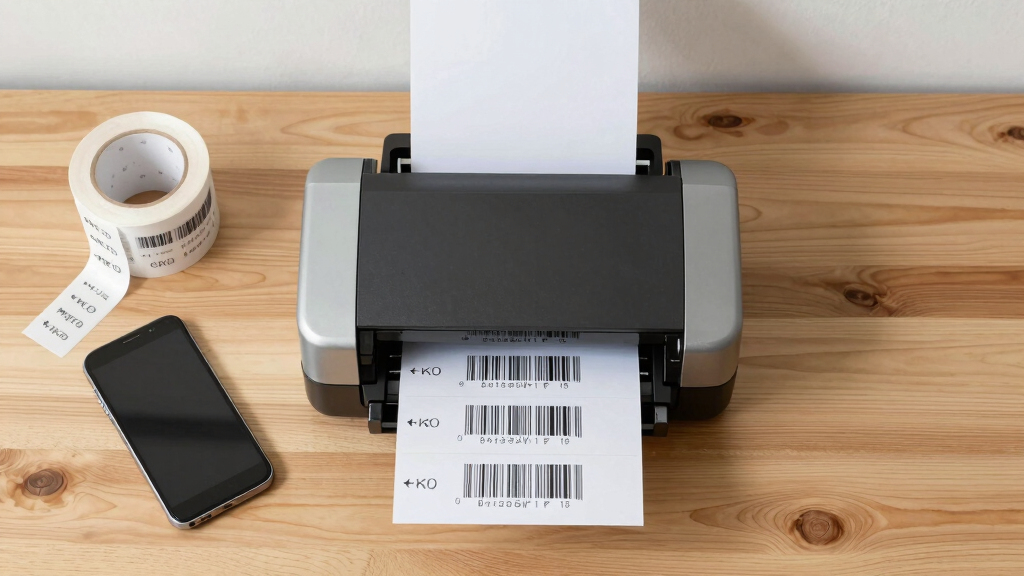

Choosing the best label printer for SKU and barcode labels depends on your specific business needs, volume, and budget. The Brother QL-1100 stands out as the best overall for its wide-format capability and fast printing, ideal for high-volume label needs. For smaller operations, the CLABEL 221D offers excellent Bluetooth connectivity and affordability, making it a strong value pick. Meanwhile, the Zebra LP2824 Plus excels in durability and reliability in commercial settings. Each option comes with tradeoffs, such as price, speed, or connectivity, so understanding your priorities is key. Keep reading for a detailed breakdown to help you make the best choice for your SKU and barcode labeling needs.

Get smart everyday buys delivered free with Prime
- Fast, free delivery on millions of items
- Prime Video, Amazon Music and more included
- Member-only deals all year
Key Takeaways
- The top performers balance print speed, connectivity options, and ease of use, with the Brother QL-1100 leading for high-volume needs.
- Connectivity features like Bluetooth and Wi-Fi greatly influence setup flexibility, especially for small or mobile businesses.
- Price varies significantly; the most expensive models often provide durability and speed, while budget options focus on ease of use and basic features.
- Print resolution and label size compatibility are critical, especially for barcode clarity and SKU readability.
- Durability and maintenance requirements differ; industrial models offer longevity but come at a higher cost, whereas desktop models suit light to moderate use.
| Brother QL-1100 Wide Format Postage and Barcode Thermal Label Printer |  | Best Overall for Wide Format Labeling and Versatile Compatibility | Print Width: up to 4 inches | Maximum Label Length: 9.8 feet (USB), 3 feet (Serial) | Printer Memory: 7.8 MB | VIEW LATEST PRICE | See Our Full Breakdown |
| Epson TM-L90 Plus Barcode Label Printer |  | Best for Reliable, High-Quality Retail and Hospitality Labeling | VIEW LATEST PRICE | See Our Full Breakdown | |||
| GoDEX RT230i 300 DPI Thermal Label Printer, 2 Inch |  | Best for Versatile, High-Speed Labeling in Diverse Environments | Resolution: 300 DPI | Print Speed: 7 inches/sec | Print Width: 2 inches | VIEW LATEST PRICE | See Our Full Breakdown |
| CLABEL 221B 2″ Bluetooth Thermal Label Printer with 3 Label Rolls |  | Best for Small Business and Mobile Use with Easy Bluetooth Setup | Print Size: 2 inches | Supported Label Width: 25mm-50mm (0.98-2 inches) | Connectivity: Bluetooth, USB | VIEW LATEST PRICE | See Our Full Breakdown |
| Rollo Direct Thermal 2×1 Barcode Labels – Roll of 1,000 |  | Best for Bulk Inventory, Shipping, and Mailing Label Supplies | Size: 2 x 1 inches | Quantity: 1,000 labels | Material: High-quality paper | VIEW LATEST PRICE | See Our Full Breakdown |
| Brother QL-820NWB Professional Monochrome Label Printer with Multiple Connectivity |  | Best Overall for Versatile Connectivity and Speed | Connectivity: Bluetooth, Ethernet, Wi-Fi (802.11B/g/N), USB | Print Speed: Up to 110 labels per minute | Maximum Label Length: 3 feet | VIEW LATEST PRICE | See Our Full Breakdown |
| Zebra LP2824 Plus Barcode Label Printer, 2-Inch, USB, Direct Thermal, Renewed |  | Best Value for Compact, Cost-Effective 2-Inch Labeling | Technology: Direct Thermal | Print Width: 2 inches | Interface: USB | VIEW LATEST PRICE | See Our Full Breakdown |
| CLABEL 221D 2-inch Bluetooth Barcode Label Printer for Small Business |  | Best for Wireless Small-Scale Labeling Versatility | Print Width: 2 inches | Resolution: 203 DPI | Connectivity: Bluetooth, USB | VIEW LATEST PRICE | See Our Full Breakdown |
| LabelTac LT4 Thermal Transfer Label Printer |  | Best Industrial-Quality for In-House Label Production | Printer Type: Thermal transfer | Print Resolution: 300 DPI | Maximum Media Size: 4 inches wide | VIEW LATEST PRICE | See Our Full Breakdown |
| TSC TTP-244CE Desktop Thermal Transfer Label Barcode Printer |  | Best for Compact, Widescreen Desktop Labeling | Model Number: 99-033A031-00LF | Print Width: 4.25 inches | Resolution: 203 dpi | VIEW LATEST PRICE | See Our Full Breakdown |
| Brother QL-1110NWB Wide Format Postage and Barcode Thermal Label Printer |  | Best for Wide-Format, Network-Ready Labeling | Maximum Label Width: 4 inches | Maximum Label Length: 9.8 feet | Connectivity: Bluetooth, Ethernet, Wi-Fi (802.11b/g/n) | VIEW LATEST PRICE | See Our Full Breakdown |
| label printer for SKU and barcode label | Connectivity |
|---|---|
| Brother QL-1100 Wide Format Po | — |
| Epson TM-L90 Plus Barcode Labe | — |
| GoDEX RT230i 300 DPI Thermal L | USB, Ethernet, WiFi (varies) |
| CLABEL 221B 2" Bluetooth Therm | Bluetooth, USB |
| Rollo Direct Thermal 2×1 Barco | — |
| Brother QL-820NWB Professional | Bluetooth, Ethernet, Wi-Fi (802.11B/g/N), USB |
| Zebra LP2824 Plus Barcode Labe | — |
| CLABEL 221D 2-inch Bluetooth B | Bluetooth, USB |
| LabelTac LT4 Thermal Transfer | — |
| TSC TTP-244CE Desktop Thermal | Optional Bluetooth |
| Brother QL-1110NWB Wide Format | Bluetooth, Ethernet, Wi-Fi (802.11b/g/n) |
More Details on Our Top Picks
Brother QL-1100 Wide Format Postage and Barcode Thermal Label Printer
The Brother QL-1100 stands out for its ability to print wide labels up to 4 inches, making it ideal for shipping and badge creation. Compared with the GoDEX RT230i, which offers high-speed printing but is limited to 2-inch labels, the QL-1100 provides more flexibility in label width. Its ease of use, with no software installation required and barcode cropping features, enhances productivity, especially on Windows. However, the lack of wireless connectivity and the need for a USB connection may limit its convenience in wireless setups. This printer is a strong choice for small to medium businesses needing large-format labels with straightforward operation.
Pros:- Prints wide labels up to 4 inches, suitable for various labeling needs
- Easy barcode cropping and label customization on Windows
- Compatible with Windows, Linux, Mac, and Android
Cons:- Barcode crop function limited to Windows, reducing flexibility
- No wireless or Bluetooth connectivity, tethering to USB
Best for: Small to medium-sized businesses that need wide-format barcode labels for shipping or badges and prefer a reliable, multi-platform device.
Not ideal for: Users looking for wireless or mobile printing options, since the QL-1100 relies on USB and has no WiFi or Bluetooth support.
- Print Width:up to 4 inches
- Maximum Label Length:9.8 feet (USB), 3 feet (Serial)
- Printer Memory:7.8 MB
- Compatibility:Windows, Linux, Mac, Android
Our verdict“This pick suits users who prioritize wide-format labels and cross-platform compatibility over wireless features.”
Epson TM-L90 Plus Barcode Label Printer
The Epson TM-L90 Plus excels through its dependable performance and high-quality output, making it a good choice for retail or hospitality environments where consistent, clear labels are essential. Unlike the Brother QL-1100, which offers wider labels, the TM-L90 Plus focuses on standard-sized labels with faster printing speeds and durable output. Its limited feature info suggests a straightforward, reliable device, but the lack of detailed specifications or customer reviews makes it harder to assess its full capabilities. This printer is most suitable for businesses that need dependable, high-volume printing in a fixed location.
Pros:- Reliable performance with consistent high-quality printing
- Fast printing speeds suitable for high-volume environments
- Designed specifically for retail or hospitality use
Cons:- Limited information on features and connectivity options
- No customer reviews available, making evaluation difficult
Best for: Retailers or restaurants that require reliable, high-quality barcode labels with fast turnaround times.
Not ideal for: Small home-based businesses or users needing flexible connectivity options, as details on features and connectivity are sparse.
Our verdict“This printer is ideal for retail or hospitality outlets prioritizing dependable, high-quality labels over advanced connectivity features.”
GoDEX RT230i 300 DPI Thermal Label Printer, 2 Inch
The GoDEX RT230i offers a compelling combination of high speed and versatile connectivity, making it suitable for shipping, inventory, or healthcare settings. Its 300 DPI resolution ensures sharp, legible labels, which it can produce at speeds up to 7 inches per second—faster than many competitors like the Brother QL-1100. However, its limitation to 2-inch labels and potentially complex setup can be drawbacks for users needing larger labels or quick deployment without technical expertise. The inclusion of multiple connectivity options, including Ethernet and WiFi (on some models), makes it adaptable for different environments.
Pros:- Fast printing speeds up to 7 inches per second
- High 300 DPI resolution for clear, sharp labels
- Multiple connectivity options (USB, Ethernet, WiFi)
Cons:- Limited to 2-inch label width, restricting larger label applications
- Setup complexity may pose challenges for less tech-savvy users
Best for: Businesses requiring fast, high-resolution labels in shipping, healthcare, or inventory management with diverse connectivity needs.
Not ideal for: Users who need wider labels or simple plug-and-play setup, as some models may require technical knowledge to configure.
- Resolution:300 DPI
- Print Speed:7 inches/sec
- Print Width:2 inches
- Connectivity:USB, Ethernet, WiFi (varies)
Our verdict“This printer suits fast-paced environments needing high-resolution labels with versatile connectivity, but not those requiring wider labels or simple setups.”
CLABEL 221B 2″ Bluetooth Thermal Label Printer with 3 Label Rolls
The CLABEL 221B shines as a compact, mobile solution that simplifies printing for small businesses or home users. Its Bluetooth connectivity allows quick pairing with Android and iOS devices, making it ideal for on-the-go labeling tasks. While it supports a range of label sizes and includes 3 rolls, its reliance on Bluetooth means it lacks WiFi, limiting multi-device or remote printing options seen in the GoDEX RT230i. The inability to connect directly to iPads and the need for USB for computer use may restrict flexibility. Overall, this device is excellent for quick, mobile label printing but less so for large-scale or fixed-location setups.
Pros:- Supports a wide range of label sizes and types
- Easy Bluetooth setup for mobile devices
- Produces waterproof, scratch-resistant labels
Cons:- No WiFi connectivity, limiting multi-device use
- Limited to Bluetooth connection for mobile devices and requiring USB for computers
Best for: Small business owners or mobile workers needing quick, reliable Bluetooth label printing from smartphones or tablets.
Not ideal for: Businesses requiring WiFi connectivity for multiple users or larger-scale printing, as it lacks WiFi and iPad compatibility.
- Print Size:2 inches
- Supported Label Width:25mm-50mm (0.98-2 inches)
- Connectivity:Bluetooth, USB
- Compatibility:Android, iOS (not iPad)
Our verdict“This printer is perfect for mobile, on-the-go labeling needs but less suited for multi-user or large-scale fixed setups.”
Rollo Direct Thermal 2×1 Barcode Labels – Roll of 1,000
The Rollo 2×1 inch labels offer a straightforward, high-volume solution for inventory, shipping, and mailing tasks. Their high-quality, fade-resistant printing ensures barcodes scan reliably, making them a dependable choice for many businesses. Compared with dedicated printers like the Brother QL-1100, these labels are a consumable product rather than a device, but they are compatible with a wide range of thermal printers, enhancing flexibility. The main tradeoff involves handling—labels require proper roll holders, and scratches can occur if not handled carefully. This product is ideal for those with existing thermal printers needing bulk supplies.
Pros:- High-quality, fade-resistant printing for reliable scanning
- Compatible across many thermal printer brands
- Bulk pack of 1,000 labels for cost efficiency
Cons:- Requires a roll holder for proper installation
- Prone to scratches if handled improperly, affecting label quality
Best for: Businesses or warehouses that need a large quantity of durable, reliable barcode labels compatible with various thermal printers.
Not ideal for: Users seeking an all-in-one solution or needing a dedicated printer, as this is just a label supply, not a printer.
- Size:2 x 1 inches
- Quantity:1,000 labels
- Material:High-quality paper
- Made in:USA
Our verdict“This bulk label roll suits users who already have thermal printers and need dependable, high-volume barcode labels.”
Brother QL-820NWB Professional Monochrome Label Printer with Multiple Connectivity
This model stands out for its multiple connectivity options—Bluetooth, Ethernet, Wi-Fi, and USB—making it highly adaptable for various business environments. Its impressive print speed of up to 110 labels per minute ensures high productivity, surpassing many competitors like the Zebra LP2824, which is slower but more compact. The high-resolution 300 dpi output guarantees sharp, clear black and red labels, ideal for professional branding or detailed barcodes. However, its monochrome limitation means it can’t produce color labels, which might be essential for some branding needs. The maximum label length of 3 feet could restrict certain applications requiring longer labels. Overall, this is perfect for busy workflows needing fast, flexible monochrome label printing with standalone operation.
Pros:- Multiple connectivity options for flexible setup
- High-speed printing up to 110 labels per minute
- Easy-to-read LCD for standalone operation
- High-resolution 300 dpi for sharp text
Cons:- Limited to monochrome (black and red) labels only
- Maximum label length of 3 feet may be restrictive for some uses
Best for: Small to medium-sized businesses requiring fast, reliable monochrome labels with multiple connectivity options
Not ideal for: Businesses needing color labels or longer label lengths, or those with minimal space for multiple connection setups
- Connectivity:Bluetooth, Ethernet, Wi-Fi (802.11B/g/N), USB
- Print Speed:Up to 110 labels per minute
- Maximum Label Length:3 feet
- Resolution:300 dpi
- Color Printing:Black/red labels with DK 2251
Our verdict“This printer suits businesses that prioritize speed and versatile connectivity over color options or longer labels.”
Zebra LP2824 Plus Barcode Label Printer, 2-Inch, USB, Direct Thermal, Renewed
Compared with larger or more advanced models, the Zebra LP2824 Plus excels in offering reliable, affordable performance for everyday labeling tasks. Its compact 2-inch size makes it ideal for retail checkouts, healthcare labels, or warehouse tags, where space is limited. The direct thermal technology eliminates the need for ink or ribbons, reducing ongoing costs. However, its limited 2-inch print width restricts use cases to smaller labels, unlike the LabelTac LT4, which can handle wider media but at a higher cost. Being a renewed product might also mean limited warranty coverage, which is a consideration for high-volume or mission-critical applications. This printer makes the most sense for small business environments needing straightforward, reliable label printing on a budget.
Pros:- Cost-effective with no ink or ribbons needed
- Compact size fits tight spaces
- Reliable performance for daily use
- No ongoing ink costs
Cons:- Limited to 2-inch labels
- Requires USB connection—no wireless options
- Renewed status may affect warranty and longevity
Best for: Small retail stores or clinics seeking affordable, space-saving barcode labels
Not ideal for: Operations requiring wider labels or heavy-duty industrial printing, or those wary of buying renewed equipment
- Technology:Direct Thermal
- Print Width:2 inches
- Interface:USB
- Power Supply:Included
- Condition:Renewed
Our verdict“This printer is a solid choice for budget-conscious small businesses needing reliable 2-inch labels without extra fuss.”
CLABEL 221D 2-inch Bluetooth Barcode Label Printer for Small Business
This model makes a strong case for small business owners needing wireless flexibility and support for various label types. Its Bluetooth and USB connectivity facilitate easy setup with smartphones, tablets, or computers, making it more adaptable than the Zebra LP2824, which relies solely on USB. The support for diverse labels like jewelry tags, bakery dates, and retail stickers enhances its versatility, unlike rigid models that only handle standard barcode labels. However, its limited to 2-inch labels and incompatibility with larger or more industrial applications mean it’s best suited for light-duty, item-specific labeling. The absence of advanced features like color or longer labels narrows its scope but simplifies everyday use for retail or office environments.
Pros:- Wireless Bluetooth connectivity for flexible placement
- Supports a variety of small labels and tags
- No ink or toner required, reducing costs
- Easy setup with free app templates
Cons:- Limited to 2-inch labels
- Not suitable for shipping labels or heavy-duty tasks
- Requires compatible devices—not ideal for POS tablets
Best for: Small retail or boutique owners seeking wireless setup and flexible label options
Not ideal for: Heavy-duty warehouses or shipping departments needing larger or more durable labels
- Print Width:2 inches
- Resolution:203 DPI
- Connectivity:Bluetooth, USB
- Supported Labels:Retail tags, jewelry, bakery dates
- Technology:Direct thermal
Our verdict“This printer offers excellent wireless convenience for small-scale, diverse labeling needs, but isn’t suited for larger or industrial labels.”
LabelTac LT4 Thermal Transfer Label Printer
The LabelTac LT4 stands out for its industrial-quality output and capacity to handle a broad range of label sizes, including widths up to 4 inches, making it suitable for more demanding settings. Its thermal transfer technology allows for durable, long-lasting labels, unlike direct thermal options that fade over time. The software included provides extensive design options for barcodes, signage, and warning labels, giving it an edge over simpler models like the CLABEL 221D. Nonetheless, its monochrome black-only printing limits color use, and the lack of wireless connectivity can be a drawback for those seeking mobile or flexible setups. It’s best for in-house labeling where durability and design flexibility outweigh the need for color or wireless features.
Pros:- Industrial-quality labels at an affordable price
- Easy supply and ribbon replacement
- Supports a wide media range up to 4 inches
- Includes design software with templates
Cons:- Limited to monochrome printing
- No wireless connectivity options
- Maximum media width of 4 inches may be restrictive for some larger labels
Best for: Manufacturing, warehousing, or in-house label design teams needing durable, versatile labels
Not ideal for: Small offices or retail outlets requiring simple, color labels or wireless printing options
- Printer Type:Thermal transfer
- Print Resolution:300 DPI
- Maximum Media Size:4 inches wide
- Includes Software:Yes
- Warranty:Lifetime transfer
Our verdict“This printer suits in-house production environments demanding durable, flexible black-and-white labels with professional design tools.”
TSC TTP-244CE Desktop Thermal Transfer Label Barcode Printer
The TSC TTP-244CE offers a compact footprint with a 4.25-inch print width, making it versatile for various desktop labeling needs. Its optional Bluetooth enhances wireless flexibility, although it isn’t a standard feature like on some other models, which might be a limitation for users needing immediate wireless setup. The 203 dpi resolution ensures clear barcode and text printing, suitable for most retail and warehouse tasks. Compared with the Brother QL-820NWB, which excels in speed and standalone features, the TTP-244CE’s strength lies in its wider print area and potential for wireless connectivity. Its lack of detailed user reviews could make reliability a question mark for some buyers, but its size and flexibility generally suit small to medium operations requiring wider labels in a compact form.
Pros:- Compact size fits on desktop surfaces
- Optional Bluetooth for wireless connectivity
- Wide 4.25-inch print capacity
- Good resolution for barcode clarity
Cons:- Limited detailed user feedback available
- Requires additional purchase for Bluetooth functionality
- No mention of additional connectivity options beyond Bluetooth
Best for: Small businesses needing a wider, desktop-compatible barcode printer with optional wireless features
Not ideal for: High-volume, high-speed environments or those needing immediate wireless setup without additional purchase
- Model Number:99-033A031-00LF
- Print Width:4.25 inches
- Resolution:203 dpi
- Dimensions:7.95” W x 6.81” H x 10.16” D
- Connectivity:Optional Bluetooth
Our verdict“This printer is ideal for small operations needing a wider desktop label printer with optional wireless features and straightforward performance.”
Brother QL-1110NWB Wide Format Postage and Barcode Thermal Label Printer
The Brother QL-1110NWB stands out for its ability to print wide-format labels up to 4 inches, making it ideal for shipping, mailing, and badge labels that require larger dimensions. Compared to the Brother QL-1100, which is more focused on standard-sized labels, this model offers greater versatility for diverse labeling needs. Its wireless options—Bluetooth, Wi-Fi, and Ethernet—allow seamless printing from multiple devices, though barcode cropping is limited to Windows, which might complicate setups for Mac users. While the printer supports various file formats and operating systems, its setup can be complex for those unfamiliar with network configuration, and details on print speed or consumable costs are sparse. This pick makes the most sense for small to medium-sized businesses that need flexible, wide-format label printing without sacrificing network connectivity. However, users seeking a straightforward, plug-and-play solution may find the setup process challenging. Overall, this printer is best suited for those who prioritize wide labels and versatile connectivity options over simplicity.Pros:- Prints labels up to 4 inches wide, accommodating various labeling applications
- Wireless connectivity via Bluetooth, Wi-Fi, and Ethernet for flexible device integration
- Supports multiple operating systems including Windows and Mac, with network management features
Cons:- Barcode cropping feature limited to Windows, restricting cross-platform flexibility
- Setup can be technically complex, especially for non-IT users
- Limited information on print speed and cost efficiency of consumables
Best for: Small to medium-sized businesses requiring wide-format labels with robust network options
Not ideal for: Home users or small offices needing simple, quick setup for standard label sizes
- Maximum Label Width:4 inches
- Maximum Label Length:9.8 feet
- Connectivity:Bluetooth, Ethernet, Wi-Fi (802.11b/g/n)
- Operating Systems:Windows Vista to Windows 10, Server 2008/2012/2016, Mac OS X 10.11-10.13
- Supported File Formats:CSV, Microsoft SQL Server, TXT, MDB, XLS
- Maximum Print Length:9.8 feet
Our verdict“This printer is ideal for businesses needing wide, versatile labels with advanced network capabilities but requires some technical know-how for setup.”

How We Picked
The products in this roundup were evaluated based on performance, ease of use, build quality, connectivity options, and value for money. Priority was given to printers that handle typical SKU and barcode label sizes with high clarity and speed, since these are essential for retail and warehouse environments. We also considered user interface simplicity, setup process, and ongoing maintenance costs. The ranking reflects a balance between professional features and affordability, ensuring options for different business sizes and technical comfort levels. Products were compared against these criteria to identify those offering the best overall combination of features and reliability for SKU and barcode labeling in 2026.| label printer for SKU and barcode label | Connectivity |
|---|---|
| Brother QL-1100 Wide Format Po | — |
| Epson TM-L90 Plus Barcode Labe | — |
| GoDEX RT230i 300 DPI Thermal L | USB, Ethernet, WiFi (varies) |
| CLABEL 221B 2" Bluetooth Therm | Bluetooth, USB |
| Rollo Direct Thermal 2×1 Barco | — |
| Brother QL-820NWB Professional | Bluetooth, Ethernet, Wi-Fi (802.11B/g/N), USB |
| Zebra LP2824 Plus Barcode Labe | — |
| CLABEL 221D 2-inch Bluetooth B | Bluetooth, USB |
| LabelTac LT4 Thermal Transfer | — |
| TSC TTP-244CE Desktop Thermal | Optional Bluetooth |
| Brother QL-1110NWB Wide Format | Bluetooth, Ethernet, Wi-Fi (802.11b/g/n) |
Factors to Consider When Choosing Best Label Printer For SKU And Barcode Labels
When choosing the best label printer for SKU and barcode labels, several factors influence your final decision. Understanding these can help you avoid common pitfalls and select a model that truly meets your needs, whether you prioritize speed, connectivity, or budget.Print Speed and Volume
High-volume businesses need printers with fast output speeds to keep up with daily demand. Look for models that can print hundreds of labels per hour without sacrificing quality. Cheaper or slower printers may cause delays, especially in busy warehouses or retail settings, so consider your typical workload when making a choice.
Connectivity Options
Wireless features like Bluetooth, Wi-Fi, and Ethernet can dramatically simplify setup and daily operation, especially if you need to print from multiple devices or mobile setups. Avoid models that rely solely on USB if your environment demands flexibility, but be aware that adding wireless features might increase cost and complexity.
Label Compatibility and Size
Verify that the printer supports the label sizes and types you use most, especially if you require specific dimensions for SKUs or barcodes. Some printers excel with standard 2-inch labels, while others can handle wider formats, which can be crucial for barcode readability and SKU clarity.
Print Resolution and Quality
Clear, scannable barcodes depend on sufficient print resolution. Look for printers with at least 300 DPI to ensure barcode accuracy and sharp text for SKUs. Sacrificing resolution for speed might lead to unreadable labels, causing issues at checkout or inventory scanning.
Durability and Maintenance
Consider how often you’ll need to replace parts or refill supplies. Industrial models offer greater longevity and handle larger volumes but come at higher costs. Desktop models are more affordable but may require more frequent maintenance if used heavily, so match the printer’s durability to your operational scale.
Frequently Asked Questions
Can I use the same label printer for shipping labels and SKU labels?
Many label printers support multiple label types, but it’s important to check compatibility with your specific label sizes and adhesive types. For shipping labels, wider formats and thermal transfer printers are often preferred, while SKUs and barcodes typically require precise resolution and smaller sizes. Ensure the model you choose can handle the labels you need for both purposes without frequent adjustments.
Is wireless connectivity necessary for a label printer used in a warehouse?
Wireless features like Wi-Fi and Bluetooth add flexibility, especially if you need to print from various devices or mobile terminals. However, wired connections such as USB or Ethernet can offer more stable, faster printing in fixed locations. For large warehouses, a networked setup that combines both options often provides the best balance of reliability and convenience.
How often should I replace or refill supplies in my label printer?
The frequency depends on your volume and the type of labels used. High-volume operations should consider models with large rolls or bulk supply options to minimize downtime. Additionally, thermal transfer printers may require periodic replacement of ribbons, while direct thermal printers need no ribbons but may have shorter lifespan for printing heads if used heavily.
Are industrial printers worth the higher cost for small businesses?
Industrial printers excel in durability, speed, and volume handling, making them suitable for large-scale operations. For small businesses or occasional use, these models can be overkill and may not justify the higher investment. Instead, a reliable desktop model with sufficient speed and connectivity often provides better value without the complexity of industrial features.
What is the most important feature for barcode label printing?
The key feature is print resolution, with 300 DPI or higher ensuring barcode clarity and scannability. Additionally, consistent print quality, durability of labels, and compatibility with barcode standards are critical. Investing in a model with high resolution and reliable performance helps prevent scanning errors that could disrupt inventory management or checkout processes.