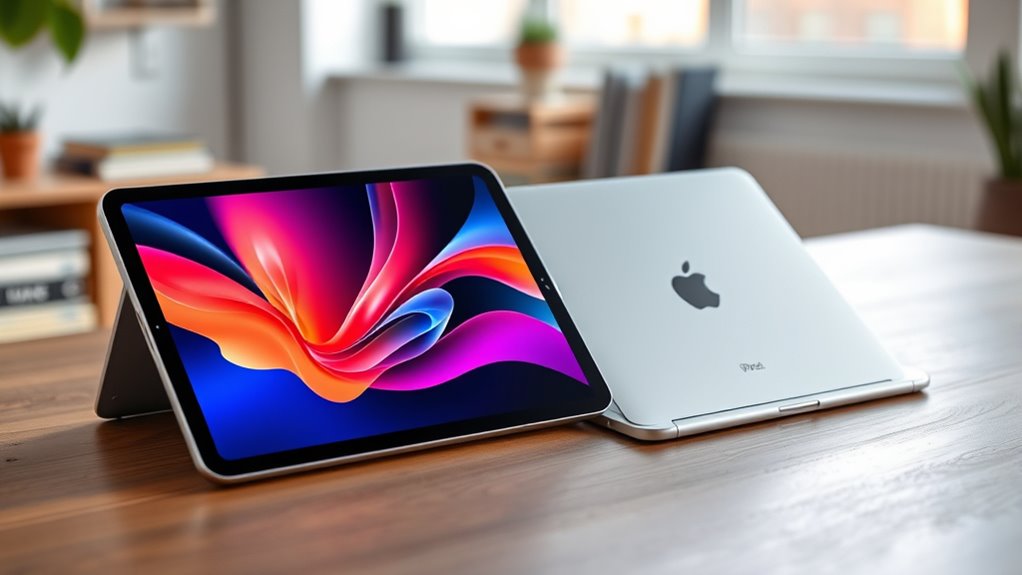

Choosing between the iPad Pro and iPad Air for student use involves balancing performance, portability, and price. The iPad Pro models deliver top-tier power with larger screens, ideal for multitasking and creative projects. Conversely, the iPad Air offers many Pro features at a lower cost, making it a compelling choice for most students. The main tradeoffs include size, processing power, and price, which can impact daily usability and budget. Continue reading for a detailed comparison to help you find the best fit for your educational needs.

Get smart everyday buys delivered free with Prime
- Fast, free delivery on millions of items
- Prime Video, Amazon Music and more included
- Member-only deals all year
Key Takeaways
- The iPad Pro models excel in processing power and display quality, making them suitable for intensive tasks like design or multitasking.
- The iPad Air offers significant value with many Pro features at a more accessible price point, ideal for everyday student tasks.
- Size differences impact portability: the 11-inch iPad Pro and Air are easier to carry, whereas the 12.9-inch models are better for multitasking and media consumption.
- Storage capacity varies widely; students should choose higher options if storing large files or apps is necessary.
- Latest chips and connectivity options (like Wi-Fi 6E and 5G) are reserved for newer models, influencing future-proofing and speed.


| ipad pro vs ipad air for student | Processor | Connectivity | Storage | Display |
|---|---|---|---|---|
| Apple iPad Pro 2024 | Apple M4 | Wi-Fi 6E, 5G | — | — |
| Apple iPad Air 13-inch | Apple M2 | Wi-Fi 6E, 5G | 1TB | 13-inch Liquid Retina |
| Apple iPad Pro 11-inch | Apple M5 | Wi-Fi 7 | 256GB | — |
| Apple 2022 iPad Pro 12.9-inch | Apple M2 | Wi-Fi | 256GB | 12.9-inch Liquid Retina XDR |
| Apple iPad Air 2020 | — | — | 64GB | 10.9-inch Liquid Retina |
| Apple iPad Air 11-inch | Apple M4 chip | Wi-Fi 7 with Apple N1 | 128GB | 11-inch Liquid Retina |
| Apple iPad 11-inch with A16 Ch | A16 chip | Wi-Fi 6, USB-C | 128GB | 11-inch Liquid Retina |
| Apple iPad Pro 13-inch with M5 | Apple M5 | Wi-Fi 7 | 512GB | 13-inch Ultra Retina XDR |
| Apple iPad Air 13-inch | Apple M4 chip | Wi-Fi 7 with Apple N1 | 128GB | 13-inch Liquid Retina |
More Details on Our Top Picks
Apple iPad Pro 2024 (13-inch, Wi-Fi, 256GB) – Space Black (Renewed)
The iPad Pro 2024 stands out for its exceptional processing power thanks to the M4 chip, making it ideal for multitasking, creative work, and demanding apps. Its stunning 13-inch Ultra Retina XDR display provides vibrant visuals, surpassing the iPad Air’s screen quality in color accuracy and brightness. The support for Apple Pencil Pro and Magic Keyboard adds to its versatility, transforming it into a portable workstation. Compared to the iPad Air, this model offers higher performance but at a steeper cost, and being a renewed product introduces some warranty concerns. Its battery life of around 10 hours may be limiting for all-day intensive use, but overall, it suits students who need a robust device for productivity and creative tasks.
Pros:- Exceptional performance with the M4 chip for demanding tasks
- Vivid Ultra Retina XDR display enhances visual work
- Supports Apple Pencil Pro and Magic Keyboard for versatile use
- Fast Wi-Fi 6E and 5G connectivity for quick data transfer
Cons:- Renewed product may have limited warranty coverage
- Premium price may be prohibitive for some students
- Battery life around 10 hours could be insufficient for extended use
Best for: Students who require high performance for multitasking, creative projects, or professional-level apps.
Not ideal for: Budget-conscious students or those prioritizing portability over raw power, since the Pro’s premium price and size may be less appealing.
- Display Size:13-inch
- Processor:Apple M4
- Storage Capacity:256GB
- Connectivity:Wi-Fi 6E, 5G
- Battery Life:10 hours
- Color:Space Black
Our verdict“This is best suited for students who need a powerful, flexible device capable of handling both creative and productivity tasks, despite its higher cost and limited warranty.”
Apple iPad Air 13-inch (M2) with 1TB Storage, Liquid Retina Display, 12MP Cameras, Wi-Fi 6E + 5G Cellular, Touch ID, All-Day Battery Life – Starlight
The iPad Air (M2) offers a compelling balance of power and portability, with a stunning 13-inch Liquid Retina display that rivals the iPad Pro’s in visual quality. Its M2 chip ensures smooth multitasking and media editing, comparable to the higher-tier Pro models but in a lighter form factor. The inclusion of 1TB storage makes it ideal for students who need space for large files or multimedia projects, a feature the iPad Pro 11-inch with M5 lacks at this capacity. While its premium price tag can be a barrier, its versatility with Wi-Fi 6E and 5G, combined with Touch ID, makes it a flexible choice for on-the-go use. The large size might hinder portability for some students, but overall, it offers a high-performance experience in a sleek package.
Pros:- Powerful M2 chip ensures smooth multitasking
- Large 13-inch Liquid Retina display with rich colors
- Up to 1TB storage for large files and multimedia
- Versatile connectivity including Wi-Fi 6E and 5G
Cons:- Premium price might be too high for many students
- Large size reduces portability compared to smaller tablets
- Limited to the iPadOS ecosystem, restricting some workflows
Best for: Students seeking a high-performance tablet with ample storage that balances portability and power.
Not ideal for: Students who prioritize ultra-lightweight devices or budget constraints, as the M2 model with 1TB storage is costly and sizable.
- Display:13-inch Liquid Retina
- Processor:Apple M2
- Storage:1TB
- Connectivity:Wi-Fi 6E, 5G
- Battery Life:All-day
- Touch ID:Yes
Our verdict“Ideal for students who need a portable yet powerful device with large storage, accepting the tradeoff of size and cost.”
Apple iPad Pro 11-inch (2025) with M5 Chip, 256GB, Ultra Retina XDR Display, Wi-Fi 7, Face ID, Space Black
The 11-inch iPad Pro 2025 combines portability with powerhouse performance, thanks to the M5 chip and a stunning Ultra Retina XDR display with ProMotion and P3 wide color. Its compact size makes it easier to carry around than larger models like the 12.9-inch Pro, yet it doesn’t compromise on screen quality or performance. The advanced camera system, including Face ID, enhances security and multimedia capabilities, making it suitable for photo editing, video projects, and creative workflows. Wi-Fi 7 connectivity offers future-proof fast data speeds. However, its premium price and the absence of a bundled Apple Pencil or Keyboard might deter some students on a budget. This device suits those who want a professional-grade tablet in a manageable size.
Pros:- Powerful M5 chip delivers flagship performance
- High-quality Ultra Retina XDR display with ProMotion
- Compact 11-inch size for portability
- Fast Wi-Fi 7 for rapid data transfer
Cons:- High price point without bundled accessories
- Limited to iPadOS 26, which may restrict some workflows
- No included stylus or keyboard in base package
Best for: Students focused on creative work, multimedia editing, or needing a portable yet powerful device.
Not ideal for: Students on a tight budget or seeking a device with an included keyboard or stylus, as these accessories add to the total cost.
- Display Size:11-inch
- Processor:Apple M5
- Storage:256GB
- Connectivity:Wi-Fi 7
- Camera:12MP with Center Stage
- Battery Life:All-Day
Our verdict“Best suited for creative students who prioritize performance and portability, accepting additional costs for accessories.”
Apple 2022 iPad Pro 12.9-inch (Wi-Fi, 256GB) – Space Gray (Renewed)
The 2022 iPad Pro 12.9-inch offers a larger Liquid Retina XDR display, perfect for students involved in detailed creative projects or media consumption. Its M2 chip ensures capable performance for demanding tasks, matching the processing needs of many professional workflows. The support for Apple Pencil (2nd gen) and Magic Keyboard makes it a versatile tool for art, design, or note-taking. While its size enhances the visual experience, it compromises portability, making it less convenient for daily commuting. The renewed status adds a potential concern for warranty, but the device’s high-resolution display and robust processor make it a favorite for students who require a bigger canvas without sacrificing power.
Pros:- Large Liquid Retina XDR display with ProMotion
- Powerful M2 chip for demanding applications
- Supports Apple Pencil (2nd gen) and Magic Keyboard
- Excellent for media editing and detailed visual tasks
Cons:- Renewed product may have warranty limitations
- Large size reduces portability
- Premium price for a renewed device
Best for: Students engaged in creative, multimedia, or detailed visual work who don’t mind a larger device.
Not ideal for: Students who need a lightweight, easily portable device or are on a tight budget, given its size and renewed status.
- Display:12.9-inch Liquid Retina XDR
- Processor:Apple M2
- Storage:256GB
- Connectivity:Wi-Fi
- Camera:12MP Ultra Wide front, LiDAR Scanner
- Battery:All-day
Our verdict“This model appeals to students prioritizing a large, vibrant display and high performance, with less concern for portability and higher cost.”
Apple iPad Air 2020 (10.9-inch, Wi-Fi, 64GB) – Space Gray (Renewed)
The iPad Air 2020 offers a compelling blend of performance and affordability, especially when compared to the more expensive iPad Pro 13-inch with M5. Its 10.9-inch Liquid Retina display and A14 Bionic chip deliver smooth multitasking and media consumption, making it suitable for students balancing coursework and entertainment. However, the 64GB storage can be limiting for those with large app or file libraries, and being a renewed product introduces some uncertainty about warranty and longevity. Its support for Apple Pencil and keyboard accessories enhances productivity, but lack of cellular options restricts mobility outside Wi-Fi zones.
Pros:- High-quality Liquid Retina display for sharp visuals
- Powerful A14 Bionic chip handles multitasking well
- Supports accessories like Apple Pencil and keyboards
- Up to 10 hours of battery life for all-day use
Cons:- Renewed product may have limited warranty coverage
- Only 64GB storage can fill up quickly with apps and files
- No cellular connectivity option listed
Best for: Budget-conscious students who want a reliable, capable tablet for daily study and media use
Not ideal for: Students needing extensive storage or cellular connectivity for on-the-go use
- Display:10.9-inch Liquid Retina
- Storage:64GB
- Color:Space Gray
- Chip:A14 Bionic
- Camera:12MP Back, 7MP Front
- Battery Life:Up to 10 hours
Our verdict“This model suits students seeking a budget-friendly, capable iPad for everyday tasks with some storage limitations.”
Apple iPad Air 11-inch (M4) with Liquid Retina Display, 128GB, Wi-Fi 7, Touch ID, Space Gray
The iPad Air M4 stands out for its 11-inch Liquid Retina display and the robust M4 chip, offering superior performance for multitasking, note-taking, and creative projects compared to the older A14 in the iPad Air 2020. Its 128GB storage strikes a balance for students storing files and apps, but the premium price might be a hurdle. Support for Apple Pencil and Magic Keyboard enhances productivity, and Wi-Fi 7 ensures fast network speeds, ideal for streaming, research, and collaborative work. The lack of mention of 5G could be a drawback for those needing constant internet on the move.
Pros:- Powerful M4 chip offers excellent multitasking and creative performance
- Large 11-inch Liquid Retina display with True Tone and P3 color
- Supports Apple Pencil and Magic Keyboard for productivity
- Fast Wi-Fi 7 connectivity enhances online activities
Cons:- Higher price point may be a barrier for some students
- Limited to 128GB storage, which might be restrictive for large files
- No mention of cellular connectivity options
Best for: Students engaged in creative work, multitasking, and those prioritizing performance and display quality
Not ideal for: Budget-conscious students or those needing cellular data for constant connectivity
- Display:11-inch Liquid Retina
- Processor:Apple M4 chip
- Storage:128GB
- Front Camera:12MP with Center Stage
- Back Camera:12MP Wide, 4K video
- Connectivity:Wi-Fi 7 with Apple N1
Our verdict“This iPad Air is well-suited for students needing a high-performance device for creative and multitasking tasks, with a premium price tag.”
Apple iPad 11-inch with A16 Chip, 128GB, Liquid Retina Display, Wi-Fi 6, 12MP Front/Back Camera, Touch ID, Blue
The iPad 11-inch with A16 chip combines power and versatility, making it a strong choice for students who need a device for browsing, note-taking, and light creative work. Its 128GB storage supports apps and media, but falls short for students with large files or extensive app libraries. The Liquid Retina display with True Tone offers vibrant visuals, and support for Apple Pencil (1st gen) and Magic Keyboard Folio enhances productivity. Wi-Fi 6 ensures fast connectivity, but the absence of cellular options might limit on-the-go use outside Wi-Fi zones.
Pros:- Powerful A16 chip handles multitasking and creative applications
- Vivid Liquid Retina display with True Tone
- Supports Apple Pencil (1st gen) and Magic Keyboard Folio
- Fast Wi-Fi 6 for reliable internet connection
Cons:- Limited storage starting at 128GB, which may fill quickly
- No built-in cellular connectivity option
- Apple Pencil (1st gen) may require additional purchase
Best for: Students who want a versatile, high-performance tablet suitable for everyday tasks and creative use
Not ideal for: Students needing large storage or cellular connectivity for constant internet access
- Display:11-inch Liquid Retina
- Processor:A16 chip
- Storage:128GB
- Camera (Front):12MP with Center Stage
- Camera (Back):12MP Wide with True Tone flash
- Connectivity:Wi-Fi 6, USB-C
Our verdict“This iPad strikes a balance for students seeking performance and versatility in a portable package, with some storage constraints.”
Apple iPad Pro 13-inch with M5 Chip, 512GB, Ultra Retina XDR Display, Wi-Fi 7, Face ID, Space Black
The iPad Pro 13-inch M5 is designed for students who need a professional-level device, especially for creative or demanding multitasking tasks. Its Ultra Retina XDR display and 16GB RAM surpass the capabilities of most other models, including the iPad Air M4, for high-end media editing and complex workflows. While its 512GB storage is ample, the high price might deter casual users or students with limited budgets. Support for Wi-Fi 7 and Face ID makes it a premium experience, although its weight and size may make it less portable for some students.
Pros:- Powerful M5 chip for demanding creative and multitasking tasks
- Ultra Retina XDR display with ProMotion and wide color support
- Large 13-inch screen ideal for detailed work
- Fast Wi-Fi 7 and Face ID provide seamless security and connectivity
Cons:- High cost makes it less accessible for many students
- Limited to 512GB storage, which might be restrictive for some workflows
- Heavier and less portable compared to smaller iPads
Best for: Students engaged in intensive creative work, professional tasks, or multitasking at a high level
Not ideal for: Budget-minded students or those prioritizing portability over power
- Display:13-inch Ultra Retina XDR
- Processor:Apple M5
- Storage:512GB
- Memory:16GB
- Camera:12MP front, 12MP back
- Connectivity:Wi-Fi 7
Our verdict“This iPad Pro is best suited for students who need top-tier performance and display quality for professional-grade projects, accepting the higher price and size.”
Apple iPad Air 13-inch (M4) with Liquid Retina Display, 128GB, 12MP Front/Back Camera, Wi-Fi 7, Touch ID, Space Gray
The iPad Air 13-inch M4 offers a notably larger display than typical tablets, making it ideal for students who prefer more screen real estate for multitasking, creative projects, or reading. Its M4 chip provides solid performance for everyday tasks, and the 128GB storage balances capacity with affordability. While it shares many features with the smaller M4 model, the 13-inch size can be cumbersome for portability, especially compared to the 11-inch options like the iPad Air 11-inch (M4). Its support for Apple Pencil and Magic Keyboard makes it a versatile choice for productivity, but the higher price might be a concern for some students.
Pros:- Large 13-inch Liquid Retina display for enhanced multitasking
- Powerful M4 chip supports everyday and creative tasks
- Supports Apple Pencil and Magic Keyboard for versatility
- Fast Wi-Fi 7 connectivity
Cons:- Larger size reduces portability for some students
- Higher cost compared to smaller 11-inch models
- Limited to 128GB storage, which may be restrictive for large files
Best for: Students who prioritize a large display for multitasking, note-taking, and creative work, and who can handle a slightly bulkier device
Not ideal for: Students needing a highly portable tablet for frequent on-the-go use
- Display:13-inch Liquid Retina
- Processor:Apple M4 chip
- Storage:128GB
- Camera (Front):12MP with Center Stage
- Camera (Back):12MP, 4K video
- Connectivity:Wi-Fi 7 with Apple N1
Our verdict“This iPad is a strong choice for students seeking a large screen experience for productivity and creative work, with some tradeoffs in portability and cost.”

How We Picked
The products in this roundup were evaluated based on a combination of performance, display quality, portability, and price. We prioritized models with the latest chips and connectivity features to ensure relevance for students who need speed and reliability. Durability and battery life also played crucial roles, as these factors affect daily usability. Our ranking reflects a balance between high-end features and affordability, aiming to recommend options suitable for different student needs and budgets.| ipad pro vs ipad air for student | Processor | Connectivity |
|---|---|---|
| Apple iPad Pro 2024 | Apple M4 | Wi-Fi 6E, 5G |
| Apple iPad Air 13-inch | Apple M2 | Wi-Fi 6E, 5G |
| Apple iPad Pro 11-inch | Apple M5 | Wi-Fi 7 |
| Apple 2022 iPad Pro 12.9-inch | Apple M2 | Wi-Fi |
| Apple iPad Air 2020 | — | — |
| Apple iPad Air 11-inch | Apple M4 chip | Wi-Fi 7 with Apple N1 |
| Apple iPad 11-inch with A16 Ch | A16 chip | Wi-Fi 6, USB-C |
| Apple iPad Pro 13-inch with M5 | Apple M5 | Wi-Fi 7 |
| Apple iPad Air 13-inch | Apple M4 chip | Wi-Fi 7 with Apple N1 |
Factors to Consider When Choosing Ipad Pro Vs Ipad Air For Students
When choosing between an iPad Pro and iPad Air for student use, several factors should guide your decision. Beyond specs, consider how you’ll use the device daily, your budget, and whether future-proofing matters. Understanding these considerations helps ensure you select a tablet that remains useful throughout your education.Performance and Processing Power
The core difference often lies in the chips powering these iPads. The iPad Pro models feature Apple’s latest M-series processors, offering superior speed for multitasking, creative work, or running demanding apps. The iPad Air’s M-series chips are still very capable but may lag behind in heavy-duty tasks. For students involved in graphic design, video editing, or engineering courses, a Pro’s processing power can be a game-changer. However, for typical note-taking, browsing, and media consumption, the Air’s performance is usually sufficient.
Display Size and Quality
The choice of screen size impacts usability and portability. The 11-inch iPad Pro and Air are easier to carry around but offer less screen real estate for multitasking. The 12.9-inch models are better for students who prefer larger displays for reading or creative projects, though they are less portable. Display quality also varies; newer models feature Liquid Retina displays with True Tone, enhancing color accuracy and reducing eye strain. Students working with detailed visuals or extensive reading should prioritize display size and quality.
Portability and Size
Portability is vital for students carrying their device daily. The smaller 11-inch models weigh less and are more manageable in backpacks or bags. The larger 12.9-inch versions, while offering more screen space, are bulkier and might be cumbersome for some students. Consider your typical daily routine: if you prefer a lightweight device that fits easily into a bag, the smaller options are better. However, if you prioritize a larger workspace for academic tasks, the bigger models might justify the extra weight.
Price and Storage Options
Pricing varies significantly across these models, especially with storage options. Basic models with 64GB or 128GB are cheaper but may fill up quickly with apps, documents, and media. Higher storage configurations, like 512GB or 1TB, are more expensive but provide ample space for students working with large files. Budget constraints are common, so balancing cost and capacity is key. Investing in more storage can save headaches later, especially for students involved in media production or large projects.
Connectivity and Future Proofing
Recent models include Wi-Fi 6E and 5G options, which future-proof your device for faster internet speeds and better connectivity. These features matter if you’ll use your iPad in areas with crowded networks or need fast online access for streaming or cloud-based work. Older models lack these options, potentially limiting your speed over time. When choosing, consider whether staying ahead with the latest connectivity features aligns with your academic or personal needs.
Frequently Asked Questions
Is the iPad Pro necessary for most students, or is the iPad Air enough?
The iPad Pro is designed for users who need top-tier processing power, larger and higher-quality displays, and advanced features like ProMotion and Thunderbolt, which benefit creative professionals or those involved in demanding tasks. For most students, the iPad Air provides a well-balanced experience with enough power for note-taking, media, and light creative work at a lower price. Unless your coursework involves intensive design or video editing, the Air is likely sufficient for everyday use.
Does the size difference significantly impact daily use for students?
Yes, size influences portability and workspace. The 11-inch models are lighter and easier to carry, making them preferable for students who move between classes or prefer a more compact device. The 12.9-inch models offer a larger screen, which can improve multitasking and media viewing but add weight and bulk. Your daily routine and how much you prioritize portability versus screen real estate should guide your choice.
Are the latest chips on the iPad Pro worth the extra cost for students?
Upgrading to the newest chips in the iPad Pro models provides better performance and longer future software support. For students involved in demanding tasks like 3D modeling, digital art, or multitasking with multiple apps, the extra processing power justifies the higher price. However, for typical academic tasks, the chip in the iPad Air is still capable, and investing in a lower-cost model might be more practical.
Should I prioritize storage or connectivity features when choosing?
Both storage and connectivity are important but serve different needs. Larger storage ensures you don’t run out of space for files and apps, which is crucial for students working with media files. Advanced connectivity like 5G and Wi-Fi 6E offer faster internet but are less critical if you primarily use Wi-Fi at home or campus. Evaluate your typical usage patterns and budget to decide which feature provides the most value for your lifestyle.
Will buying an older model still meet my needs as a student?
Older models can be a cost-effective choice if they meet your performance requirements. They often still feature capable chips and decent displays but may lack the latest connectivity options and improvements in display quality or processing speed. If you’re on a tight budget or only need the device for basic tasks, an older model can serve well. However, for future-proofing and longevity, opting for newer models is generally smarter.
Conclusion
For students seeking the best overall performance, the latest iPad Pro with the M5 chip is ideal, especially for those involved in intensive creative or multitasking tasks. The iPad Air strikes a compelling balance between affordability and features, making it a solid choice for most students and a strong value proposition. If budget is a primary concern, earlier or renewed models of the iPad Air can still deliver excellent performance for everyday academic use. Those new to tablets or only needing basic functionality should consider the more affordable options, while tech-savvy students or those with specific professional needs may benefit from the premium features of the Pro line.