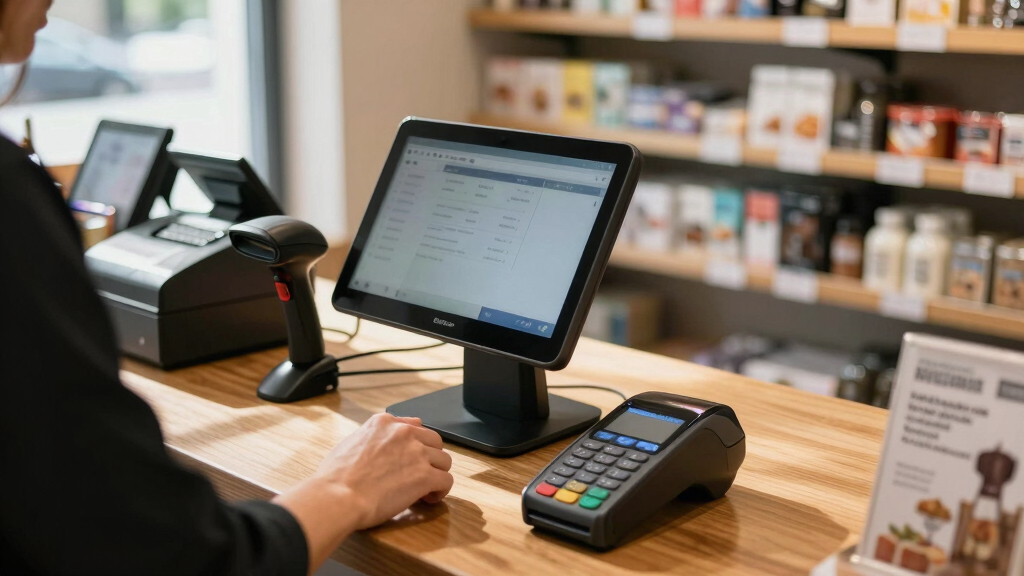

Finding the best POS system for a small retail business involves balancing features, ease of use, and cost. The Square Register (2nd Generation) stands out as the overall best choice thanks to its intuitive interface and integrated hardware. For those seeking portability, the Square Terminal offers flexible mobile payments, while the MEETSUN POS Cash Register provides a larger touchscreen for detailed sales management. Each option has tradeoffs: some excel in simplicity, others in advanced features or affordability. Continue reading for a detailed breakdown to find the perfect fit for your retail shop.

Get smart everyday buys delivered free with Prime
- Fast, free delivery on millions of items
- Prime Video, Amazon Music and more included
- Member-only deals all year
Key Takeaways
- The top-ranked systems balance ease of use with comprehensive features suitable for small retail settings.
- Mobility and flexibility are often tradeoffs with more feature-rich, stationary setups.
- Integrated hardware like printers and cash drawers streamline operations but add to upfront costs.
- Affordable options tend to sacrifice advanced reporting or customization capabilities.
- Choosing the right POS depends on specific business size, growth plans, and technical comfort.
| Square Register (2nd Generation) Point-of-Sale System |  | Best Overall for Small Retail with Integrated Hardware and Software | Brand: Square | Model: A-SKU-0908 | Item weight: 12.5 pounds | VIEW LATEST PRICE | See Our Full Breakdown |
| MEETSUN POS Cash Register with 15-Inch Touchscreen and Thermal Receipt Printer |  | Best Value for Feature-Rich Windows-Based POS Without Monthly Fees | Operating system: Windows | Touchscreen: 15 inches | Customer display: 11.6 inches | VIEW LATEST PRICE | See Our Full Breakdown |
| Square Terminal Mobile Credit Card Payment and Receipt Device |  | Best for Mobility and Quick Payment Processing on the Go | Dimensions: 5.6 x 3.4 x 2.5 inches | Weight: 14.7 ounces | Battery: Lithium-ion, included | VIEW LATEST PRICE | See Our Full Breakdown |
| Swipe Simple POS System and Credit Card Reader for Small Businesses |  | Best for Simplicity and Low-Cost Payment Processing | Payment methods: Tap and swipe | Transaction rate: 2.6% plus $0.20 | Cloud software subscription: $14.95/month | VIEW LATEST PRICE | See Our Full Breakdown |
| Volcora Dual-Screen POS Terminal with Windows 11 Pro |  | Best for Heavy-Duty Dual Screens with Windows 11 Pro | Processor: Intel Core i5 | Operating System: Windows 11 Pro | Memory: 4 GB | VIEW LATEST PRICE | See Our Full Breakdown |
| SmartPOS NX2 All-in-One Professional POS System |  | Best Overall for Small Retailers Needing Flexibility | Model: SmartPOS NX2 | Touchscreen Size: 15.6 inches | Connectivity: WiFi | VIEW LATEST PRICE | See Our Full Breakdown |
| SmartPOS 129 All-in-One Cash Register and POS System |  | Best for Businesses Wanting a Complete, No-Subscription Setup | Cashier display: 15-inch touchscreen | Customer-facing display: 15-inch | Included hardware: Cash drawer, thermal printer, handheld 2D barcode scanner | VIEW LATEST PRICE | See Our Full Breakdown |
| POS System for 10-Inch Amazon Fire Tablet with Receipt Printer, Cash Drawer, and Stand |  | Best Budget-Friendly Mobile-Ready POS with Flexibility | Compatible tablet: 10-inch Amazon Fire | Included hardware: Receipt printer, cash drawer, stand | POS software: Datio POS app | VIEW LATEST PRICE | See Our Full Breakdown |
More Details on Our Top Picks
Square Register (2nd Generation) Point-of-Sale System
This system stands out for its dual touchscreen design, which streamlines customer interactions and cashier operations, making it ideal for small retail shops seeking a seamless in-store experience. Compared to the Volcora Dual-Screen POS, it offers more integrated hardware that reduces clutter, though it is limited to its intended country and requires a corded power source. Its built-in POS software covers sales, inventory, and customer management, eliminating the need for external solutions. However, the hardware isn’t as flexible for international use and lacks portability. This pick makes the most sense for retail businesses that prioritize a sturdy, all-in-one countertop setup with minimal fuss. Pros include dual screens, integrated software, offline transaction support, and spill-resistant design. Cons involve country restrictions and a corded power dependency. Verdict: This is best for small retail stores seeking a reliable, all-in-one countertop POS with minimal setup effort.
- Brand:Square
- Model:A-SKU-0908
- Item weight:12.5 pounds
- Compatible devices:POS, smartphone, tablet
- Power source:Corded electric
- Connectivity:Bluetooth, USB, Wi-Fi
Our verdict“Best Overall for Small Retail with Integrated Hardware and Software — a strong pick in this lineup.”
MEETSUN POS Cash Register with 15-Inch Touchscreen and Thermal Receipt Printer
This Windows-based POS offers a large 15-inch touchscreen combined with a customer display, receipt printer, cash drawer, and barcode scanner, delivering a comprehensive retail solution at a competitive price. Unlike the Square Register, it provides more traditional Windows software, which can be more familiar for users and more customizable. Its included accessories mean an out-of-the-box setup that supports sales, inventory, and reporting without recurring software costs. The downside is the limited 90-day hardware warranty and some ambiguity around processor specs, which could impact long-term reliability. This choice suits small retailers who want a full-featured, standalone system without ongoing software fees. Pros include a large touchscreen, bundled accessories, no monthly software fees, and comprehensive retail features. Cons involve a short hardware warranty and unclear processor details. Verdict: Ideal for small retail operations that want a standalone Windows POS with extensive features and no monthly charges.
- Operating system:Windows
- Touchscreen:15 inches
- Customer display:11.6 inches
- Receipt printer:Built-in thermal
- Included accessories:Cash drawer, barcode scanner
- Processor:Intel Celeron I5
Our verdict“Best Value for Feature-Rich Windows-Based POS Without Monthly Fees — a strong pick in this lineup.”
Square Terminal Mobile Credit Card Payment and Receipt Device
This compact device excels in facilitating on-the-spot payments with its all-in-one card reader and receipt printer. Compared to the larger, more traditional POS systems like the MEETSUN, it offers unparalleled mobility, making it perfect for counter service or mobile retail environments. Its built-in battery supports all-day use, and it simplifies payment processing without the need for additional hardware. However, it is designed primarily for payment collection rather than full inventory management, limiting its utility for broader retail tasks. The all-day battery life is a target rather than a guarantee, which could be a concern during busy periods. This makes it best suited for small businesses that need a portable, easy-to-use payment device rather than a comprehensive POS system. Pros include portability, integrated payment and receipt printing, and built-in fraud prevention. Cons involve limited functionality beyond payments and battery life that may vary. Verdict: Best for small retail or food service operations that prioritize mobile payment acceptance over extensive POS features.
- Dimensions:5.6 x 3.4 x 2.5 inches
- Weight:14.7 ounces
- Battery:Lithium-ion, included
- Manufacturer:Square
- Model number:8.17044E+11
Our verdict“Best for Mobility and Quick Payment Processing on the Go — a strong pick in this lineup.”
Swipe Simple POS System and Credit Card Reader for Small Businesses
This system offers a straightforward, user-friendly interface designed for quick payment acceptance, ideal for small storefronts, food trucks, or pop-up shops. Unlike the more integrated systems like Square Register or Volcora, Swipe Simple emphasizes simplicity, with a focus on fast tap and swipe transactions. Its processing fee of 2.6% plus $0.20 per transaction adds ongoing costs, but the monthly software fee is modest at $14.95, making it attractive for very small businesses with tight budgets. The main tradeoff is that it doesn’t include advanced inventory or customer management features, making it less suitable for retailers needing comprehensive solutions. This is best for entrepreneurs who want quick setup and easy payment acceptance without extra bells and whistles. Pros include ease of use, support for multiple payment methods, and affordability. Cons involve ongoing transaction fees and limited POS features. Verdict: Perfect for small, mobile, or casual retail operations prioritizing speed and simplicity over advanced features.
- Payment methods:Tap and swipe
- Transaction rate:2.6% plus $0.20
- Cloud software subscription:$14.95/month
- First available:March 26, 2024
Our verdict“Best for Simplicity and Low-Cost Payment Processing — a strong pick in this lineup.”
Volcora Dual-Screen POS Terminal with Windows 11 Pro
This POS system excels in dual touchscreen capability, offering a flexible interface for both operator and customer engagement, making it ideal for busy retail or restaurant counters. Compared to the Square Register, it provides more connectivity options and a robust metal build, suited for demanding environments. Running Windows 11 Pro, it allows for extensive customization and integration with other Windows applications, although its 4 GB of RAM could limit performance during multitasking. Its heavy-duty metal construction and lifetime warranty add durability, but the unspecified point-of-sale software means additional setup might be required. This makes it a good fit for businesses needing a durable, highly configurable POS with dual screens. Pros include dual touchscreens, multiple ports, durable metal build, and lifetime warranty. Cons involve only 4 GB of RAM and lack of pre-installed POS software. Verdict: Suitable for retail or hospitality venues requiring a durable, highly connected dual-screen POS with Windows flexibility.
- Processor:Intel Core i5
- Operating System:Windows 11 Pro
- Memory:4 GB
- Storage:128 GB
- Main Display:15.6-inch capacitive LCD
- Customer Display:11.6-inch capacitive LCD
Our verdict“Best for Heavy-Duty Dual Screens with Windows 11 Pro — a strong pick in this lineup.”
SmartPOS NX2 All-in-One Professional POS System
The SmartPOS NX2 stands out for offering a comprehensive, all-in-one package that includes essential hardware like a 15.6-inch touchscreen, cash drawer, thermal printer, and wireless barcode scanner. Its ability to integrate with over 50 card processors without hidden fees makes it highly adaptable for diverse payment needs. Compared to POS System for 10-Inch Amazon Fire Tablet, which requires a separate tablet purchase and ongoing subscription, the NX2 provides a more turnkey solution, especially for those who prioritize hardware integration and ease of setup. The tradeoff is its weight — at 47.4 pounds, portability is limited, which could be a concern for businesses that need to move their setup frequently. This pick makes the most sense for small retail shops seeking a robust, all-in-one POS with flexible payment options and no hidden costs.
Pros:- Includes all essential hardware components in one bundle
- No hidden fees or forced subscription costs
- Supports over 50 card processor integrations
- Free mobile app for inventory and price management
Cons:- Heavy weight (47.4 lbs) limits portability
- Limited customer review data may impact confidence in long-term support
Best for: Small retail businesses that want a fully integrated, hardware-rich POS experience with flexible payment processing.
Not ideal for: Highly mobile vendors or pop-up shops that need lightweight, portable systems.
- Model:SmartPOS NX2
- Touchscreen Size:15.6 inches
- Connectivity:WiFi
- Included Components:Cash drawer, wireless barcode scanner, thermal receipt printer, customer display
- Item Weight:47.4 pounds
- Manufacturer:Petrosoft
Our verdict“This all-in-one system is ideal for small retail stores seeking a durable, flexible POS with extensive hardware and processor options.”
SmartPOS 129 All-in-One Cash Register and POS System
The SmartPOS 129 offers a similar all-in-one solution with a 15-inch cashier touchscreen, customer display, cash drawer, and handheld barcode scanner. It supports more than 50 card processor integrations, similar to the NX2, but adds the convenience of a dedicated initial setup call and a free Retail360 mobile app. Unlike the POS System for 10-Inch Amazon Fire Tablet, which requires ongoing subscription fees and separate tablet purchase, the 129 emphasizes a straightforward, no-subscription model once set up. Its larger size and weight (53.9 pounds) mean it’s less suited for mobile use, but it provides a stable, ready-to-go checkout station. This system appeals to small retailers who want a powerful, customizable POS without ongoing software costs or long-term commitments.
Pros:- Includes all core checkout hardware components
- Supports over 50 card processor options
- No forced subscription, with a one-time setup assistance
- Includes a free retail mobile app
Cons:- Heavier and bulkier than smaller systems
- Requires a lithium-ion battery for portable use, adding to complexity
Best for: Small retail stores seeking a reliable, all-in-one POS with a focus on initial setup support and no recurring software fees.
Not ideal for: Businesses that need a lightweight, portable POS for frequent movement or outdoor markets.
- Cashier display:15-inch touchscreen
- Customer-facing display:15-inch
- Included hardware:Cash drawer, thermal printer, handheld 2D barcode scanner
- Card processor integrations:Over 50
- Product dimensions:21 x 22 x 35 inches
- Item weight:53.9 pounds
Our verdict“This system is best suited for small stores that prefer a sturdy setup with extensive processor support without ongoing fees.”
POS System for 10-Inch Amazon Fire Tablet with Receipt Printer, Cash Drawer, and Stand
The POS System for 10-Inch Amazon Fire Tablet offers a compact, modular approach to small retail POS, including a stand, thermal printer, and cash drawer designed to work with a separate Fire tablet. It’s a flexible choice for those who already own a compatible tablet and want a low-cost hardware bundle. Unlike the SmartPOS NX2 or SmartPOS 129, which include dedicated hardware and support, this setup relies heavily on the Datio POS app subscription, costing $64 per month, which adds ongoing expenses. The need to purchase the tablet separately and the absence of included software make it less seamless but more adaptable for cash-only transactions if used with your own terminal. It suits small, budget-conscious shops that can handle the ongoing subscription and prefer a flexible, tablet-based system.
Pros:- All-in-one hardware bundle including receipt printer and cash drawer
- Can use own tablet, reducing initial costs
- No long-term contract—cancel anytime
- Supports cash-only transactions via own terminal
Cons:- Tablet must be purchased separately, adding upfront cost
- Monthly subscription fee for POS software
Best for: Small retailers who already own a 10-inch Amazon Fire tablet and want an affordable, flexible POS setup with optional mobile features.
Not ideal for: Businesses that prefer an all-in-one hardware solution or want to avoid monthly subscription costs.
- Compatible tablet:10-inch Amazon Fire
- Included hardware:Receipt printer, cash drawer, stand
- POS software:Datio POS app
- Subscription includes:Software, updates, support, warranty
- Contract terms:No long-term contract
- Payment options:Datio payments via Worldpay or own terminal
Our verdict“This setup is suited for budget-conscious small retailers who prioritize flexibility and already own a compatible tablet, accepting ongoing software costs.”

How We Picked
The products in this roundup were evaluated based on a combination of usability, hardware build quality, feature set, scalability, and overall value. Priority was given to systems that are easy to set up and operate, making them ideal for small retail owners without dedicated IT staff. We also considered how well each POS integrates hardware components like printers and cash drawers, as well as software flexibility for inventory and sales tracking. The ranking reflects a balance between affordability and feature richness, ensuring options suit a range of small retail needs from basic transactions to more advanced management.Factors to Consider When Choosing Best POS System For Small Retail Business
Choosing the best POS system for a small retail business requires understanding your specific needs and the tradeoffs involved. Beyond features, factors like hardware compatibility, ease of use, and future scalability should influence your decision. Investing in a system that’s too complex can hinder daily operations, while overly simple options might limit growth. Being aware of common pitfalls, such as underestimating hardware costs or ignoring customer support, can help you make a smarter purchase.Ease of Use and Learning Curve
For small retail owners, a straightforward, intuitive interface often saves time and reduces errors. Look for systems with minimal setup and clear navigation. Overly complex software can slow down transactions and frustrate staff, especially if training resources are limited. Consider whether the system offers onboarding support or tutorials, which can ease the transition and improve daily efficiency.
Hardware Compatibility and Setup
Some POS solutions come as all-in-one devices, while others require separate hardware components like printers, cash drawers, or tablets. Evaluate your space and budget to determine whether an integrated system or modular setup makes more sense. Remember that additional hardware can add to initial costs and maintenance, so choose a solution that balances functionality with simplicity.
Software Features and Scalability
Beyond basic sales processing, consider features like inventory management, sales reporting, customer tracking, and integrations with other tools. Small retail businesses should prioritize systems that can grow with them, offering upgrades or additional modules. Skipping advanced features early on might save money but could limit your ability to expand or analyze sales effectively in the future.
Cost of Ownership
Initial purchase price is just part of the total cost. Subscription fees, hardware upgrades, and maintenance expenses can add up. Beware of systems that seem inexpensive upfront but require costly add-ons or have limited support options. Balancing budget constraints with the need for reliable, long-term operation is key to choosing the right POS.
Customer Support and Reliability
A POS system’s dependability is critical for daily retail operations. Investigate the provider’s support channels, response times, and availability. A system that frequently experiences downtime or has poor support can disrupt sales and frustrate customers. Opt for reputable vendors known for solid customer service and regular updates to ensure smooth operation over time.
Frequently Asked Questions
Can I upgrade or expand my POS system as my business grows?
Many modern POS systems are designed with scalability in mind, allowing you to add features, hardware, or user accounts as your business expands. It’s important to choose a platform that offers modular upgrades or cloud-based options, so you won’t need to replace your entire system later. Planning for future growth during your initial selection can save time and money down the road.
Is it better to choose a cloud-based or on-premises POS system?
Cloud-based POS systems are generally more flexible, easier to update, and accessible from multiple devices, making them ideal for small retail shops with mobile or remote needs. On-premises systems may offer more control over data but often come with higher upfront costs and maintenance responsibilities. Your choice should reflect your comfort with technology, budget, and operational preferences.
How important is hardware integration for my small retail store?
Integrated hardware simplifies setup and daily operations, reducing compatibility issues and streamlining workflows. For small retail stores, all-in-one solutions can save space and time, but they may limit customization. Conversely, modular setups provide flexibility but require more planning and technical know-how. Consider your space, budget, and future needs when weighing these options.
What features should I prioritize if I want to manage inventory effectively?
Effective inventory management features include real-time stock tracking, low-stock alerts, and the ability to handle multiple SKUs. Look for POS systems that integrate with your existing inventory workflows or e-commerce platforms, if applicable. These features can dramatically reduce stockouts and overstock issues, helping your business run more efficiently.
Are there POS systems suitable for retail shops with limited tech experience?
Yes, many POS systems prioritize user-friendliness, offering simple interfaces and minimal setup. All-in-one devices with touchscreen controls and guided onboarding can reduce learning curves. Choosing a system with strong customer support and easy-to-access tutorials can also make a significant difference for small business owners without extensive technical backgrounds.