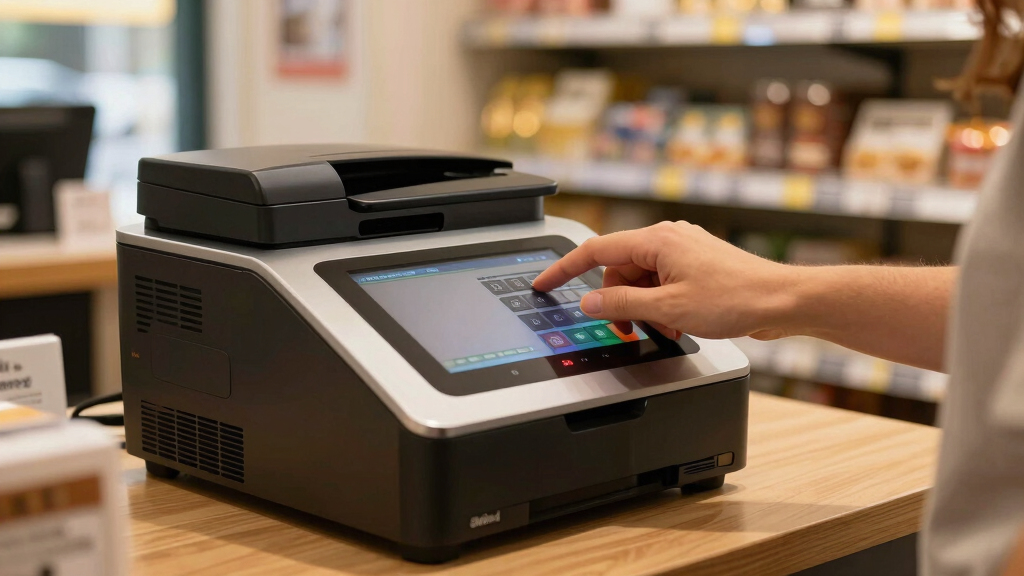

Choosing the best all-in-one cash register system involves balancing performance, ease of use, and price. The ALSUP All-in-One Retail POS stands out for its large touchscreen and comprehensive features, making it ideal for busy retail environments. The SmartPOS NX2 offers a sleek design suited for small businesses with simple needs, while the Volcora Dual-Screen POS Terminal provides dual displays for enhanced customer engagement. Many systems struggle with either high costs or limited features, forcing buyers to choose between affordability and functionality. Continue reading to see how these options compare and which one fits your specific needs best.

Get smart everyday buys delivered free with Prime
- Fast, free delivery on millions of items
- Prime Video, Amazon Music and more included
- Member-only deals all year
Key Takeaways
- Large touchscreen displays are common among the best models, improving usability for staff and customers.
- Dual-screen setups, like the Volcora, enhance customer interaction but often come at a higher price point.
- Performance specs such as RAM and storage are crucial for smooth operation, especially for busy retail settings.
- Build quality and ease of setup vary, with some systems requiring professional installation or technical support.
- Pricing often correlates with features; more advanced systems tend to come with higher upfront costs but offer greater versatility.
| ALSUP All-in-One Retail POS Cash Register with 15.6-Inch Touchscreen, Thermal Printer, Cash Drawer, and Barcode Scanner |  | Best Overall for Customizable, Integrated POS Solutions | Operating system: Windows | Processor: Quad-core i3 | Memory: 2/4/8 GB options | VIEW LATEST PRICE | See Our Full Breakdown |
| All-in-One POS Cash Register with 14-Inch Touchscreen, Cash Drawer, Barcode Scanner, and 58mm Printer |  | Best for Multi-Platform Compatibility and Versatile Retail Settings | Screen: 14-inch touchscreen, 1366 × 768 | Processor: Dual-core i3 | Memory: 4GB DDR3 | VIEW LATEST PRICE | See Our Full Breakdown |
| MEETSUN POS Cash Register with 15-Inch Touchscreen and Thermal Receipt Printer |  | Best for Fully Featured Retail and Inventory Management | Main display: 15-inch touchscreen | Customer display: 11.6 inches | Processor: Intel Celeron I5 | VIEW LATEST PRICE | See Our Full Breakdown |
| ALSUP All-in-One Retail POS Cash Register with 15.6-Inch Touchscreen, Thermal Printer, Cash Drawer, and Barcode Scanner |  | Best for Retail and Hospitality with Waterproof Keyboard | Display: 15.6-inch capacitive multi-touch | Processor: i3, described as dual-core and quad-core | Memory: 8 GB | VIEW LATEST PRICE | See Our Full Breakdown |
| SmartPOS 129 All-in-One Cash Register System for Small Businesses |  | Best for Compact, Heavy-Duty Small Business Setup | Cashier touchscreen: 15 inches | Customer display: 15 inches | Included components: Cash drawer, handheld scanner, thermal printer | VIEW LATEST PRICE | See Our Full Breakdown |
| SmartPOS NX2 All-in-One Cash Register POS System |  | Best Overall for Small Businesses Needing Flexibility | Model: SmartPOS NX2 | Screen: 15.6-inch cashier touchscreen | Included components: Customer-facing display, cash drawer, barcode scanner, thermal receipt printer | VIEW LATEST PRICE | See Our Full Breakdown |
| All-in-One POS Cash Register with 15.6-Inch Touchscreen, 8GB RAM, and 128GB SSD |  | Best for Retail and Hospitality with Windows Compatibility | Display: 15.6-inch capacitive touchscreen, 1366×768 | Processor: Quad-core, similar to 2nd Gen Intel i5 | Operating system: Windows (LTSC or 7 Professional) | VIEW LATEST PRICE | See Our Full Breakdown |
| Volcora Dual-Screen POS Terminal with Windows 11 Professional |  | Best for Compact Dual-Screen Experience with Modern OS | Operating system: Windows 11 Professional | Processor: Intel Core i5 | Memory: 4 GB | VIEW LATEST PRICE | See Our Full Breakdown |
| 15.6-Inch Touchscreen All-in-One POS Cash Register |  | Best Built-In Printer with Multi-OS Support | Screen: 15.6 inches, 1366×768 | Touchscreen: Multi-touch capacitive | Processor: Intel i5 | VIEW LATEST PRICE | See Our Full Breakdown |
| Datio POS System with Cash Drawer and Receipt Printer for 9.7–10.2-Inch iPads |  | Best for iPad-Based Retail and Food Service | VIEW LATEST PRICE | See Our Full Breakdown | |||
| HNBYLMM All-in-One POS Cash Register with 15.6-Inch Touchscreen |  | Best for Flexible Touchscreen Interaction | Screen: 15.6-inch touchscreen | Processor: Dual-core i5 | Memory: 8 GB DDR3 | VIEW LATEST PRICE | See Our Full Breakdown |
| all in one cash register system | Processor | Memory | Storage |
|---|---|---|---|
| ALSUP All-in-One Retail POS Ca | Quad-core i3 | 2/4/8 GB options | 32/64/128/256 GB options |
| All-in-One POS Cash Register w | Dual-core i3 | 4GB DDR3 | 64GB SSD |
| MEETSUN POS Cash Register with | Intel Celeron I5 | 8 GB RAM | 128 GB SSD |
| ALSUP All-in-One Retail POS Ca | i3, described as dual-core and quad-core | 8 GB | 128 GB |
| SmartPOS 129 All-in-One Cash R | — | — | — |
| SmartPOS NX2 All-in-One Cash R | — | — | — |
| All-in-One POS Cash Register w | Quad-core, similar to 2nd Gen Intel i5 | 8GB DDR3 | 128GB SSD |
| Volcora Dual-Screen POS Termin | Intel Core i5 | 4 GB | 128 GB |
| 15.6-Inch Touchscreen All-in-O | Intel i5 | 8 GB DDR3 | 128 GB SSD |
| Datio POS System with Cash Dra | — | — | — |
| HNBYLMM All-in-One POS Cash Re | Dual-core i5 | 8 GB DDR3 | 128 GB SSD |
More Details on Our Top Picks
ALSUP All-in-One Retail POS Cash Register with 15.6-Inch Touchscreen, Thermal Printer, Cash Drawer, and Barcode Scanner
This ALSUP system stands out for its comprehensive hardware integration, combining a large 15.6-inch touchscreen with a thermal printer, cash drawer, and barcode scanner in a durable Windows-based platform. Compared with the ALSUP All-in-One Retail POS with similar features, this model offers a rotatable screen and multiple connectivity options, making it flexible for retail environments. However, the absence of pre-installed sales software means buyers must source and set up their own solutions, which could be a hurdle for those seeking plug-and-play simplicity. Its high level of customization suits stores needing tailored software or specific peripherals, but it might be less appealing for operators wanting a ready-to-go setup. The hardware’s modularity and large display make it ideal for busy retail checkouts, though the varying memory/storage options require careful selection based on expected usage.
Pros:- Combines multiple checkout components into a single, durable system
- Large, rotatable 15.6-inch touchscreen enhances usability
- Multiple peripheral ports support extensive customization
Cons:- Sales software is not pre-installed, requiring additional setup
- Memory and storage configurations vary, which could complicate purchasing decisions
Best for: Retailers needing a highly customizable, all-in-one POS hardware setup with flexible connectivity.
Not ideal for: Small businesses or startups seeking an out-of-the-box, fully integrated POS system with pre-installed software.
- Operating system:Windows
- Processor:Quad-core i3
- Memory:2/4/8 GB options
- Storage:32/64/128/256 GB options
- Display:15.6-inch capacitive multi-touch
- Printer:Built-in 58 mm thermal printer
Our verdict“This system suits established retailers who need a customizable, hardware-focused POS platform and are prepared to handle software setup themselves.”
All-in-One POS Cash Register with 14-Inch Touchscreen, Cash Drawer, Barcode Scanner, and 58mm Printer
This system offers a compact yet versatile setup, featuring a 14-inch adjustable touchscreen, a cash drawer, barcode scanner, and receipt printer in a Windows 10 environment. Compared to the larger 15.6-inch options like the ALSUP All-in-One Retail POS, its slightly smaller screen makes it more suitable for cramped spaces or mobile setups. Its support for 30 languages and extensive port selection makes it adaptable across diverse retail and hospitality environments. However, since it does not come with pre-installed commercial POS software, compatibility checks are essential before purchase, making it less suitable for users seeking immediate deployment. The system’s multitude of ports supports a wide range of peripherals, but its size and weight could be a drawback for those needing portability. Overall, it’s an excellent choice for multi-location retail shops or restaurants needing flexible hardware that can support various software solutions.
Pros:- Supports multiple languages and extensive peripheral connectivity
- Adjustable touchscreen enhances ergonomics
- Suitable for diverse retail and hospitality environments
Cons:- Requires separate purchase and installation of POS software
- Lack of pre-installed software may delay setup
Best for: Retailers or restaurants needing flexible hardware with multi-language support and multiple peripheral connections.
Not ideal for: Small or home-based businesses requiring a simple, plug-and-play POS with pre-installed software.
- Screen:14-inch touchscreen, 1366 × 768
- Processor:Dual-core i3
- Memory:4GB DDR3
- Storage:64GB SSD
- Operating system:Windows 10
- Languages:Supports 30 languages
Our verdict“Ideal for multi-location or multicultural retail operations that value flexibility over out-of-the-box simplicity.”
MEETSUN POS Cash Register with 15-Inch Touchscreen and Thermal Receipt Printer
This MEETSUN POS system provides a robust solution with a 15-inch touchscreen, 11.6-inch customer display, thermal printer, cash drawer, and barcode scanner, all bundled with retail software that covers sales, inventory, promotions, and reporting. Compared with the larger ALSUP systems, its integrated retail management features make it more suitable for stores seeking an all-in-one software package, eliminating the need for separate software sourcing. However, the 90-day hardware warranty may be limiting for long-term peace of mind, and the unclear processor listing raises questions about future upgradeability. Its comprehensive software package offers a significant advantage for retail businesses that want an all-in-one solution, but the limited warranty could be a concern for those prioritizing long-term hardware reliability. This pick is ideal for small to medium retail stores that want a complete, software-included POS setup.
Pros:- Includes retail management software covering sales, inventory, and promotions
- Large 15-inch touchscreen with customer display enhances customer interaction
- No monthly software fees
Cons:- 90-day hardware warranty limits long-term hardware confidence
- Processor listing, “Intel Celeron I5,” is somewhat unclear
Best for: Retail stores needing integrated software for sales, inventory, and reporting without monthly fees.
Not ideal for: Businesses that require a longer hardware warranty or are concerned about processor clarity for future upgrades.
- Main display:15-inch touchscreen
- Customer display:11.6 inches
- Processor:Intel Celeron I5
- Memory:8 GB RAM
- Storage:128 GB SSD
- Software fees:None (lifetime support included)
Our verdict“This system is best for retail businesses seeking an all-in-one software and hardware solution with no monthly costs, accepting some warranty limitations.”
ALSUP All-in-One Retail POS Cash Register with 15.6-Inch Touchscreen, Thermal Printer, Cash Drawer, and Barcode Scanner
This version of ALSUP’s all-in-one POS offers a 15.6-inch multi-touch screen, thermal printer, cash drawer, barcode scanner, and a waterproof keyboard, making it well-suited for busy retail or hospitality environments. Compared with the earlier ALSUP model, the waterproof keyboard enhances durability and spill resistance, which is valuable in food service or high-traffic retail settings. Its multiple connectivity options support a broad range of peripherals, but sales software remains uninstalled, requiring buyers to handle setup on their own. The conflicting processor descriptions—dual-core versus quad-core—might cause confusion for those evaluating performance. Overall, this model emphasizes durability and comprehensive hardware integration, but the need for additional software setup makes it less ideal for users seeking quick deployment. It fits well in environments where robust hardware protection and multi-purpose connectivity are priorities.
Pros:- Waterproof keyboard enhances durability in busy environments
- Large, multi-touch 15.6-inch screen improves user experience
- Supports a wide range of peripherals through multiple ports
Cons:- Sales software is not pre-installed, requiring setup
- Processor specifications conflict, which could affect performance expectations
Best for: Retail or hospitality businesses needing durable hardware with waterproof peripherals for high-traffic environments.
Not ideal for: Small startups or businesses seeking a ready-to-use system with pre-installed software and minimal setup.
- Display:15.6-inch capacitive multi-touch
- Processor:i3, described as dual-core and quad-core
- Memory:8 GB
- Storage:128 GB
- Printer:Built-in 58 mm thermal printer
- Connectivity:Ethernet, RS232, USB, VGA, audio
Our verdict“This system is well-suited for high-traffic retail or hospitality venues that need durable, integrated hardware with customizable software setup.”
SmartPOS 129 All-in-One Cash Register System for Small Businesses
The SmartPOS 129 offers a straightforward, heavy-duty bundle with a 15-inch cashier touchscreen, a customer-facing display, cash drawer, handheld 2D barcode scanner, and thermal printer. Compared with larger or more customizable systems like the ALSUP models, this package is more streamlined for small businesses that need a reliable, all-in-one checkout station that’s ready to operate. Its inclusion of a mobile barcode scanner and compatibility with over 50 card processors adds flexibility, but its size and weight—over 50 pounds—may limit portability. The system’s lack of integrated software means it’s best suited for operators who already have a compatible POS platform or are willing to manage software separately. This pick is ideal for small retail or quick-service outlets prioritizing durability and integrated hardware over advanced customization.
Pros:- Includes all essential hardware components for checkout
- Supports over 50 card processor integrations
- Heavy-duty build suitable for high-volume use
- Includes mobile barcode scanner and free mobile app
Cons:- Large and heavy, which affects mobility
- Requires separate software management, not an all-in-one turnkey solution
Best for: Small, busy retail or quick-service restaurants needing a sturdy, all-in-one checkout system with extensive payment options.
Not ideal for: Large or enterprise stores that require extensive software features or mobile POS flexibility.
- Cashier touchscreen:15 inches
- Customer display:15 inches
- Included components:Cash drawer, handheld scanner, thermal printer
- Card processor integrations:Over 50
- Dimensions:21 x 22 x 35 inches
- Weight:53.9 pounds
Our verdict“This system is a solid choice for small businesses wanting durable hardware with extensive payment integration capabilities, provided they handle their own software setup.”
SmartPOS NX2 All-in-One Cash Register POS System
The SmartPOS NX2 stands out for its comprehensive hardware bundle, including a 15.6-inch cashier touchscreen, customer display, cash drawer, barcode scanner, and thermal printer—making it a complete checkout station right out of the box. Unlike the All-in-One POS with 15.6-Inch Touchscreen, it offers over 50 card processor integrations, which significantly simplifies setup for diverse payment needs. Its inclusion of a free setup call and Retail360 app adds value, especially for those new to POS management. The tradeoff is that it relies on a lithium-ion battery, which might require extra planning for power backup, and customer feedback is limited, making long-term reliability less certain. This system works best for small retail or hospitality outlets seeking a turnkey solution with broad payment integration.
Pros:- All essential checkout hardware included in one bundle
- Supports over 50 card processor integrations for flexible payments
- Free setup call and inventory management app included
Cons:- Requires a lithium-ion battery, adding to setup complexity
- Customer review data is limited, making long-term reliability uncertain
Best for: Small retail or hospitality businesses needing a ready-to-use, flexible checkout system.
Not ideal for: Businesses that prefer a lightweight, portable setup or have limited space, as this system weighs nearly 50 pounds and requires a battery.
- Model:SmartPOS NX2
- Screen:15.6-inch cashier touchscreen
- Included components:Customer-facing display, cash drawer, barcode scanner, thermal receipt printer
- Card processor integrations:Over 50
- Package dimensions:25 x 21.5 x 14.5 inches
- Item weight:47.4 pounds
Our verdict“This pick is ideal for small businesses wanting a complete, integrated POS system with broad payment options.”
All-in-One POS Cash Register with 15.6-Inch Touchscreen, 8GB RAM, and 128GB SSD
This all-in-one POS features a 15.6-inch capacitive touchscreen and runs on Windows, making it familiar for users accustomed to PC-based systems. Compared to the Volcora Dual-Screen POS with Windows 11, it offers a larger primary screen but shares the same need for separate POS software installation, which can be a hurdle for those seeking an out-of-the-box solution. Its 8GB RAM and SSD ensure quick performance for daily transactions. However, the listing’s inconsistency regarding dual versus single screens, along with the varied Windows versions, can cause confusion during setup. This model is best suited for retail or hospitality businesses comfortable installing POS software and seeking a Windows-based system.
Pros:- Large 15.6-inch touchscreen for easy staff operation
- Fast SSD storage with 8GB RAM for smooth performance
- Multiple ports for connecting peripherals like scanners and printers
Cons:- POS software not included, requiring separate purchase and installation
- Display configuration details are inconsistent, which may cause setup delays
Best for: Retailers or restaurants needing a Windows-compatible POS with a large touchscreen and robust hardware.
Not ideal for: Small businesses or startups wanting a plug-and-play system without additional software setup or technical configuration.
- Display:15.6-inch capacitive touchscreen, 1366×768
- Processor:Quad-core, similar to 2nd Gen Intel i5
- Operating system:Windows (LTSC or 7 Professional)
- Memory:8GB DDR3
- Storage:128GB SSD
- Connectivity:6 USB ports, Ethernet, COM ports
Our verdict“This is best for tech-savvy retail or hospitality venues comfortable managing Windows software installation and upgrades.”
Volcora Dual-Screen POS Terminal with Windows 11 Professional
The Volcora Dual-Screen POS offers a sleek, space-saving design with a 15.6-inch staff touchscreen and an 11.6-inch customer display, ideal for retail environments that prioritize customer engagement. Its use of Windows 11 Professional and a capable Intel Core i5 processor makes it a good choice for future-proofing. Compared with the 15.6-Inch Touchscreen All-in-One POS, its dual-screen setup enhances the customer experience while maintaining a compact footprint. The limited 4GB of RAM could hinder multitasking, especially if running resource-intensive POS software, and it does not include software, requiring users to purchase or install their own. This option suits businesses seeking a modern, dual-display system with a US-based support advantage.
Pros:- Includes a separate customer-facing touchscreen for better engagement
- Multiple connectivity options including USB, serial, HDMI, Ethernet
- Metal build offers durability and a modern look
Cons:- Only 4 GB of RAM may limit multitasking capabilities
- Hardware-only setup without included POS software requires additional investment
Best for: Retail or quick-service food businesses wanting a dual-screen setup with Windows 11 and a durable, all-metal build.
Not ideal for: Small businesses or those on a tight budget, as the hardware’s limited RAM may restrict multitasking and performance.
- Operating system:Windows 11 Professional
- Processor:Intel Core i5
- Memory:4 GB
- Storage:128 GB
- Displays:15.6-inch and 11.6-inch capacitive touchscreens
- Connectivity:2 serial ports, 4 USB, HDMI, Ethernet
Our verdict“This system is well-suited for businesses wanting a compact, dual-screen POS with modern Windows OS and durable design.”
15.6-Inch Touchscreen All-in-One POS Cash Register
This 15.6-inch all-in-one POS combines a multi-touch display with a built-in 58mm thermal printer, streamlining checkout with minimal peripherals. Compared with the Datio POS System, it offers a more integrated solution with a thermal printer included, reducing setup complexity. Its 8 GB RAM and SSD ensure responsive performance, but the Windows version and activation status are unclear, which could complicate software licensing. While it supports common peripherals, the absence of pre-installed POS software means additional setup time. This model is best for businesses seeking a straightforward, all-in-one solution with an integrated printer.
Pros:- Built-in thermal receipt printer simplifies setup
- Multi-touch screen supports multiple languages
- Supports connection to standard POS peripherals
Cons:- POS software is not included, requiring separate installation
- Unclear Windows version and activation process may delay deployment
Best for: Small retail or foodservice establishments wanting an easy-to-use, integrated cash register with a thermal printer.
Not ideal for: Business owners who prefer a flexible, modular setup or need a system with pre-installed POS software.
- Screen:15.6 inches, 1366×768
- Touchscreen:Multi-touch capacitive
- Processor:Intel i5
- Memory:8 GB DDR3
- Storage:128 GB SSD
- Printer:Built-in 58 mm thermal
Our verdict“This is a solid choice for small businesses seeking a compact, all-in-one POS with an integrated printer and multi-language support.”
Datio POS System with Cash Drawer and Receipt Printer for 9.7–10.2-Inch iPads
The Datio POS System offers a hardware bundle tailored for iPad users, including a sturdy stand, thermal printer, and locking cash drawer. It simplifies mobile checkout, especially for food trucks or small retail stores using an iPad, but requires a separate purchase of the iPad itself. Unlike traditional all-in-one units, it relies on the Datio POS app subscription, adding ongoing costs and potential complexity. Compared to larger, dedicated POS terminals like the SmartPOS NX2, it trades off hardware power for flexibility and mobility. Its plastic enclosure and reliance on external devices make it less durable for high-volume environments. This system works best for quick-service venues and mobile vendors willing to manage subscription costs.
Pros:- Includes a complete hardware bundle with cash drawer, printer, and stand
- Thermal printer requires no ink, reducing ongoing costs
- Designed specifically for iPad, offering mobility
Cons:- Requires a monthly subscription for the POS app, increasing operating costs
- iPad must be purchased separately, adding to initial expense
Best for: Food trucks, pop-up shops, or small retail outlets needing mobile POS with essential peripherals.
Not ideal for: High-volume businesses or those seeking a fully integrated, hardware-only system without ongoing software fees.
Our verdict“This solution is best for mobile or small retail businesses that prioritize flexibility and iPad integration over all-in-one hardware simplicity.”
HNBYLMM All-in-One POS Cash Register with 15.6-Inch Touchscreen
This model stands out for its large 15.6-inch touchscreen that can be adjusted to multiple angles, making it easier for staff to interact with customers. Unlike the ALSUP All-in-One Retail POS, which offers similar hardware but lacks detailed port options, the HNBYLMM provides a comprehensive set of connectivity including 6 USB ports, LAN, VGA, serial, and COM ports, ideal for businesses needing extensive peripheral support. Its Windows 10 platform ensures compatibility with various sales software, though the absence of preinstalled software means setup is more involved. The inclusion of essential peripherals like a barcode scanner, cash drawer, and dedicated keyboard simplifies initial deployment. However, the system’s weight at 26.4 lbs and the fact that sales software is not included could be drawbacks for smaller or less tech-savvy businesses. Compared to the All-in-One POS with a 14-inch screen, this model offers a larger display for improved customer interaction but at the cost of increased size and weight.
Pros:- Large 15.6-inch adjustable touchscreen for versatile use
- Includes essential peripherals like barcode scanner and cash drawer
- Supports over 30 languages, ideal for diverse customer bases
- Multiple ports for connecting various peripherals
Cons:- Sales software is not preinstalled, requiring additional setup
- The system’s weight and size may be cumbersome for small or mobile setups
Best for: Small retail stores or restaurants that need a large, adjustable touchscreen and extensive peripheral connectivity.
Not ideal for: Businesses seeking a plug-and-play solution with preloaded sales software or those with limited space due to its weight and size.
- Screen:15.6-inch touchscreen
- Processor:Dual-core i5
- Memory:8 GB DDR3
- Storage:128 GB SSD
- Operating system:Windows 10
- Printer:Built-in 58 mm thermal receipt printer
- Included peripherals:Metal cash drawer, 101-key keyboard, barcode scanner
- Ports:6 USB, LAN, parallel, serial, VGA, COM, 2 audio
- Weight:26.4 lbs
Our verdict“This pick makes the most sense for small businesses that prioritize a large, flexible touchscreen with extensive connectivity options and are prepared for some initial setup complexity.”

How We Picked
The products in this roundup were evaluated based on key factors such as hardware performance, ease of setup, user interface design, durability, and expandability. We prioritized systems that offer comprehensive all-in-one solutions with integrated printers, scanners, and cash drawers, as these streamline operations for small to medium businesses. Cost-effectiveness was also considered, ensuring that each pick offers good value without sacrificing essential features. The ranking reflects a balance of performance, usability, and overall versatility, helping buyers find options suited to different business sizes and budgets.Factors to Consider When Choosing Best All In One Cash Register System
When selecting the best all-in-one cash register system, it’s important to consider factors that impact daily operations, long-term reliability, and overall value. The right system should align with your business size, industry, and future growth plans. Avoid common pitfalls like overpaying for unnecessary features or choosing systems with poor build quality that require frequent repairs. By understanding key decision points, you can make a more informed purchase that supports your business’s efficiency and customer experience.Hardware Performance and Compatibility
Ensuring the system has sufficient processing power, RAM, and storage is essential for smooth operation, especially during busy periods. Compatibility with peripherals like barcode scanners and printers also matters, as it reduces setup headaches and future upgrades. Buyers should verify that the hardware can handle their transaction volume and software requirements, avoiding systems that lag or crash under load.
Ease of Use and Interface
A user-friendly touchscreen interface accelerates staff training and reduces errors. Systems with intuitive layouts and customizable menus make daily operations more efficient. Remember that complex interfaces may slow down checkout times, impacting customer satisfaction, especially during peak hours.
Durability and Build Quality
Since cash register systems are often used in busy environments, durability is key. Look for sturdy construction and reliable components, especially for the cash drawer and touchscreen. Poor build quality can lead to frequent repairs or replacements, adding hidden costs over time.
Expandability and Integration
Consider whether the system can grow with your business. Features like additional payment options, loyalty program integration, or inventory management can be crucial. Systems that support third-party integrations or provide software updates help maintain relevance as your needs evolve.
Price and Overall Value
Higher-priced systems often include more features and better build quality, but it’s important to match features with your actual needs. Avoid paying extra for capabilities that won’t benefit your operation. The best value balances cost with performance, ensuring long-term reliability without overspending.
Frequently Asked Questions
Is a dual-screen POS system worth the extra cost?
Dual-screen POS systems, like the Volcora, enhance customer engagement by providing visible transaction details and advertisements, which can improve sales and customer satisfaction. However, they tend to cost more upfront and may require more space or setup time. For busy retail environments where customer interaction is key, the benefits often justify the price, but for small or less customer-facing setups, a single-screen system might suffice.
Can I upgrade or expand an all-in-one cash register system later?
Many modern systems support upgrades and expansions through software updates or additional peripherals, but hardware limitations vary. It’s wise to choose a system with flexible connectivity options and support for accessories like additional scanners or printers. Planning for future growth ensures your investment remains useful longer and can adapt to your changing business needs.
How important is the size of the touchscreen display?
The size of the touchscreen directly impacts ease of use and speed during transactions. Larger displays, such as 15.6 inches, provide more space for buttons and information, reducing errors and training time. Smaller screens might save space but can hinder quick operation, especially in high-volume settings, so size should align with your staff’s workflow and space constraints.
Are there any hidden costs associated with all-in-one POS systems?
While many systems include hardware and basic software, additional costs can arise from software licenses, peripheral accessories, maintenance, or software updates. Some systems require ongoing subscription fees for advanced features or cloud services. It’s important to clarify what is included in the initial price and plan for future expenses to avoid surprises.
What’s the best way to ensure my POS system integrates with other business tools?
Check whether the POS system supports popular third-party integrations, such as inventory management, accounting, or e-commerce platforms. Compatibility with standard APIs or cloud-based services makes integration smoother and reduces manual data entry. Investing in a system with open architecture or robust support for third-party apps can save time and minimize errors in the long run.
Conclusion
For most small to medium-sized businesses, the ALSUP All-in-One Retail POS offers a great balance of features, durability, and ease of use, making it the best overall choice. Budget-conscious buyers will appreciate the All-in-One POS Cash Register with 14-Inch Touchscreen for its affordability and decent performance. Those seeking a premium experience with advanced features like dual screens should consider the Volcora Dual-Screen POS Terminal. Beginners or new business owners will benefit from systems with straightforward setup and intuitive interfaces, while larger or more complex operations should look for expandable systems like the SmartPOS NX2. Tailor your choice to your specific needs and growth plans for the best long-term value.