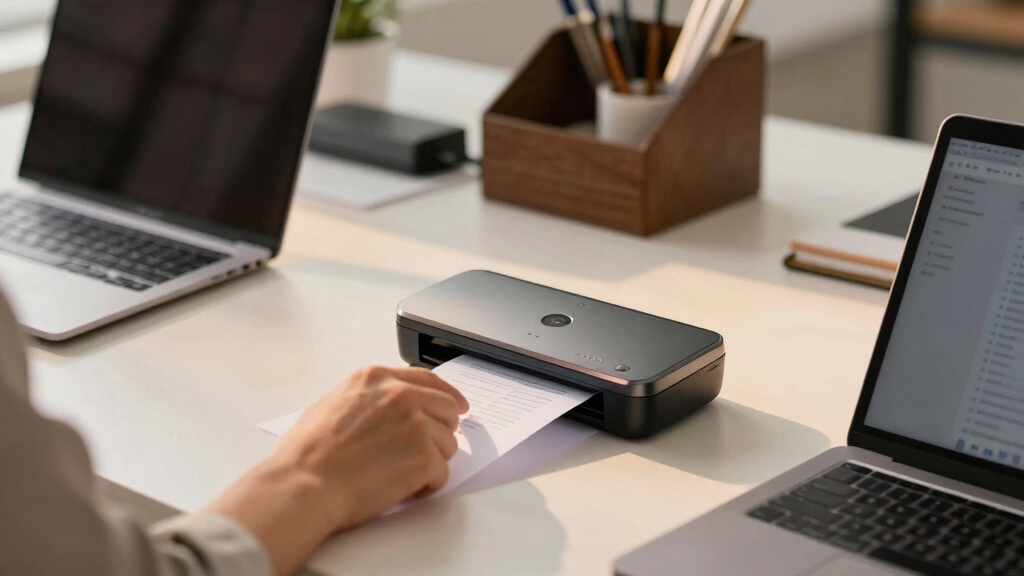

Finding the best scanner for a bookkeeping office involves balancing speed, accuracy, and ease of integration. The ScanSnap iX2500 Receipt Edition stands out as the overall best, thanks to its high-speed processing and seamless connection with QuickBooks. For portability, the Canon imageFORMULA R10 offers excellent duplex scanning in a compact form, ideal for mobile professionals. Meanwhile, the Epson Workforce ES-400 II provides advanced image adjustment tools suited for detailed financial recordkeeping. Each option presents tradeoffs—such as size, price, and feature set—that influence which is right for your specific needs. Continue reading for a detailed comparison to help you choose the perfect fit.
Key Takeaways
- Speed and auto-feeding capabilities are essential for managing high volumes of financial documents efficiently.
- Portability matters if your bookkeeping involves multiple locations or mobile workforces.
- Ease of setup and software compatibility can significantly reduce onboarding time and frustration.
- Higher-end models typically offer better image quality and integration features, justifying their higher price for professional environments.
- Compact scanners excel in tight spaces but may sacrifice some speed or capacity compared to larger models.





More Details on Our Top Picks
ScanSnap iX2500 Receipt Edition, Works with QuickBooks, Wireless or USB High-Speed Cloud Enabled Invoices & Receipts Scanner, 100 Page Auto Document Feeder for Mac or PC, Black
This ScanSnap iX2500 Receipt Edition stands out for its seamless QuickBooks integration, making it ideal for busy bookkeeping offices that rely heavily on receipt and invoice processing. Its large touchscreen simplifies operation, and with a rapid 45 ppm duplex scan speed, it handles high volumes effortlessly. Compared with the Epson Workforce ES-400 II, it offers more automation and cloud support, but at a higher price point. The tradeoff is slightly less versatility for general document types, as this model excels with receipts and invoices. Its customizable profiles and automatic data extraction reduce manual entry, streamlining bookkeeping workflows. However, its reliance on specific software and limited paper handling flexibility mean it’s best suited for receipt-heavy environments rather than mixed media. Ideal for small to medium bookkeeping offices needing fast, direct QuickBooks compatibility.
Pros:- Exceptional QuickBooks integration for streamlined bookkeeping
- Fast duplex scanning at 45 ppm minimizes workflow delays
- Intuitive touchscreen with customizable profiles enhances ease of use
- Automatic data extraction reduces manual entry
Cons:- Primarily optimized for receipts and invoices, less suited for diverse document types
- Higher price compared to general-purpose scanners
- Limited paper capacity at 100 sheets may require frequent reloading
Best for: Bookkeeping professionals who prioritize fast, automated receipt processing with direct QuickBooks support
Not ideal for: Offices that handle a wide variety of document types beyond receipts and invoices, due to limited media versatility
- Scanner Type:Document, Receipt
- Connection Type:Wi-Fi and USB
- Resolution:600 dpi
- Sheet Capacity:100 pages
- Scan Speed:45 ppm duplex
- Sensor Technology:CIS
- Dimensions:6.26″D x 11.5″W x 6.34″H
- Weight:7.7 pounds
Bottom line: This scanner is perfect for bookkeeping offices that need fast, accurate invoice and receipt digitalization with easy integration into QuickBooks.
Epson Workforce ES-400 II Color Duplex Desktop Document Scanner for PC and Mac with Auto Doc Feeder (ADF), Image Adjustment Tools
The Epson Workforce ES-400 II makes a compelling case for offices that need fast, high-quality duplex scans with broad software compatibility. Its 50-sheet ADF and 35 ppm speed enable efficient batch processing, rivaling the ScanSnap iX2400 but at a more affordable price. Unlike the ScanSnap iX2500, it offers extensive image adjustment tools and supports a variety of document sizes, making it more versatile for general office use. The tradeoff is a slightly lower scan speed and less automation in data extraction; it’s designed more for quality and flexibility than for direct invoice integration. Its reliable TWAIN driver ensures seamless integration with existing document management software, appealing to offices with diverse workflows. Best suited for small to medium offices needing high-quality scans and broad software support without the premium price.
Pros:- High-speed duplex scanning at 35 ppm maximizes productivity
- Supports a wide range of document sizes and media types
- Includes advanced image adjustment tools for high-quality output
- Seamless TWAIN driver compatibility with most software
Cons:- Less automation in data extraction compared to dedicated invoice scanners
- Slightly lower scan speed than some high-end models
- No direct integration with QuickBooks or invoice-specific features
Best for: Small to medium offices requiring fast duplex scanning with flexible software integration and high image quality
Not ideal for: Offices focused solely on receipt processing or QuickBooks integration, as it lacks direct bookkeeping features
- Scanner Type:Document
- Connection Type:USB
- Resolution:300 dpi
- Sheet Capacity:50 pages
- Scan Speed:35 ppm duplex
- Sensor Technology:CCD
- Dimensions:14.5″D x 10″W x 11.25″H
- Weight:3.7 kg
Bottom line: This scanner offers excellent value for offices needing versatile, high-quality duplex scans and broad software support.
ScanSnap iX2400 High-Speed Simple One-Touch Button Color Document, Photo & Receipt Scanner with 100 Page Auto Document Feeder for Mac or PC, Black
The ScanSnap iX2400 is designed to handle various document types—from receipts and photos to contracts—making it highly versatile for small business and office environments. Its 45 ppm duplex scan speed and 100-sheet feeder cater to high-volume needs, akin to the iX2500 Receipt Edition, but with a broader media scope. Its automatic document detection and cleanup features produce clean, usable images without fuss. Unlike the Epson Workforce ES-400 II, it doesn’t support advanced image adjustments but offers a straightforward, reliable experience with minimal setup. Its software, ScanSnap Home, consolidates all your scans into organized libraries, but some users find the interface cluttered. Best suited for offices that need quick, reliable, multi-purpose scanning without specialized invoice features. Ideal for offices seeking a balance of speed, media versatility, and ease of use.
Pros:- Fast duplex scanning at 45 ppm
- Handles a variety of media including photos and envelopes
- Automatic cleanup and deskew for professional-quality images
- Simple one-touch operation
Cons:- Limited advanced image editing features
- Software interface can be overwhelming for some users
- Lacks direct invoice or data extraction capabilities
Best for: Small offices needing fast, reliable multi-media scanning with simple software management
Not ideal for: Offices requiring deep image editing or direct bookkeeping integrations, as it focuses on general document handling
- Scanner Type:Document, Photo
- Connection Type:USB
- Resolution:600 dpi
- Sheet Capacity:100 pages
- Scan Speed:45 ppm duplex
- Sensor Technology:CIS
- Dimensions:6.26″D x 11.5″W x 6.34″H
- Weight:7.1 pounds
Bottom line: This scanner is well-suited for offices that need fast, versatile, and reliable document handling across multiple media types.
Canon imageFORMULA R10 – Portable Document Scanner, USB Powered, Duplex Scanning, Document Feeder, Easy Setup, Convenient, Perfect for Mobile Users, White
The Canon imageFORMULA R10 excels as an ultra-portable scanner ideal for mobile bookkeeping, remote work, or on-site document collection. Its compact size (weighing under 2 kg) and USB power make it perfect for fieldwork or small offices with limited space. With duplex scanning at 12 ppm and a 20-sheet ADF, it’s slower than the desktop models like the ScanSnap iX2400 or Epson Workforce ES-400 II, but its portability outweighs speed for mobile professionals. The CaptureOnTouch Lite software provides basic editing and PDF creation, though it’s less feature-rich than desktop counterparts. Unlike the ScanSnap iX2500, it lacks deep integration features but compensates with ease of transport and setup. Best for professionals needing quick, on-site scans rather than high-volume processing. Ideal for mobile bookkeepers or professionals who need reliable scans on the go.
Pros:- Highly portable and lightweight design
- USB powered for easy setup anywhere
- Duplex scanning with 12 ppm speed
- Simple, user-friendly software for quick scans
Cons:- Slower scan speed compared to desktop models
- Limited paper capacity at 20 sheets
- Basic software with fewer advanced features
Best for: Mobile professionals or remote bookkeepers requiring compact, easy-to-carry scanners for quick document capture
Not ideal for: Offices handling large volumes or complex document workflows, due to slower speed and limited features
- Scanner Type:Document
- Connection Type:USB
- Resolution:600 dpi
- Sheet Capacity:20 sheets
- Scan Speed:12 ppm duplex
- Sensor Technology:CIS
- Dimensions:3.74″D x 11.22″W x 1.57″H
- Weight:998 grams
Bottom line: This portable scanner is perfect for mobile users needing quick, reliable document capture in the field or at remote locations.
Brother DS-640 Compact Mobile Document Scanner
The Brother DS-640 stands out for its exceptional portability, making it ideal for bookkeepers who need to scan documents in multiple locations. Its blazing-fast speed of up to 16ppm ensures quick turnaround times, especially when compared to bulkier desktop models like the ScanSnap iX2500, which, while faster overall, isn’t as easy to carry around. The DS-640’s ultra-compact design allows it to fit into a bag or pocket, but this slim profile means it lacks a large document feeder, limiting its efficiency for high-volume tasks. Its USB-powered operation ensures you can scan virtually anywhere, even without an outlet—perfect for mobile professionals. The software suite offers OCR and image enhancement, but it’s less comprehensive than the cloud-friendly features of the ScanSnap iX2500. Overall, this scanner will suit those who prioritize mobility over volume capacity but may fall short for high-volume offices.
Pros:- Extremely compact and lightweight, easy to carry
- Fast scanning speeds of up to 16ppm in color and black & white
- Powered via micro USB, no need for an outlet
Cons:- Limited document capacity due to small size
- Lacks automatic document feeder for high-volume workflows
Best for: Bookkeepers who frequently work outside the office or need a portable, quick-scanning solution.
Not ideal for: Offices handling large batches of documents daily, where speed and volume are more critical than portability.
- Scan Speed:16 ppm
- Weight:1.5 lbs
- Dimensions:Less than 1 foot in length
- Power Source:Micro USB 3.0
- Connectivity:USB
- Supported OS:Windows, Mac, Linux
Bottom line: This scanner is perfect for mobile bookkeepers who need quick, on-the-go scans but not for high-volume office environments.
ScanSnap iX2500 Wireless or USB High-Speed Cloud Enabled Document, Photo & Receipt Scanner
The ScanSnap iX2500 makes a compelling case for larger bookkeeping offices needing high-speed, versatile scanning. Its rapid 45ppm double-sided scanning and 100-page auto feeder make it significantly more efficient than the Brother DS-640, especially when processing bulk documents like receipts, invoices, and multiple pages. The large 5-inch touchscreen simplifies operation and profile management, while Wi-Fi 6 and USB-C connections provide seamless, fast access to cloud services and multiple devices. Its automatic optimization features reduce manual editing, saving time — a clear upgrade over the DS-640’s basic software suite. However, the larger size means less portability, so it’s not suited for mobile professionals. It’s best for busy offices with consistent high-volume scanning needs and a dedicated workspace looking for automation and connectivity.
Pros:- Rapid 45ppm double-sided scanning speeds
- Large 5-inch touchscreen for easy operation
- High-capacity 100-sheet auto feeder
- Supports Wi-Fi 6 and USB-C for fast, flexible connectivity
Cons:- Bulkier footprint makes it less portable
- Higher price point compared to basic models like the Brother DS-640
- Heavier weight requires dedicated space
Best for: Bookkeeping offices handling large document volumes and seeking seamless integration with cloud storage and multi-device access.
Not ideal for: Mobile bookkeepers or small practices that prioritize portability over speed and capacity.
- Scan Speed:45 ppm
- Document Feeder Capacity:100 pages
- Connectivity:Wi-Fi 6, USB-C
- Display:5-inch touchscreen
- Supported OS:Windows, Mac
- Automatic Features:Optimization, skew correction, multi-feed detection
Bottom line: This scanner suits busy bookkeeping offices that prioritize speed, automation, and cloud integration over portability.
How We Picked
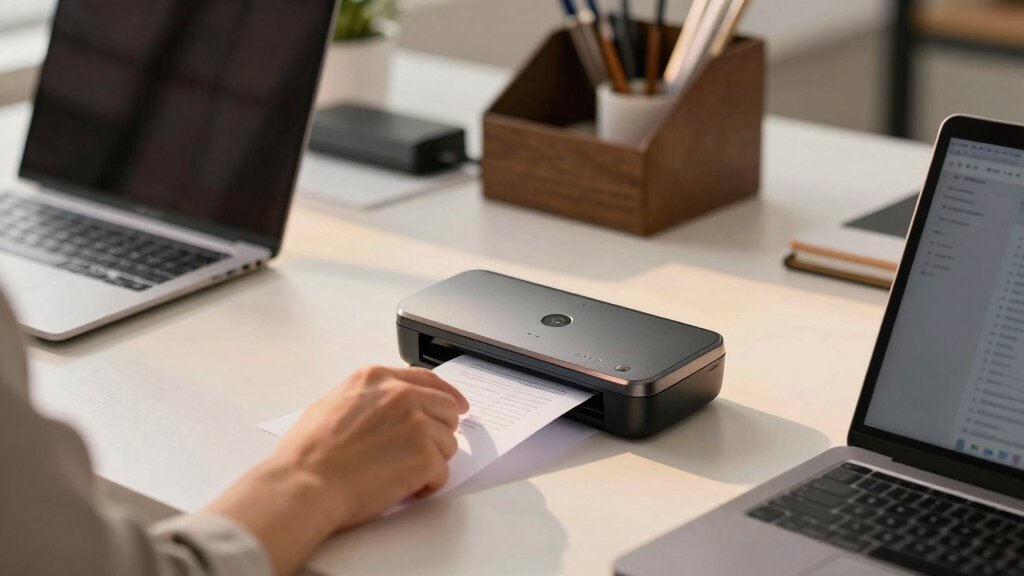
I evaluated each product based on performance, usability, build quality, and value for a bookkeeping office. Priority was given to models with fast processing speeds, high-capacity auto document feeders, and seamless software integration, especially with accounting tools like QuickBooks. Portability was also a key factor, as many bookkeeping professionals need to scan on the go. Cost was considered, but only in relation to feature set and durability — a higher price was justified for advanced features. The ranking reflects a balance of these factors, favoring models that offer reliable, high-volume performance suitable for busy offices.Factors to Consider When Choosing Best Scanner For Bookkeeping Office
Choosing the right scanner for a bookkeeping office requires understanding your specific workflow needs. Beyond basic features, consider factors like speed, capacity, software compatibility, and portability. A well-chosen scanner can streamline your document management, reduce errors, and save time. However, overspending on unnecessary features or selecting a model that doesn’t fit your volume can lead to frustration and wasted money. Here are key considerations to help you make an informed decision.Scanning Speed and Capacity
In a bookkeeping setting, speed matters because it directly impacts how many documents you can process daily. Look for models with high pages-per-minute (PPM) ratings and large auto document feeders (ADFs) to minimize manual input. If your office handles hundreds of receipts and invoices weekly, investing in a high-capacity scanner can pay off in efficiency. Conversely, for occasional scanning, a simpler, lower-speed model might suffice, saving you money without sacrificing workflow quality.
Software Compatibility and Integration
Ensuring your scanner works seamlessly with your accounting software, especially QuickBooks or similar platforms, is crucial. Some scanners include dedicated software or drivers that facilitate direct export of files into your financial management systems, reducing manual data entry. Compatibility issues can cause delays and errors, making it worth prioritizing models with proven integration features. Always verify that the scanner’s software supports your operating system and accounting tools before purchasing.
Portability and Space Considerations
If your bookkeeping involves multiple locations or remote work, a portable scanner can be a game-changer. Compact, lightweight models like the Epson ES-50 or Brother DS-640 are easy to carry and set up anywhere. However, these smaller units often have lower capacity and slightly slower speeds, which might not suit high-volume needs. For fixed office setups, larger, more robust models with larger feeders and screens can improve productivity but require more space.
Image Quality and Document Handling
Clear, legible scans prevent costly mistakes and improve record-keeping accuracy. Look for features like duplex scanning, adjustable image settings, and high optical resolution. These are especially important when digitizing receipts with small fonts or detailed invoices. Be cautious of cheaper models that may produce blurry images or struggle with mixed media. Prioritize scanners with reliable feed mechanisms to avoid jams and misfeeds during busy periods.
Price and Overall Value
While budget models can be tempting, they often lack durability and advanced features necessary for a professional environment. Investing in a mid-range or premium model can reduce maintenance costs and increase longevity. Consider your volume, the complexity of your documents, and your need for software features when evaluating price. A higher upfront cost may be justified if it results in fewer errors, faster processing, and smoother integration with your bookkeeping workflow.
Frequently Asked Questions
How do I ensure the scanner I buy can handle high-volume processing?
To handle high-volume processing efficiently, look for scanners with high pages-per-minute (PPM) ratings and large-capacity auto document feeders (ADFs). Models designed specifically for office use often specify their daily duty cycle, indicating how many pages they can reliably process without wear. Investing in a scanner with robust build quality and reliable feed mechanisms will also reduce jams and downtime, essential for maintaining productivity in a busy bookkeeping environment.
Can I use a portable scanner for my entire bookkeeping workflow?
While portable scanners like the Epson ES-50 or Brother DS-640 are excellent for mobile use, they may not be suitable as the primary scanner in a high-volume office. These models typically have lower capacity and slower speeds, which can become bottlenecks during busy periods. They are best used for quick scans on the move or for occasional document digitization, with larger, more capable models handling bulk processing at the office.
Which features are most important for scanning receipts and invoices?
For receipts and invoices, duplex scanning and high optical resolution are key features. Duplex scanning allows both sides of a document to be digitized at once, saving time. High resolution ensures small fonts and fine details are captured clearly, reducing errors during data entry. Additionally, adjustable image settings can help enhance scans for better readability, especially when dealing with varied document types and quality.
Is it better to buy a dedicated document scanner or an all-in-one device?
Dedicated document scanners generally provide better speed, higher capacity, and more reliable feed mechanisms tailored for office workflows. All-in-one devices, like multi-function printers, can scan but often do so at slower speeds and with less durability for high-volume tasks. For a bookkeeping office that handles large document volumes regularly, a dedicated scanner is usually the more efficient choice, though an all-in-one may suffice for lighter use or smaller setups.
How important is software compatibility when choosing a scanner?
Software compatibility is vital because it determines how smoothly your scanned documents integrate into your existing workflow. A scanner that works seamlessly with QuickBooks, Excel, or other accounting tools reduces manual data entry and minimizes errors. Check for driver support for your operating system and whether the scanner includes dedicated software or APIs that facilitate direct uploads into your bookkeeping systems. Compatibility issues can cause delays and frustration, so verifying this upfront is well worth the effort.
Conclusion
For most bookkeeping offices, the ScanSnap iX2500 Receipt Edition offers the best combination of speed, capacity, and integration, making it an excellent overall choice. If budget is a concern, the Epson WorkForce ES-50 and Brother DS-640 provide reliable portable options for light use. The Canon imageFORMULA R10 is ideal for mobile professionals needing duplex scanning on the go. For those requiring premium features and durability, higher-end models with advanced image processing and larger feeders will deliver long-term value. Your choice should align with your volume, workspace, and integration needs to ensure smooth, efficient bookkeeping operations.