
Schedule SE helps you calculate your self-employment taxes for Social Security and Medicare based on your net earnings. To fill it out, you start with your gross income, subtract deductible business expenses, and then multiply the net by 92.35%. You’ll then apply the current tax rate of 15.3%. Understanding how to properly complete Schedule SE guarantees you pay the right amount and stay compliant—keep exploring for detailed steps to get it right.
Key Takeaways
- Schedule SE calculates self-employment taxes for sole proprietors and small business owners, covering Social Security and Medicare contributions.
- It starts with gross income, subtracts deductible expenses, and multiplies net earnings by 92.35% to determine taxable income.
- The self-employment tax rate is 15.3%, with half deductible on your income tax return.
- Filing is required if net earnings exceed the threshold, and taxes may be paid quarterly to avoid penalties.
- Accurate record-keeping of expenses simplifies the process and ensures correct tax calculations for first-time filers.

Are you a first-time filer wondering how to handle Schedule SE? If you’re self-employed or run a small business, understanding Schedule SE is essential because it calculates your self-employment taxes. These taxes cover your contributions to Social Security and Medicare, similar to what traditional employees have withheld from their paychecks. When you’re self-employed, you’re responsible for paying both the employee and employer portions, which can feel overwhelming at first. But don’t worry; Schedule SE is designed to help you figure out exactly how much you owe.
The process begins with calculating your net earnings from self-employment. Typically, this means taking your gross income from your business and subtracting deductible expenses. Deductible expenses are costs that are ordinary and necessary for your business, such as supplies, travel, or home office costs. These expenses reduce your taxable income and, consequently, the amount of self-employment taxes you need to pay. Keeping accurate records of these expenses throughout the year makes filling out Schedule SE much smoother. Understanding self-employment taxes and how they are calculated is important because it helps you plan for your financial responsibilities as a small business owner.
Once you’ve determined your net earnings, Schedule SE guides you through the calculation. It involves multiplying your net income by a specific percentage—currently, 92.35%—to find your net earnings subject to self-employment tax. This step is crucial because it ensures you’re paying the correct amount based on your actual earnings. The form then applies the current self-employment tax rate, which is 15.3%. Half of this tax is deductible when you file your income tax return, providing some relief from the total tax burden. Additionally, understanding tax thresholds can help you avoid unnecessary payments or penalties if your income is below certain limits.
Filing Schedule SE might seem complicated at first, but it’s pretty straightforward once you understand the basic steps. The form also helps you determine if your earnings are below the threshold where self-employment taxes apply, which can save you money if your income is low. Remember, the IRS expects self-employed individuals to pay these taxes quarterly if you expect to owe more than $1,000 in a year—so staying on top of your Schedule SE payments helps avoid penalties. Recognizing deductible expenses and maintaining good records can further simplify this process.
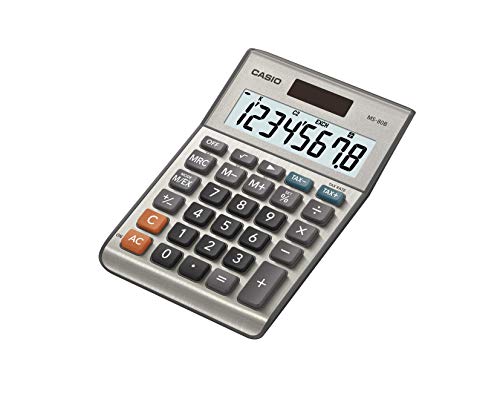
Casio MS-80B Calculator – Desktop Calculator with Tax & Currency Tools | General Purpose | Large Display | Ideal for Home, Office & Everyday Math
- Large Eight-Digit Display: Clear, easy-to-read 8-digit screen
- Tax & Currency Functions: Handle tax calculations and currency conversions
- Versatile General Purpose: Suitable for basic, business, and personal use
As an affiliate, we earn on qualifying purchases.
As an affiliate, we earn on qualifying purchases.
Frequently Asked Questions
Can I File Schedule SE Electronically?
Yes, you can file Schedule SE electronically. Most tax software programs support electronic filing, making it easy for you to submit your Schedule SE along with your tax return. When using tax software, simply follow the prompts to include your self-employment tax details. Electronic filing is convenient, fast, and secure, helping you get your taxes done accurately and efficiently without the need for paper forms.
How Are Self-Employment Taxes Different From Regular Income Taxes?
Think of self-employment taxes as a separate river flowing alongside your regular income taxes, carving out its own path. Unlike income taxes, which focus on your total earnings, self-employment taxes cover Social Security and Medicare, like a mandatory toll for self-employed workers. You report your income, then pay this additional tax, which can also be partly offset with a tax deduction. It’s a different beast, but essential for your financial landscape.
What Are the Penalties for Incorrect Schedule SE Filing?
If you file Schedule SE incorrectly, you risk penalties and interest charges, which can add up quickly. The IRS may also disallow your claimed tax deduction or impose a penalty for underpayment. To avoid these issues, double-check your calculations and seek penalty avoidance by submitting accurate information. Correct filing helps guarantee you don’t face unnecessary penalties, and it preserves your eligibility for any applicable tax deductions related to self-employment.
Do I Need to Pay Quarterly Estimated Taxes if I File Schedule SE?
If you earn self-employment income, you probably need to pay quarterly estimated taxes to avoid penalties. For example, if you don’t make estimated payments by the tax deadlines—April, June, September, and January—you might face penalties or interest. Filing Schedule SE helps you calculate these payments, ensuring you meet IRS requirements and stay compliant throughout the year. Always plan ahead to cover your estimated taxes on time.
How Does Schedule SE Impact My Social SEcurity Benefits?
Schedule SE impacts your Social Security benefits because the income you report determines your earnings record, which affects your retirement benefits. When you pay self-employment tax through Schedule SE, it helps increase your future retirement benefits by boosting your earnings record. Proper tax planning guarantees you pay the right amount of taxes now without reducing your benefits later. Keep accurate records to maximize your Social Security and optimize your overall retirement planning.
Conclusion
Understanding Schedule SE helps you accurately calculate your self-employment taxes, ensuring you’re compliant with IRS rules. For example, imagine you’re a freelance graphic designer earning $50,000 annually. By correctly filling out Schedule SE, you’ll know how much to contribute toward Social Security and Medicare. This not only keeps you organized but also prepares you for future benefits. Mastering Schedule SE now makes tax season less stressful and helps you stay on top of your financial responsibilities.