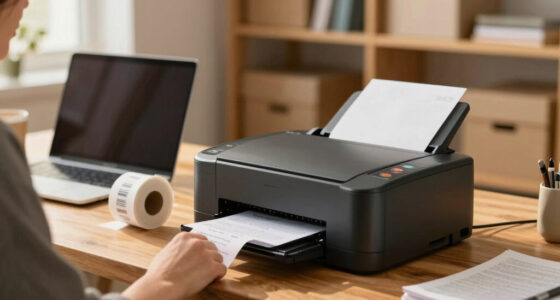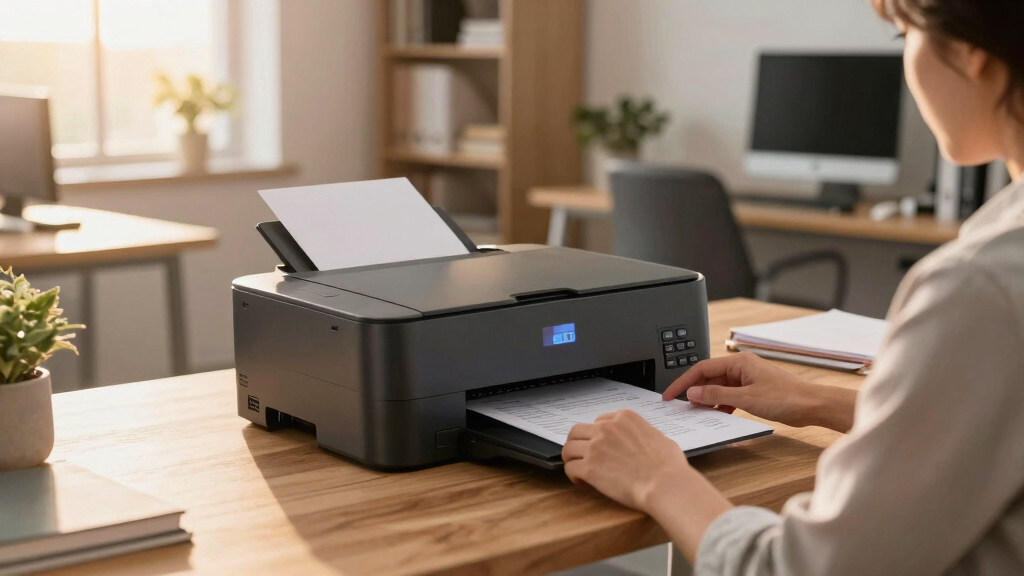
Finding the best business laser all-in-one for bookkeeping involves balancing print quality, speed, reliability, and cost. The HP LaserJet Pro MFP 3101fdw stands out as the top overall choice thanks to its balance of performance and affordability. For those prioritizing color printing, the Xerox C235dni offers vibrant output, while the Brother MFC-L5915DW excels in high-volume tasks. Buyers must consider factors like monthly duty cycle, connectivity options, and ongoing maintenance costs. Continue reading for a detailed comparison that highlights which model best fits your specific needs and budget.

Get smart everyday buys delivered free with Prime
- Fast, free delivery on millions of items
- Prime Video, Amazon Music and more included
- Member-only deals all year
Key Takeaways
- The top models balance speed, print quality, and reliability without overly complex features that can confuse new users.
- Color laser all-in-ones, like Xerox C235dni, are better suited for businesses that need high-quality visual documents alongside bookkeeping needs.
- Higher-end picks such as Brother MFC-L5915DW offer larger paper capacities and faster speeds, ideal for heavy workloads.
- Budget-friendly models like Brother MFC-L2820DW provide solid performance for small offices but may lack advanced security features.
- Connectivity options, especially wireless and mobile printing, are essential for streamlined workflows in busy business environments.
| HP LaserJet Pro MFP 3101fdw Wireless Black & White All-in-One Laser Printer |  | Best Overall for Small Teams | Print Speed: Up to 35 pages per minute | Functions: Print, scan, copy, fax | Connectivity: Wi-Fi, Ethernet, Bluetooth | VIEW LATEST PRICE | See Our Full Breakdown |
| Brother MFC-L2900DW Wireless Monochrome All-in-One Laser Printer |  | Best Value for High-Volume Monochrome Needs | Print Speed: 36 ppm | Paper Capacity: 250 sheets | Touchscreen: 3.5 inches | VIEW LATEST PRICE | See Our Full Breakdown |
| Brother MFC-L8930CDW Business Color Laser All-in-One Printer |  | Best for Color Business Printing with Security | Print Speed: 33 ppm | Scan Speed: up to 104 ipm | Auto Document Feeder: 80 pages | VIEW LATEST PRICE | See Our Full Breakdown |
| Xerox C235dni Wireless Color Laser All-in-One Printer |  | Best for Easy Setup and Small Office Use | Print Speed: 24 ppm | Monthly Duty Cycle: up to 1,500 pages | Touchscreen: 2.8-inch color | VIEW LATEST PRICE | See Our Full Breakdown |
| Xerox B315DNI Wireless Black and White Laser All-in-One Printer |  | Best for Fast Monochrome Printing in Small Offices | Print Speed: Up to 42 pages per minute | Automatic Double-Sided Printing: Yes | Paper Capacity: 250 sheets | VIEW LATEST PRICE | See Our Full Breakdown |
| Brother MFC-L8730CDW Business Color Laser All-in-One Printer, Duplex Print, Scan, Copy, Wireless, Advanced Security |  | Best Overall for High-Performance Business Printing | Print Speed: up to 33ppm | Scan Speed: up to 104ipm | Auto Document Feeder: 80 pages | VIEW LATEST PRICE | See Our Full Breakdown |
| Brother MFC-L2820DW Wireless Monochrome All-in-One Laser Printer with Copy, Scan, Fax | 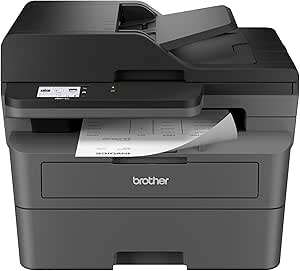 | Best for Small Offices Needing Reliable Monochrome Output | Print Speed: up to 36 ppm | Scan Speed: 23.6/7.9 ipm | Auto Document Feeder: 50 pages | VIEW LATEST PRICE | See Our Full Breakdown |
| HP LaserJet Pro MFP 3101sdw Wireless Black and White All-in-One Laser Printer |  | Best for Small Teams Needing Speed and Reliability | Printer Type: Laser | Color: Black and White | Wireless: Yes | VIEW LATEST PRICE | See Our Full Breakdown |
| Brother DCP-L2640DW Wireless Monochrome Multi-Function Printer, Copy, Scan, Duplex, Mobile Printing |  | Best for High-Volume Monochrome Tasks in Small Businesses | Print Speed: 36 pages per minute | Scan Speed: 23.6/7.9 ipm | Auto Document Feeder: 50 pages | VIEW LATEST PRICE | See Our Full Breakdown |
| Canon imageCLASS MF462dw II Wireless Monochrome Duplex Laser Printer |  | Best for Speed and User-Friendly Mobile Printing | Print Speed: 37 pages per minute | First Print Time: about 5 seconds | Display: 5-inch color touchscreen | VIEW LATEST PRICE | See Our Full Breakdown |
| Brother MFC-L3720CDW Wireless Color Laser Printer, Scanner, Copier, Fax, Auto Duplex, 250-Sheet Capacity |  | Best Overall for Small Offices Needings Versatile Color Capability | Print Speed: up to 19 ppm | Scan Speed: up to 29/22 ipm (black/color) | Paper Capacity: 250 sheets | VIEW LATEST PRICE | See Our Full Breakdown |
| Brother MFC-L5915DW All-in-One Laser Printer with Scanner and Copier |  | Best for High-Volume Monochrome Printing and Scanning | Print Speed: 50 ppm | Scan Capacity: 70 pages | Auto Document Feeder: 70 pages | VIEW LATEST PRICE | See Our Full Breakdown |
| Brother MFC-L5710DW Business Monochrome Laser All-in-One Printer with Wireless Networking and Duplex Print, Scan, and Copy |  | Best for Professional Document Handling and Cost Efficiency | Print Speed: up to 48 ppm | Auto Document Feeder Capacity: 50 pages | Scan Speed: up to 60 ipm | VIEW LATEST PRICE | See Our Full Breakdown |
| HP Color LaserJet Pro MFP 3301sdw Wireless All-in-One Color Laser Printer |  | Best for Small Teams Requiring Fast Color Output and Versatile Functions | Printer Type: Laser | Printer Functions: Print, Scan, Copy, Auto-Duplex | Output Type: Color | VIEW LATEST PRICE | See Our Full Breakdown |
| business laser all in one for bookkeeping | Print Speed | Connectivity | Scan Speed | Auto Document Feeder |
|---|---|---|---|---|
| HP LaserJet Pro MFP 3101fdw Wi | Up to 35 pages per minute | Wi-Fi, Ethernet, Bluetooth | — | — |
| Brother MFC-L2900DW Wireless M | 36 ppm | Wireless, Ethernet, USB | — | — |
| Brother MFC-L8930CDW Business | 33 ppm | Wi-Fi, Ethernet | up to 104 ipm | 80 pages |
| Xerox C235dni Wireless Color L | 24 ppm | Wi-Fi, Wi-Fi Direct, USB | — | 50 sheets |
| Xerox B315DNI Wireless Black a | Up to 42 pages per minute | Wi-Fi, Wi-Fi Direct, Apple AirPrint, Mopria, Chromebook | — | — |
| Brother MFC-L8730CDW Business | up to 33ppm | Wireless (dual-band), Gigabit Ethernet | up to 104ipm | 80 pages |
| Brother MFC-L2820DW Wireless M | up to 36 ppm | Wireless, Ethernet, USB | 23.6/7.9 ipm | 50 pages |
| HP LaserJet Pro MFP 3101sdw Wi | up to 35 ppm | — | — | — |
| Brother DCP-L2640DW Wireless M | 36 pages per minute | Wireless, Ethernet, USB | 23.6/7.9 ipm | 50 pages |
| Canon imageCLASS MF462dw II Wi | 37 pages per minute | — | — | — |
| Brother MFC-L3720CDW Wireless | up to 19 ppm | Wi-Fi, Wi-Fi Direct, USB 2.0 | up to 29/22 ipm (black/color) | 50 sheets |
| Brother MFC-L5915DW All-in-One | 50 ppm | Gigabit Ethernet, dual-band WiFi | not specified | 70 pages |
| Brother MFC-L5710DW Business M | up to 48 ppm | — | up to 60 ipm | — |
| HP Color LaserJet Pro MFP 3301 | — | — | — | — |
More Details on Our Top Picks
HP LaserJet Pro MFP 3101fdw Wireless Black & White All-in-One Laser Printer
This model stands out for its combination of speed, security, and wireless connectivity tailored to small office environments. Compared with the Brother MFC-L2900DW, it offers faster printing speeds and built-in security features, making it ideal for teams that handle sensitive documents. However, since it prints only in black and white, it isn’t suitable for offices needing color printing. Its compact design and cloud management make it a strong choice for small businesses prioritizing security and simple network setup, though firmware updates can sometimes disrupt security features. It’s a well-rounded pick for small teams that need reliable, secure monochrome printing with minimal fuss.
Pros:- Fast printing speeds of up to 35 ppm for small team productivity
- Wireless, Ethernet, and Bluetooth connectivity for flexible setup
- Built-in security features like HP Wolf Pro Security
Cons:- Limited to black & white printing, restricting use cases
- Firmware updates may temporarily affect security features
Best for: Small teams needing secure, fast monochrome printing with wireless and cloud access
Not ideal for: Offices requiring color printing or high-volume output beyond moderate needs
- Print Speed:Up to 35 pages per minute
- Functions:Print, scan, copy, fax
- Connectivity:Wi-Fi, Ethernet, Bluetooth
- Auto Duplex:Yes
- Recommended Users:Up to 7 people
- Security:HP Wolf Pro Security with customizable settings
Our verdict“This is best suited for small offices that prioritize security and speed in monochrome printing without the need for color output.”
Brother MFC-L2900DW Wireless Monochrome All-in-One Laser Printer
This model is a strong contender for offices that prioritize fast, high-volume monochrome printing at an affordable price. Its 36 ppm speed and large 250-sheet paper capacity make it ideal for busy workplaces compared to the HP LaserJet Pro, which is slightly slower. The 3.5-inch touchscreen simplifies operation, and versatile connectivity options include wireless, Ethernet, and USB. However, it only prints in black and white, which limits its versatility for offices needing any color output. Its automatic duplex feature and energy efficiency improvements add to its appeal, but users must keep in mind that toner and drum replacements are ongoing costs. It’s best for budget-conscious teams with high-volume monochrome print demands.
Pros:- High-speed printing at 36 ppm for busy workflows
- Large 250-sheet capacity minimizes paper reloads
- Automatic duplex printing saves time and paper
Cons:- Limited to monochrome printing, no color options
- Ongoing costs for toner and drum replacements
Best for: Small businesses with high-volume black-and-white printing requirements
Not ideal for: Offices needing color documents or multifunctionality beyond monochrome printing
- Print Speed:36 ppm
- Paper Capacity:250 sheets
- Touchscreen:3.5 inches
- Connectivity:Wireless, Ethernet, USB
- Automatic Document Feeder:50 pages
- Energy Efficiency:22% reduction in electricity consumption
Our verdict“This printer is perfect for high-volume monochrome printing at a budget-friendly price point for small offices.”
Brother MFC-L8930CDW Business Color Laser All-in-One Printer
This model is tailored for businesses that need high-quality color output along with advanced scanning and security features. Its 33 ppm color and monochrome speeds make it suitable for color marketing materials or reports, outperforming the Xerox C235 in speed and security options. The high-yield toner cartridges help control costs over time, and the 7-inch color touchscreen simplifies complex workflows. Despite its robust features, the setup can be daunting for less tech-savvy users, and the initial investment is higher than basic monochrome models. For organizations that rely on color printing and require secure, fast multifunctionality, this pick makes the most sense.
Pros:- Fast printing speeds of 33 ppm in color and black & white
- High-yield toner cartridges for cost efficiency
- Advanced security including NFC authentication
Cons:- Complex setup process requiring technical knowledge
- Higher initial purchase price
Best for: Mid-sized businesses needing reliable, secure color printing with fast performance
Not ideal for: Small offices on tight budgets or primarily monochrome tasks
- Print Speed:33 ppm
- Scan Speed:up to 104 ipm
- Auto Document Feeder:80 pages
- Connectivity:Wi-Fi, Ethernet
- Security:Triple Layer Security, NFC
- Dimensions:25% smaller than previous model
Our verdict“Ideal for businesses that need high-quality, secure color output with fast multifunctional capabilities, despite higher costs and setup complexity.”
Xerox C235dni Wireless Color Laser All-in-One Printer
This printer makes the most sense for small offices or home setups that prioritize ease of use and reliable color printing. Its 1,500 pages per month duty cycle matches typical small office needs, and the 2.8-inch color touchscreen simplifies operation compared to more complex models like the Brother MFC-L8930CDW. While it offers automatic duplex printing and wireless support, it isn’t equipped for large-volume tasks, making it less suitable for busy environments requiring frequent high-volume printing. Its straightforward setup and compact size make it accessible for users without technical backgrounds, but the limited monthly cycle can become a bottleneck in heavier workloads.
Pros:- Easy wireless setup for quick deployment
- Automatic duplex printing to save paper
- Reliable performance for small volume needs
Cons:- Limited to 1,500 pages per month, not suitable for heavy use
- Lacks detailed info on print resolution or color accuracy
Best for: Small offices or home users needing dependable, easy-to-operate color printing
Not ideal for: High-volume offices or teams requiring extensive multifunction features
- Print Speed:24 ppm
- Monthly Duty Cycle:up to 1,500 pages
- Touchscreen:2.8-inch color
- Auto Document Feeder:50 sheets
- Connectivity:Wi-Fi, Wi-Fi Direct, USB
- Memory:512 MB
Our verdict“Best suited for small office environments seeking simple, reliable color printing with minimal setup effort.”
Xerox B315DNI Wireless Black and White Laser All-in-One Printer
This printer is a practical choice for small offices needing speedy black and white printing combined with wireless features. Its up to 42 ppm speed surpasses many monochrome models, making it ideal for quick document turnaround compared to the HP LaserJet Pro. The automatic duplex printing and 250-sheet capacity support higher workloads without constant paper refills. While it’s limited to monochrome, its easy setup and mobile compatibility make it a convenient option for offices with basic printing needs. However, its monthly duty cycle of 2,500 pages suggests it’s not suited for very high-volume use, and its scanning and copying features are minimal.
Pros:- Fast print speeds of up to 42 ppm for quick document handling
- Wireless, mobile device support for flexible printing
- Automatic duplex printing reduces paper use
Cons:- Limited to black and white output, restricting versatility
- Monthly duty cycle of 2,500 pages may be restrictive for larger workloads
Best for: Small offices requiring fast, reliable monochrome printing with straightforward setup
Not ideal for: Offices needing color or multifunction features beyond basic printing
- Print Speed:Up to 42 pages per minute
- Automatic Double-Sided Printing:Yes
- Paper Capacity:250 sheets
- Automatic Document Feeder:50 sheets
- Connectivity:Wi-Fi, Wi-Fi Direct, Apple AirPrint, Mopria, Chromebook
- Processor:1 GHz Dual Core
Our verdict“This printer is a reliable, high-speed monochrome option for small offices with moderate print volumes.”
Brother MFC-L8730CDW Business Color Laser All-in-One Printer, Duplex Print, Scan, Copy, Wireless, Advanced Security
The Brother MFC-L8730CDW stands out for its combination of speed, color quality, and security, making it ideal for busy offices that need reliable, high-quality output. Compared with the Canon imageCLASS MF462dw II, it offers faster scan speeds and more advanced security features, though it comes at a higher initial cost. Its high-yield toner cartridges keep running costs lower over time, which is a big plus for frequent users. However, setup can be complex, especially for less tech-savvy users, and some features require an internet connection for full functionality. This model is best suited to medium-sized teams needing vibrant color output and robust security without sacrificing speed or efficiency.
Pros:- Fast print and scan speeds boost productivity
- Vibrant color output and sharp black text
- Advanced security features including NFC authentication
- High-yield toner cartridges reduce long-term costs
Cons:- Complex setup may require technical knowledge
- High initial purchase price for small businesses
- Some features depend on a stable internet connection
Best for: Medium-sized businesses requiring fast, secure color printing with high-volume capabilities
Not ideal for: Small startups or sole proprietors who primarily need basic monochrome printing and want an easy setup
- Print Speed:up to 33ppm
- Scan Speed:up to 104ipm
- Auto Document Feeder:80 pages
- Connectivity:Wireless (dual-band), Gigabit Ethernet
- Touchscreen:3.5-inch color
- Toner Cartridge Yield:Black: 5,500 pages, Color: 4,500 pages
Our verdict“This printer makes the most sense for growing businesses that prioritize speed, security, and high-quality color output in their daily operations.”
Brother MFC-L2820DW Wireless Monochrome All-in-One Laser Printer with Copy, Scan, Fax
The Brother MFC-L2820DW offers a compact design with rapid print speeds, making it an excellent choice for small offices focused solely on black-and-white documents. Unlike the color-capable Brother MFC-L8730CDW, it simplifies workflows and reduces costs by focusing on monochrome tasks. Its 50-page auto document feeder and wireless connectivity support seamless, high-volume printing and scanning. The basic 2.7-inch touchscreen, however, may feel limited compared to more advanced models, and toner replacement might involve subscription services, adding ongoing costs. This printer is best for small business users who need fast, dependable monochrome printing without the expense or complexity of color features.
Pros:- Compact, space-saving design
- Fast printing speeds for high-volume tasks
- Supports cloud printing and scanning for versatility
- Wireless and Ethernet connectivity for easy integration
Cons:- Limited to monochrome printing only
- Toner subscription or replacement costs can add up
- Basic display may be less intuitive for some users
Best for: Small offices or solo entrepreneurs focused on monochrome document workflows
Not ideal for: Businesses requiring color printing or high security features, as it is limited to black-and-white output
- Print Speed:up to 36 ppm
- Scan Speed:23.6/7.9 ipm
- Auto Document Feeder:50 pages
- Paper Tray Capacity:250 sheets
- Connectivity:Wireless, Ethernet, USB
- EPEAT Rating:Silver
Our verdict“Ideal for small teams that prioritize speed and simplicity in monochrome printing without extra features they won’t use.”
HP LaserJet Pro MFP 3101sdw Wireless Black and White All-in-One Laser Printer
The HP LaserJet Pro 3101sdw delivers fast, reliable monochrome printing with strong wireless capabilities, making it suitable for small teams with heavy document workflows. It matches the speed of the Brother DCP-L2640DW but adds a streamlined user experience with an LED control panel and easy mobile printing. While it excels in speed and efficiency, it’s limited to black-and-white printing, which could be a drawback for offices needing color. Its 250-sheet input tray and automatic duplexing support high-volume output, but the high cost of cartridges with HP chips might impact ongoing expenses. This model is a smart choice for offices prioritizing speed, durability, and straightforward operation in monochrome printing.
Pros:- Fast print and scan speeds for high-volume needs
- Automatic duplex printing saves time and paper
- Wireless connectivity simplifies device management
- Large input tray reduces refill interruptions
Cons:- Limited to monochrome printing
- Cartridge costs can be high due to HP circuitry
- Basic control panel may be less user-friendly for some
Best for: Small team environments focused on fast, high-volume black-and-white printing
Not ideal for: Offices that require color printing or advanced security features, as it is monochrome only
- Printer Type:Laser
- Color:Black and White
- Wireless:Yes
- Print Speed:up to 35 ppm
- Maximum Copy Speed:35 ppm
- Input Tray Capacity:250 sheets
Our verdict“Best suited for small teams needing quick, dependable monochrome document handling with minimal fuss.”
Brother DCP-L2640DW Wireless Monochrome Multi-Function Printer, Copy, Scan, Duplex, Mobile Printing
The Brother DCP-L2640DW excels at high-volume monochrome tasks, combining fast print speeds with multiple connectivity options, including wireless, Ethernet, and USB. This makes it a versatile choice for small businesses looking for a dependable all-in-one with a focus on efficiency. Compared to the HP LaserJet Pro 3101sdw, it offers similar speed but adds a more intuitive interface and a slightly larger paper capacity. Its eco-friendly features like duplex printing and Toner Save Mode help control ongoing costs. The primary limitation remains its monochrome-only output, which may be restrictive for offices needing color. This pick is perfect for those prioritizing speed, versatility, and cost-effective high-volume monochrome printing.
Pros:- Fast printing and scanning speeds
- Multiple connectivity options including wireless and Ethernet
- Eco-friendly features for cost savings
- Compact design fits small workspaces
Cons:- Limited to monochrome output
- Requires compatible toner cartridges for optimal performance
- Basic security features may not suffice in sensitive environments
Best for: Small businesses with high-volume black-and-white printing needs
Not ideal for: Offices requiring color printing or advanced security features, as it is monochrome only
- Print Speed:36 pages per minute
- Scan Speed:23.6/7.9 ipm
- Auto Document Feeder:50 pages
- Paper Capacity:250 sheets
- Connectivity:Wireless, Ethernet, USB
- EPEAT Rating:Silver
Our verdict“A solid choice for small businesses that need fast, reliable monochrome printing with versatile connectivity options.”
Canon imageCLASS MF462dw II Wireless Monochrome Duplex Laser Printer
The Canon imageCLASS MF462dw II combines rapid print speeds with an intuitive 5-inch touchscreen, making it ideal for small or home offices that value ease of use. It offers slightly faster printing than the Brother MFC-L2820DW and a larger paper capacity, which supports high-volume workflows. Compared with the HP LaserJet Pro 3101sdw, it provides more sophisticated mobile device support and a user-friendly interface. However, it remains limited to monochrome printing, and its high-capacity toner can be costly to replace. Its straightforward setup and robust features make it suitable for users who want a reliable, fast, and easy-to-operate monochrome laser printer that can handle substantial workloads.
Pros:- High-speed printing with a quick first page
- Large, expandable paper capacity
- Easy wireless setup and mobile device support
- Intuitive 5-inch touchscreen
Cons:- Limited to monochrome printing
- High-capacity toner replacement costs
- Setup can be complex for some users
Best for: Small to medium-sized offices needing fast, easy-to-manage monochrome printing with mobile connectivity
Not ideal for: Offices requiring color output or advanced security features, as it is monochrome only
- Print Speed:37 pages per minute
- First Print Time:about 5 seconds
- Display:5-inch color touchscreen
- Paper Capacity:250 sheets standard, expandable to 900
- Toner:Canon Genuine Toner 070 / 070 High-Capacity
- Toner Yield:approx. 3,000 pages (standard), 10,200 pages (high-capacity)
Our verdict“This model suits offices that prioritize speed and user-friendliness in monochrome printing, with excellent mobile support.”
Brother MFC-L3720CDW Wireless Color Laser Printer, Scanner, Copier, Fax, Auto Duplex, 250-Sheet Capacity
This model stands out for combining color laser printing with a full range of office functions, making it ideal for small teams that require vibrant output alongside scanning, copying, and fax. Compared with the monochrome Brother MFC-L5915DW, it offers the advantage of color but at a higher initial cost, and its setup can be complex for some users. Its 19 ppm print speed and 250-sheet capacity ensure efficiency for everyday tasks, while the 3.5-inch touchscreen simplifies operation. However, some features require a subscription, adding ongoing expenses. This pick makes the most sense for offices that need color documents regularly and want an all-in-one device that integrates seamlessly into wireless networks.
Pros:- Fast print speeds up to 19 ppm with high-quality color output
- Multiple connectivity options including Wi-Fi, Wi-Fi Direct, and USB
- Intuitive 3.5-inch touchscreen with customizable shortcuts
- Automatic duplex printing enhances efficiency
Cons:- Requires enrollment in a subscription service for some features
- Setup process can be complex for less tech-savvy users
- Higher upfront cost compared to basic monochrome models
Best for: Small businesses or creative workgroups needing vibrant color output and multi-functionality.
Not ideal for: Cost-conscious offices that prioritize monochrome printing or simpler setups, as it involves higher initial investment and complexity.
- Print Speed:up to 19 ppm
- Scan Speed:up to 29/22 ipm (black/color)
- Paper Capacity:250 sheets
- Auto Document Feeder:50 sheets
- Connectivity:Wi-Fi, Wi-Fi Direct, USB 2.0
- Display:3.5-inch color touchscreen
Our verdict“This printer suits small offices that need reliable color laser printing combined with versatile all-in-one features, despite its higher price and setup complexity.”
Brother MFC-L5915DW All-in-One Laser Printer with Scanner and Copier
Compared with the color brother MFC-L3720CDW, the MFC-L5915DW offers faster speeds—up to 50 ppm—and higher volume scanning, making it ideal for busy monochrome environments. Its large 70-page auto document feeder and duplex scanning support high-efficiency workflows, but it lacks color printing, limiting its versatility for offices that need vibrant output. Its dual-band Wi-Fi and Ethernet connectivity keep it flexible for network integration, yet its bulk may be a challenge for small spaces. This model makes sense for offices focused solely on black-and-white documents that demand speed and high capacity, sacrificing color features for productivity.
Pros:- Exceptional print and scan speeds up to 50 ppm
- High-capacity 70-page auto document feeder
- Flexible wireless and Ethernet connectivity
- Large toner capacity with optional high-yield cartridges
Cons:- No color printing limits versatility
- Size and bulk may be unsuitable for small offices
- Lacks advanced security features found in higher-end models
Best for: High-volume monochrome offices needing fast, reliable print and scan without color capability.
Not ideal for: Creative teams or offices that require color printing, as this model exclusively prints in black and white.
- Print Speed:50 ppm
- Scan Capacity:70 pages
- Auto Document Feeder:70 pages
- Connectivity:Gigabit Ethernet, dual-band WiFi
- Toner Cartridge:Includes 3,000-page toner
- Scan Speed:not specified
Our verdict“Best suited for monochrome-focused workgroups that prioritize speed and volume over color output, with the tradeoff of larger size and limited functionality.”
Brother MFC-L5710DW Business Monochrome Laser All-in-One Printer with Wireless Networking and Duplex Print, Scan, and Copy
This model emphasizes high-speed monochrome printing with speeds up to 48 ppm, making it perfect for demanding office environments. Its versatile scanning with duplex and cloud options supports streamlined workflows, while its expandable paper capacity up to 1,390 sheets offers long-term scalability. Compared to the MFC-L5915DW, it provides more security features and a larger paper capacity but is heavier and more complex to set up. Its high-yield toner reduces ongoing costs, making it a smart choice for cost-conscious offices focused on professional document production. However, its large footprint and complexity may deter those with limited space or less technical expertise.
Pros:- High-speed printing and copying up to 48 ppm
- Flexible scanning with duplex and cloud options
- Expandable paper capacity and high-yield toner
- Strong security features including triple-layer security
Cons:- Heavy and large, less suitable for small offices
- Setup can be challenging for less experienced users
- Primarily monochrome, limited to black and white
Best for: Professional offices needing fast, secure monochrome document processing with scalability.
Not ideal for: Small teams or startups that require simple, space-saving solutions or color output.
- Print Speed:up to 48 ppm
- Auto Document Feeder Capacity:50 pages
- Scan Speed:up to 60 ipm
- Paper Capacity:250 sheets (expandable to 1,390)
- Security:Triple Layer Security
- Display:3.5-inch color touchscreen
Our verdict“Ideal for professional, high-volume monochrome workflows with a focus on security and scalability, despite its size and setup complexity.”
HP Color LaserJet Pro MFP 3301sdw Wireless All-in-One Color Laser Printer
This model delivers swift color printing, scanning, and copying, making it suitable for small teams producing vibrant documents. Its 26 ppm black and white and 30 ppm color speeds are competitive, but it’s heavier and bulkier than some competitors, which could be a concern for smaller offices. The auto duplex feature reduces paper use, and the wireless capabilities allow flexible placement. Compared to the Brother MFC-L3720CDW, it offers more color versatility but at a higher weight and with a limited toner cartridge choice, which can impact ongoing costs. This printer is best for offices that prioritize colorful marketing materials or client presentations and have space for a larger device.
Pros:- Fast print speeds for office use, up to 30 ppm in color
- Wireless connectivity for flexible placement
- Auto duplex printing saves paper
- All-in-one functionality includes scanning and copying
Cons:- Relatively heavy at 37.7 pounds, harder to move
- Limited to HP original toner cartridges, increasing costs
- Overkill for offices that only need basic printing
Best for: Small office teams needing fast, reliable color printing with multifunction capabilities.
Not ideal for: Very small or home offices with limited space or those focusing solely on monochrome documents, as it’s relatively heavy and more costly to operate long-term.
- Printer Type:Laser
- Printer Functions:Print, Scan, Copy, Auto-Duplex
- Output Type:Color
- Max Copy Speed:26 pages per minute
- Print Speed (Color):30 pages per minute
- Control Method:App
Our verdict“Best suited for small teams needing vibrant color output and multifunctional capabilities in a compact office environment, despite weight and cost considerations.”

How We Picked
These products were selected based on a combination of performance, reliability, ease of use, and value. We prioritized models that handle high-volume printing with minimal downtime, which is crucial for bookkeeping tasks. Build quality and security features also played a role, especially for offices handling sensitive financial data. Our rankings favor printers that balance upfront cost with ongoing maintenance expenses, ensuring they are practical choices for small to medium-sized businesses. Models were compared against each other to identify which offer the best overall experience for bookkeeping needs, avoiding overly complex or underpowered options.Factors to Consider When Choosing Best Business Laser All In One For Bookkeeping
Choosing the best laser all-in-one for bookkeeping requires considering several key factors beyond just initial price. Think about your typical monthly print volume, the importance of color versus monochrome output, and the types of documents you’ll handle most often. Security features can protect sensitive financial data, while connectivity options influence how easily your team can integrate the printer into daily workflows. Durability and ease of maintenance also matter, especially in busy office settings. Making informed choices means weighing these factors carefully to find a model that fits both your current needs and future growth.Print Speed and Duty Cycle
For bookkeeping, fast print speeds reduce wait times during busy periods, while a high duty cycle ensures the printer can handle large volumes without breakdowns. Look for models with speeds of at least 30 pages per minute and a duty cycle that exceeds your monthly printing needs by 20-30% to prevent wear and tear. Overestimating your volume can save you from frequent breakdowns, but overly high duty cycles on smaller models usually mean unnecessary extra costs. Balancing these factors helps ensure your printer remains reliable during peak workloads.
Print Quality and Color Options
High print quality enhances the clarity of financial reports and receipts. Monochrome lasers are typically sufficient for most bookkeeping documents, but color capability can add value if you handle invoices or reports that benefit from visual differentiation. Be aware that color lasers tend to be more expensive and may have higher running costs, so only opt for color if it directly benefits your workflow. For most small business bookkeeping, high-quality black-and-white printing provides the best value.
Connectivity and Workflow Integration
Wireless and mobile printing options simplify document management, especially if your team works remotely or across multiple devices. Ethernet ports and cloud connectivity add to the flexibility, allowing seamless integration into existing networks. However, investing in wireless features on lower-end models can sometimes lead to connectivity issues, so verify compatibility and stability before purchasing. Reliable connectivity reduces frustration and ensures faster document processing, critical for timely bookkeeping.
Security and Maintenance
Protecting sensitive financial data is paramount, so look for models with built-in security features such as encrypted printing and user authentication. Easy-to-access toner and drum replacements can reduce downtime and maintenance costs, especially important in high-volume environments. Skimping on security can expose your business to data breaches, but overly complex maintenance setups might increase downtime. Aim for a model that strikes a balance between security, ease of maintenance, and durability.
Total Cost of Ownership
Beyond the initial purchase price, consider ongoing expenses such as toner costs, replacement parts, and energy consumption. Cheaper models may have higher toner costs or require more frequent replacements, which can add up over time. High-yield toner cartridges and energy-efficient designs contribute to lower long-term costs. Evaluating the total cost of ownership helps prevent surprises and ensures your investment remains economical over its lifespan.
Frequently Asked Questions
Is color printing necessary for bookkeeping documents?
Color printing is generally not essential for most bookkeeping tasks, which primarily involve text-based reports and receipts. Monochrome laser printers typically offer better speed, lower costs, and higher reliability for these needs. However, if your business handles invoices or reports that benefit from color coding or branding, a color laser can add value. Consider your specific workflow to decide whether the added expense of color printing justifies itself in your operations.
How important is connectivity for a small business laser all-in-one?
Connectivity options like wireless, Ethernet, and mobile printing are vital for flexible workflows, especially in small or growing businesses. They allow multiple users to print from various devices without the hassle of physical connections. Reliable wireless connectivity reduces delays and makes document sharing more straightforward. However, ensure your network is secure and compatible with the printer to avoid connectivity issues that can hamper productivity.
Should I prioritize speed or print quality for bookkeeping?
For bookkeeping, speed often takes precedence because it minimizes delays during busy periods. High-quality black-and-white laser printing ensures clear, professional-looking documents without sacrificing performance. If you only occasionally print high-resolution reports or color documents, prioritize speed and reliability, especially for frequent, volume-intensive tasks. Balancing both factors based on your typical workload leads to the best overall experience.
What security features should I look for in a business laser all-in-one?
Security features like encrypted printing, user authentication, and secure network access help protect sensitive financial data. These are especially important if your business handles confidential client or financial information. Some models also offer firmware updates and security protocols that prevent unauthorized access. Prioritizing security helps comply with data protection standards and safeguards your business from potential breaches.
How do I estimate the right duty cycle for my business?
Estimate your monthly print volume and choose a model with a duty cycle that exceeds this number by at least 20-30%. For example, if you print around 1,000 pages a month, look for a printer rated for 1,200-1,300 pages. This buffer reduces wear and tear, preventing breakdowns during peak periods. Overestimating slightly can extend your printer’s lifespan and reduce maintenance costs, providing a more dependable workflow.
Conclusion
If your priority is overall reliability, speed, and ease of use, the HP LaserJet Pro MFP 3101fdw is the best choice for most small to medium businesses. Those seeking value should consider the Brother MFC-L2820DW for its affordability and solid performance. For offices with high-volume needs, the Brother MFC-L5915DW offers larger capacity and faster speeds. Beginners or those with simpler needs might prefer the straightforward setup of entry-level models, while larger firms should look at premium options with advanced security and security features. This guide helps you match the right model to your specific business requirements.