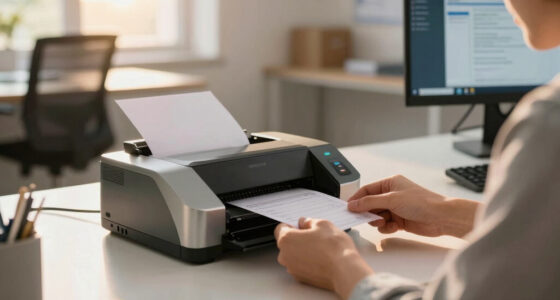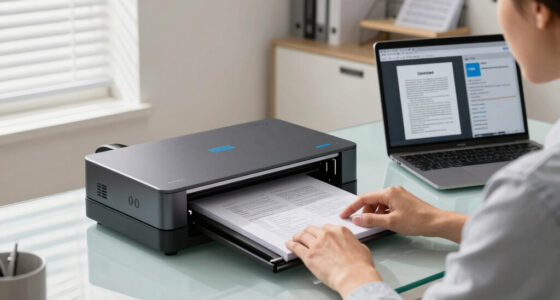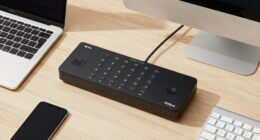
Finding the best receipt scanner under $400 for a small business involves balancing affordability with reliable performance. The Brother DS-640 stands out for its compact design and mobile use, making it ideal for on-the-go scanning. The ScanSnap iX2500 offers a larger touchscreen and faster processing, suited for more frequent use. Meanwhile, the Epson RapidReceipt RR-600W combines wireless convenience with two-sided scanning, perfect for busy offices. Each of these options presents tradeoffs between portability, speed, and features, so understanding your specific needs is key. Continue reading for a detailed breakdown to help you choose the best fit for your small business.
Key Takeaways
- The top picks balance price, speed, and usability, with no single option excelling in all areas.
- Portability is a major factor; smaller, handheld models are great for mobile use but may lack speed or duplex scanning.
- Wireless and two-sided scanning features significantly improve workflow but tend to be more expensive within the budget.
- Ease of use, including touchscreen controls and software compatibility, varies widely and impacts setup time.
- Tradeoffs often involve size versus features; larger models tend to offer more automation but lack portability.


More Details on Our Top Picks
Brother DS-640 Compact Mobile Document Scanner
This ultra-compact scanner stands out for its incredible portability, weighing under 2 pounds and fitting into a pocket or bag easily. It offers speed up to 16ppm in color or black and white, making it a practical choice for on-the-go receipt scanning. Compared with the Epson WorkForce ES-50, the Brother DS-640 provides faster throughput and supports multiple platforms with its software suite, but it lacks wireless connectivity, which could be a drawback for some users. Its software includes OCR and image enhancement, ensuring clear, searchable PDFs. The tradeoff is that its small size limits the input capacity and might require more frequent feeding for larger batches. This pick makes the most sense for small business owners needing mobility and quick scans without a bulky device.
Pros:- Extremely portable—fits in a pocket or small bag
- Fast color and black-and-white scans at 16ppm
- Supports multiple OS platforms with included software suite
- Automatic image adjustments and OCR included
Cons:- No wireless or battery operation, limiting mobility
- Limited sheet capacity, requiring frequent feeding
- Micro USB power may be less convenient than wireless options
Best for: Small business owners who work remotely or travel frequently and need a lightweight, fast scanner that fits into a bag or pocket.
Not ideal for: Businesses that require wireless operation or higher volume scanning, as its wired connection and limited input capacity may slow workflow.
- Scan Speeds:16 pages per minute
- Connectivity:USB 3.0
- Weight:1.5 pounds
- Dimensions:11 in x 1.5 in x 2 in
- Supported OS:Windows, Mac, Linux
- Software Features:OCR, automatic image correction
Bottom line: Ideal for small business owners who prioritize portability and speed over wireless convenience or high-volume capacity.
Epson WorkForce ES-50 Portable Sheet-Fed Document Scanner
The Epson WorkForce ES-50 excels as a lightweight, single-sheet scanner that can scan a page in as little as 5.5 seconds, making it perfect for fast receipt capture on the go. Its small size and USB-powered design make it highly portable, comparable to the Brother DS-640 but with a focus on simplicity rather than advanced features. Unlike the Brother, the ES-50 includes a TWAIN driver and supports longer documents up to 72 inches, which is a benefit for scanning receipts with extended information. However, it doesn’t support OCR or advanced image editing, so it’s better suited for straightforward digitization rather than document management workflows. The main tradeoff is its single-sheet capacity, which might slow down batch processing for larger volumes. This device makes the most sense for professionals who need quick, reliable scans without extra bells and whistles.
Pros:- Very lightweight and portable, fits in a small bag
- Fast scanning speed for single pages
- Supports long documents and ID cards
- Includes TWAIN driver for compatibility
Cons:- Limited to one page at a time, slower for bulk scans
- No OCR or advanced image processing features
- Lacks wireless or battery operation
Best for: Freelancers or small business owners who need fast, portable scanning without complex software, especially for occasional receipt scanning.
Not ideal for: Businesses requiring multi-page batch scanning or integrated OCR for searchable documents, as it handles only one page at a time and lacks advanced editing features.
- Scan Speed:5.5 seconds per page
- Connectivity:USB
- Document Length:Up to 72 inches
- Supported OS:Windows and Mac
- Weight:0.5 pounds
- Additional Features:TWAIN driver support
Bottom line: Best suited for users who need quick, on-the-fly receipt scans without complex setup or high-volume needs.
Portable Scanner, Photo Scanner for A4 Documents
This handheld scanner offers a straightforward, no-software-needed solution for quick scans of receipts, photos, and documents up to A4 size. It’s powered by 2 AA batteries and stores images directly on a 16GB SD card, making it highly portable and suitable for fieldwork. Compared to the Epson ES-50, it lacks automatic feeding and OCR but compensates with its simplicity and ability to scan in resolutions up to 900 DPI, ideal for detailed images or photos. Its manual operation can be a drawback for high-volume tasks, and the need for batteries may limit continuous use. Nonetheless, it’s a practical choice for travelers or those who want a basic, grab-and-go device for occasional receipt or photo scans. The main tradeoff is manual control versus automation and software features.
Pros:- Battery-powered, no need for external power
- Supports high-resolution scans up to 900 DPI
- Compact and lightweight, easy to carry
- Stores directly on SD card for simple file management
Cons:- Manual operation, slower for batch processing
- No OCR or software integration
- Limited to single sheet scans at a time
Best for: Travelers, field agents, or small business owners who need a lightweight, battery-powered scanner for sporadic receipt or photo scans.
Not ideal for: High-volume or professional document processing, as it requires manual operation and has no OCR or automatic features.
- Resolution:up to 900 DPI
- Power:2 AA batteries
- Storage:16GB SD card included
- Size:Small handheld device
- Supported Formats:JPEG, PDF
- Compatibility:Windows XP/Vista/7/10, Mac OS 10.4+
Bottom line: Best for occasional, portable scanning needs where simplicity and mobility outweigh automation features.
Epson RapidReceipt RR-60 Mobile Tax Receipt and Color Document Scanner
The Epson RR-60 brings a unique advantage with its ScanSmart AI PRO technology, which intelligently converts scanned data into categorized, searchable, and editable formats. It’s lightweight, at under 10 oz, and features automatic document feeding, which speeds up batch processing compared to manual handheld options. Its high-resolution optics enhance scan quality, and it supports cloud uploads, making it a flexible option for digital organization. Compared with the Plustek S410 Plus, the Epson offers AI-powered organization and better integration with financial software, but it has a slightly higher price and may be more complex for users who prefer simple manual scans. The device’s main tradeoff is reliance on AI features, which might be overkill for basic receipt archiving. This scanner is ideal for small business owners wanting intelligent data extraction alongside portability.
Pros:- AI-powered categorization and data extraction
- Lightweight with automatic feeding for batch scans
- Supports cloud storage services like OneDrive, Google Drive
- Creates searchable, editable PDFs
Cons:- Higher price point compared to basic models
- Requires more setup and understanding of features
- Potential overkill for simple scanning needs
Best for: Small business owners who want smart, organized receipt management with easy cloud integration and OCR capabilities.
Not ideal for: Users seeking only simple, manual scans without AI or cloud features, as its advanced capabilities might be unnecessary or confusing.
- Scan Resolution:600 DPI
- Connectivity:USB, cloud support
- Weight:10 ounces
- Document Handling:Auto feed, up to 10 pages/min
- Supported OS:Windows, Mac
- Software:ScanSmart AI PRO
Bottom line: Best suited for small businesses aiming for organized, AI-enhanced receipt management with cloud connectivity.
Plustek Mobile Scanner S410 Plus
This compact scanner emphasizes ease of use with its button-free operation—simply place the document and it scans automatically, saving files directly to your computer or shared folders. It supports a wide range of document types, from receipts to legal papers, with a resolution of 600 DPI. Its main advantage over the other models is the built-in OCR software, allowing for easy conversion to searchable and editable formats, which is perfect for organized receipt archiving. Compared to the handheld device, the S410 Plus offers more automation and better software integration, but it’s less portable and relies on USB connection. Its sturdy design and simple operation make it ideal for busy professionals who want quick, hands-free scanning without complex setup. The main tradeoff is the reliance on a wired connection and limited capacity for batch scanning.
Pros:- Button-free automatic scanning process
- Built-in OCR for searchable PDFs
- Supports multiple document types and sizes
- Durable, compact design
Cons:- Requires USB connection, limiting mobility
- Limited input capacity for bulk scanning
- No wireless or battery operation
Best for: Professionals who need a reliable, easy-to-use portable scanner with OCR for organized digital receipts.
Not ideal for: Those who prioritize wireless operation or high-volume batch scanning, as it is limited by USB connectivity and sheet capacity.
- Resolution:600 DPI
- Scan Speed:up to 10 pages per minute
- Connectivity:USB
- Weight:1.2 pounds
- Supported File Formats:Searchable PDF, JPEG
- Built-in Software:OCR, auto crop, background removal
Bottom line: Ideal for professionals who want a quick, automated, OCR-enabled portable scanner without wireless features.
ScanSnap iX2500 Wireless or USB High-Speed Cloud Enabled Document, Photo & Receipt Scanner with Large 5″ Touchscreen and 100 Page Auto Document Feeder for Mac or PC, Black
This model stands out for its combination of speed, versatility, and user-friendly interface. With a rapid 45 ppm double-sided scan rate and a 100-page auto feeder, it outperforms many competitors like the Doxie Pro, especially for high-volume receipt processing. The large 5″ touchscreen allows for easy customization and quick access to cloud services, making it ideal for small businesses requiring seamless digital workflow. However, its price is on the higher end of the under-$400 spectrum, and setup can be a bit complex for absolute beginners. Compared to the Doxie Pro, the iX2500 offers more automation and cloud features but at the expense of portability. It’s perfect for small businesses that prioritize high-speed, cloud-ready scanning without sacrificing ease of use.
Pros:- Fast 45 ppm double-sided scanning speed
- Large 5″ touchscreen with customizable profiles
- Supports Wi-Fi 6 for secure wireless connectivity
- 100-page auto document feeder reduces manual loading
Cons:- Relatively high price within the budget range
- Setup and configuration may be challenging for beginners
Best for: Small business owners needing fast, cloud-enabled document management with minimal manual intervention
Not ideal for: Solo entrepreneurs or those with limited desk space who prefer portable, lightweight scanners
- Scanner Type:Document, Photo & Receipt
- Connection Type:Wi-Fi, USB-C
- Resolution:600 dpi
- Sheet Capacity:100 pages
- Color Depth:24 bpp
- Dimensions:14.25″D x 10.25″W x 12.38″H
- Weight:8.2 pounds
Bottom line: This scanner makes the most sense for small businesses that need robust, cloud-ready features and fast processing, even if it requires a higher price and a learning curve.
Epson RapidReceipt RR-600W Wireless Desktop Color 2-Sided Document & Tax Receipt Scanner with ScanSmart AI PRO Data Management Software for PC & Mac Touchscreen & 100-Page Auto Document Feeder
The Epson RR-600W excels at transforming stacks of receipts and documents into categorized digital data, making it ideal for tax and expense management. Its ScanSmart AI PRO technology compares favorably to simpler scanners like the Doxie Pro by offering AI-powered data extraction that can directly feed into financial software such as QuickBooks and TurboTax. The 35 ppm duplex scanning speed and 100-page auto feeder ensure efficient handling of large batches, while the 4.3″ color touchscreen provides direct PC-free operation. The tradeoff is that its AI software, while powerful, adds complexity and may require an initial learning curve. Compared with the Doxie Pro, the RR-600W offers more automation in data management but is bulkier and somewhat more expensive. This pick is best suited for small businesses that want to streamline receipts into financial workflows without sacrificing scan quality.
Pros:- AI-powered data extraction for receipts and invoices
- Supports export to financial applications like QuickBooks
- Fast duplex scanning up to 35 ppm
- PC-free operation with a 4.3″ touchscreen
Cons:- Higher price point within under $400 budget
- Bulkier than portable options like the Doxie Pro
Best for: Small business owners focused on expense tracking and integration with accounting software
Not ideal for: Solo entrepreneurs who only need occasional scans or prefer simplicity over AI features
- Scanner Type:Document & Receipt
- Connection Type:Wi-Fi, USB
- Resolution:600 dpi
- Sheet Capacity:100 pages
- Speed:35 pages per minute
- Color Depth:24 bpp
- Dimensions:not specified
- Weight:not specified
Bottom line: This scanner is ideal for small businesses seeking automated receipt processing and seamless accounting integration, despite its larger size and complexity.
Doxie Pro – Duplex Document Scanner and Receipt Scanner for Home and Office with Amazing Software for Mac and PC
The Doxie Pro stands out for its portability, ease of setup, and high-quality scans, making it perfect for small-scale receipt and document management. Its duplex scanning capability, combined with automatic cropping and straightening, ensures clear, readable scans regardless of paper condition. While it doesn’t match the speed of the ScanSnap or Epson models—scanning about 20 pages per batch—it compensates with a lightweight 3-pound design and a collapsible feeder for easy storage. The software interface is intuitive, supporting direct uploads to cloud services like Dropbox and Evernote, but it lacks the bulk and automation features of larger scanners. Its value is especially apparent if you find the other options too large or costly for low-volume needs. This pick is best suited for small businesses or individuals who want a reliable, portable scanner for occasional receipt and document scanning.
Pros:- Lightweight and highly portable (just over 3 pounds)
- Auto-cropping and straightening for clear scans
- Supports wireless upload to cloud services
- Easy setup and user-friendly software
Cons:- Slower than larger, high-speed scanners like the ScanSnap iX2500
- Limited batch capacity (about 20 documents per scan)
Best for: Small business owners with low-volume scanning needs who value portability and simplicity
Not ideal for: Businesses with high-volume requirements or needing fast batch processing
- Scanner Type:Document & Receipt
- Connection Type:Wireless, USB
- Resolution:600 dpi
- Sheet Capacity:20 pages
- Color Depth:24 bpp
- Dimensions:3.94″D x 12.01″W x 2.95″H
- Weight:3 pounds
Bottom line: This scanner makes sense for small businesses or individuals prioritizing portability and ease of use over speed and high-volume capacity.

How We Picked
Products were selected based on a combination of price, performance, user reviews, and feature set. We prioritized scanners that handle receipts efficiently without exceeding the $400 budget, focusing on models suitable for small business workflows. Key criteria included scan speed, duplex capability, portability, software support, and overall build quality. The ranking reflects a balance of these factors, emphasizing models that offer the best value and usability for small business owners who need reliable, straightforward scanning solutions. We also considered ease of setup and maintenance, ensuring each product provides a practical, money-smart option for everyday use.Factors to Consider When Choosing Best Receipt Scanner Under $400 For Small Business
When choosing a receipt scanner under $400 for your small business, it’s important to consider several factors that influence both performance and convenience. Your workflow, volume of receipts, and whether mobility or speed is more critical will shape your ideal choice. Understanding these aspects helps avoid common pitfalls like overpaying for unnecessary features or selecting a device that doesn’t meet your daily needs.Scan Speed and Duplex Capabilities
Scan speed determines how quickly your receipts are digitized, which is especially important during busy periods. Duplex scanning, which allows double-sided document capture, can save significant time and reduce manual handling, but often comes at a higher cost. For small businesses with high-volume needs, prioritizing models with at least 10 pages per minute and duplex support makes a noticeable difference in productivity. Avoid models that only scan one side or are painfully slow, as they can disrupt your workflow and increase processing time.
Portability and Size
If your business requires mobility—such as off-site client meetings or on-the-go document collection—compact, handheld, or portable scanners are ideal. They are lightweight and easy to carry but may sacrifice speed or automatic features. Conversely, desktop models tend to offer faster scans and larger document feeders, suited for regular use in a fixed workspace. Understanding your typical use environment helps you choose a device that won’t be cumbersome or underperform when you need it most.
Wireless and Connectivity Features
Wireless connectivity adds convenience by allowing you to scan directly to your cloud storage, smartphone, or PC without cumbersome cables. This feature is increasingly common in this price range and can streamline receipt management. However, wireless models may be slightly more expensive and sometimes less stable than wired options. Consider your network reliability and whether the added flexibility justifies the small extra cost, especially if multiple users will access the scanner.
Software Compatibility and Ease of Use
Effective software support is critical to integrating your scanned receipts into your existing accounting or document management systems. Look for models that come with user-friendly software and compatibility with your operating system—Windows or Mac. A touchscreen interface, simple setup instructions, and minimal maintenance requirements are features that save time and reduce frustration. Avoid overly complex systems that require extensive training or extra purchases for basic receipt scanning tasks.
Build Quality and Reliability
Budget scanners can vary significantly in durability. Small business use demands a device that withstands frequent handling and long hours of operation. Reading user reviews can reveal common durability issues or software glitches. Investing in a slightly more robust model within your budget often pays off by reducing downtime and maintenance costs. Keep in mind that cheaper, less sturdy units may need replacement sooner or require more frequent repairs.
Frequently Asked Questions
Can I scan receipts directly to my cloud storage with these scanners?
Yes, most models within this price range support direct scanning to cloud services like Dropbox, Google Drive, or OneDrive. Wireless connectivity is typically what enables this feature, making it easier to organize receipts without manual file transfers. However, ensure the software included is compatible with your preferred cloud platform, and check if additional setup is necessary. This feature can significantly streamline your receipt management process.
Are handheld or portable scanners reliable for high-volume receipt processing?
Handheld and portable scanners are designed for convenience and mobility, making them suitable for occasional or on-the-go scanning. For high-volume processing, they may become tiring to use over long periods and often lack automatic feeding or duplex scanning. If your workflow involves large batches of receipts, a desktop or larger portable model with higher speed and capacity will be more reliable and efficient.
Do I need to worry about software compatibility if I use a Mac?
Software compatibility is an important consideration because some scanners are primarily designed for Windows. Many models in this category come with Mac-compatible software or include drivers that work well with macOS. Always verify this before purchasing to avoid setup issues. Choosing a model with broad compatibility helps prevent delays and ensures smooth integration into your existing systems.
How important is duplex scanning for small business receipt management?
Duplex scanning allows you to scan both sides of a receipt or document in a single pass, saving time and reducing manual effort. For small businesses dealing with numerous receipts, duplex support can significantly speed up the process and help keep digital records organized. If your receipts are mostly single-sided, you might prioritize other features, but duplex remains a valuable feature for efficiency, especially at this price point.
Should I prioritize speed over portability in my choice?
Deciding between speed and portability depends on your specific use case. If you mainly scan receipts at a fixed location, a larger desktop model with faster processing makes sense. Conversely, if your business involves frequent travel or off-site work, a portable scanner offers flexibility but may sacrifice some speed or features. Weigh your workflow needs carefully to avoid ending up with a device that doesn’t match your daily demands.
Conclusion
For small business owners who need a reliable, all-around scanner, the ScanSnap iX2500 offers the best balance of speed, usability, and features, making it the top overall choice. Those prioritizing portability and mobile use will find the Brother DS-640 ideal, while businesses focused on wireless convenience and duplex scanning should consider the Epson RapidReceipt RR-600W. Budget-conscious buyers seeking straightforward receipt management might prefer the Plustek S410 Plus for its simplicity and OCR software. In the end, the right pick depends on your specific workflow, volume, and whether portability or speed takes precedence—use this guide to match your needs with the best value option in 2026.