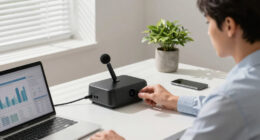
Finding the best receipt scanner for freelancers involves balancing portability, speed, and software compatibility. The Epson RapidReceipt RR-600W stands out as the overall top pick, thanks to its high-capacity auto feeder and advanced AI software that streamline large batches. For those on the go, the Epson WorkForce ES-50 offers exceptional portability, while the ScanSnap iX2500 Receipt Edition is ideal for users who need seamless integration with accounting software like QuickBooks. The main challenge for freelancers is choosing between compact, mobile options and more feature-rich desktop models, often forcing a tradeoff between convenience and processing power. Keep reading for a full breakdown of these top choices to help you find the perfect fit.
Key Takeaways
- Top models vary significantly in portability, with some designed for mobile use and others optimized for desktop setups.
- Software compatibility, especially with accounting tools like QuickBooks, is a key factor influencing choice.
- Higher-capacity auto feeders and duplex scanning features save time but often come with a higher price tag.
- Price often correlates with feature set; budget options tend to lack advanced software or high-volume capacity.
- Durability and ease of setup are critical for freelancers who want reliable, hassle-free operation.


More Details on Our Top Picks
Epson RapidReceipt RR-600W Wireless Desktop Color 2-Sided Document & Tax Receipt Scanner with ScanSmart AI PRO Data Management Software for PC & Mac Touchscreen & 100-Page Auto Document Feeder
This model stands out for its combination of advanced AI-driven data extraction and robust paper handling, making it ideal for freelancers managing large volumes of receipts and invoices. Compared to the Epson RapidReceipt RR-70W, it offers faster duplex scanning—up to 35 pages per minute—and a larger 100-page feeder, which significantly boosts productivity. Its 4.3″ color touchscreen enables PC-free operation, a feature less prominent in smaller, portable options. However, the price point is higher, reflecting its professional-grade capabilities, which might be overkill for freelancers with light scanning needs. The device’s ability to convert scans into AI-ready data that integrates seamlessly with QuickBooks and TurboTax makes it especially valuable for those needing detailed categorization and easy bookkeeping. This pick is best suited for busy freelancers who require high-volume scanning with smart data management, but less so for casual users or those with limited desk space.
Pros:- Fast duplex scanning at 35 pages per minute
- Large 100-page auto document feeder
- AI-powered data extraction for easy integration with financial software
- Intuitive 4.3″ color touchscreen for PC-free use
Cons:- Higher price may be a barrier for casual freelancers
- Bulky size requires dedicated desk space
- Complex setup might be overwhelming for non-technical users
Best for: Freelancers with high document volumes seeking fast, efficient, AI-enhanced data processing.
Not ideal for: Freelancers who need portability or have limited workspace, as this scanner is large and desk-bound.
- Scanner Type:Document, Receipt
- Connection Type:Wi-Fi
- Resolution:600 dpi
- Standard Sheet Capacity:100
- Color Depth:24 bpp
- Item Dimensions:14.25″D x 10.25″W x 12.38″H
Bottom line: This scanner makes the most sense for freelancers who handle a high volume of receipts and invoices, and need smart categorization for bookkeeping.
Epson WorkForce ES-50 Portable Sheet-Fed Document Scanner for PC and Mac
This pick shines for its portability and ease of use, making it ideal for freelancers who need quick scans on the go. Its lightweight design—under 1 pound—compared to larger desktop models like the Epson RapidReceipt RR-600W—means it fits easily into a bag or briefcase. Although it offers a modest 8.5 x 72-inch scan capacity and slower speeds of 5.5 seconds per page, it excels in simplicity, with straightforward setup and operation, ideal for freelancers who don’t need high-volume throughput. Its compatibility with both Windows and Mac, along with Nuance OCR for searchable PDFs, makes it suitable for those who want quick digital copies without complex features. However, it’s less suitable for large-scale document handling or detailed data extraction, which the RR-600W handles better. This scanner is perfect for freelancers who prioritize mobility and simplicity, but not for those with heavy scanning demands or complex workflows.
Pros:- Extremely lightweight and portable
- Simple setup and operation
- Compatible with Windows and Mac
- Includes Nuance OCR for searchable PDFs
Cons:- Slower scan speed (5.5 seconds per page)
- Limited sheet capacity (8.5 x 72 inches)
- Less suitable for bulk scanning compared to larger models
Best for: Freelancers who need a portable, easy-to-use scanner for occasional or on-the-go document capture.
Not ideal for: Freelancers with high-volume or batch scanning needs, as its speed and capacity are limited.
- Scanner Type:Receipt
- Connection Type:USB
- Resolution:600 dpi
- Standard Sheet Capacity:1
- Color Depth:24 bits
- Item Dimensions:5.6″D x 13″W x 2.8″H
Bottom line: Ideal for freelancers who need a compact, straightforward device for light, mobile scanning tasks, but not for high-volume workflows.
Epson RapidReceipt RR-70W Wireless Mobile Tax Receipt and Color Document Scanner with Complimentary Data Management Software for PC and Mac
This model is perfect for freelancers who need to scan receipts and documents while on the move, thanks to its lightweight (under 11 oz) and wireless capabilities. Compared to the RR-600W, it offers a more portable form factor and the convenience of wireless scanning directly to cloud services or mobile devices. Its 15 pages per minute speed with automatic feeding makes it suitable for light to moderate tasks, but it lacks the large paper capacity and advanced data extraction features of the RR-600W. The high-resolution optics with HyperClear technology enhance scan quality, especially for receipts and IDs. However, the smaller size and fewer features mean it’s not ideal for bulk processing or detailed categorization. This pick is best for freelancers who need a quick, portable solution for occasional receipt scanning in various locations, but not for those managing large document loads or complex workflows.
Pros:- Lightweight and highly portable
- Wireless scanning to cloud services
- High-resolution optics with HyperClear technology
- Quick scanning at 15 pages per minute
Cons:- Limited paper capacity (single sheet or ID cards)
- Fewer advanced data extraction features
- Less suitable for bulk or high-volume scanning
Best for: Freelancers who need a lightweight, wireless scanner for occasional or mobile receipt capture.
Not ideal for: Freelancers handling high volumes or requiring advanced data management features, as it’s designed more for portability than bulk processing.
- Scanner Type:Receipt
- Connection Type:Wireless
- Resolution:600 dpi
- Standard Sheet Capacity:1
- Color Depth:24 bits
- Item Dimensions:5.6″D x 13″W x 2.8″H
Bottom line: Best suited for freelancers who need a portable, wireless scanner for light, on-the-go receipt capturing, but not for large-scale document management.
Epson RapidReceipt RR-400W Wireless Compact Desktop Color 2-Sided Document & Tax Receipt Scanner with ScanSmart AI PRO Data Management Software & 20-Page Auto Doc Feeder
This scanner offers a compact footprint, saving 60% of desk space compared to larger models like the RR-600W, making it ideal for freelancers with limited workspace. Its 20-page auto document feeder supports quick, two-sided scanning at up to 30 pages per minute, though it doesn’t match the speed of the larger, professional-grade models. The AI-powered data extraction and seamless integration with financial software help organize receipts and invoices efficiently. It strikes a good balance between size, speed, and smart features, but its smaller feeder capacity and slightly lower speed mean it’s less suited for high-volume tasks. This device is best for freelancers who need space-efficient yet capable scanning, but not for those with extensive batch processing needs.
Pros:- Space-saving, compact design
- Fast 2-sided scanning at 30 ppm
- AI data extraction with software integration
- Includes 20-page auto document feeder
Cons:- Limited feeder capacity for high-volume tasks
- Lower maximum scan speed than larger models
- Less suitable for very large document stacks
Best for: Freelancers working in small spaces requiring fast, two-sided scanning with smart data export.
Not ideal for: Freelancers with high-volume or batch scanning needs, as it has a smaller 20-page feeder and slightly lower speed.
- Scanner Type:Document, Receipt
- Connection Type:Wireless
- Resolution:600 dpi
- Standard Sheet Capacity:20
- Color Depth:24 bits
- Item Dimensions:9″D x 5″W x 2.65″H
Bottom line: This scanner is perfect for space-conscious freelancers needing efficient, two-sided scans with smart export capabilities, but not for bulk processing.
ScanSnap iX2500 Receipt Edition, Works with QuickBooks, Wireless or USB High-Speed Cloud Enabled Invoices & Receipts Scanner, 100 Page Auto Document Filler for Mac or PC, Black
This model stands out for its combination of high-speed scanning, customizable profiles, and direct QuickBooks integration, making it ideal for freelancers who want to streamline their bookkeeping process. Compared with the Canon R40, it offers faster double-sided scans and a larger touchscreen, but at a higher price and slightly bulkier design. The intelligent data extraction and cloud support mean less manual entry, yet the advanced features come with a steeper learning curve and higher cost. Its ability to avoid paper jams with brake rollers and multi-feed sensors reduces frustration, although occasional setup adjustments are necessary. This pick makes the most sense for freelancers seeking a versatile, fast, and connected receipt scanner that integrates directly with accounting software.
Pros:- High-speed 45ppm duplex scanning improves productivity
- Customizable profiles for different workflows
- Direct support for cloud services and QuickBooks
Cons:- Higher price point may be prohibitive for some freelancers
- Larger footprint can be less suitable for small desks
Best for: Freelancers who want quick, reliable data extraction and seamless QuickBooks syncing.
Not ideal for: Casual users or those on a strict budget who prefer a simple, no-frills scanner without advanced features.
- Scan Speed:45 pages per minute
- Connectivity:Wi-Fi and USB
- Document Capacity:100 pages auto feeder
- Resolution:600 dpi
- User Interface:Large touchscreen
- Supported OS:Mac and PC
Bottom line: This is a top-tier choice for freelancers who prioritize speed, automation, and software integration over cost.
Canon imageFORMULA R40 Office Document Scanner Receipt Edition, for PC and Mac, Scan & Extract Data to QuickBooks Online, Color Duplex Scanning, Auto Document Feeder, Easy Setup for Office Or Home Use
This scanner makes a strong case for freelancers who need fast batch processing of receipts and invoices with minimal fuss, thanks to its up to 40 ppm duplex speed and straightforward setup. Compared to the ScanSnap iX1300, it offers slightly higher speed and robust software for extracting key data like payees and amounts, which makes it ideal for those who want automation without the premium price. Its automatic batch feeding and searchable PDFs give freelancers a major boost in organizing receipts efficiently, though its resolution at 600 dpi is less detailed than premium models. The device is easy to connect via USB and supports the latest Mac and Windows systems, but it lacks wireless connectivity, which could be limiting for mobile freelancers. This pick is perfect for those who want fast, reliable data capture at a reasonable price for daily receipt processing.
Pros:- Fast 40 ppm duplex scanning speeds batch processing
- Automatic extraction of key receipt data
- Supports searchable, editable PDFs
Cons:- No wireless connectivity limits mobility
- Resolution may be insufficient for high-detail needs
Best for: Freelancers who need fast batch scanning and automatic data extraction without wireless features.
Not ideal for: Freelancers requiring wireless or mobile scanning solutions, or those with very high resolution needs for detailed images.
- Scan Speed:Up to 40 ppm
- Connectivity:USB only
- Document Capacity:Auto feeder for batches
- Resolution:600 dpi
- Color Duplex:Yes
- Supported OS:Mac and PC
Bottom line: This scanner offers excellent value for freelancers focused on speed and data automation for everyday receipt management.
ScanSnap iX1300 Compact Wireless or USB Double-Sided Color Document, Photo & Receipt Scanner with Auto Document Feeder and Manual Feeder for Mac or PC, Black
This compact device shines for freelancers who need a space-saving, portable scanner capable of handling various document types, including photos and IDs. Unlike larger models, the ScanSnap iX1300 offers a quick one-touch operation with duplex scanning at 30 ppm, along with color optimization and blank page removal, making it ideal for busy freelancers with limited desk space. Its wireless and USB options provide flexible scanning locations, and the all-in-one software simplifies management and editing of scanned data. While its speed is slightly lower than high-end models like the ScanSnap iX2500, the size and ease of use make it perfect for smaller workflows. The resolution of 600 dpi suits most receipt and document scanning needs, but not for high-resolution imaging. This is an excellent choice for freelancers needing a portable, versatile, and easy-to-use scanner that fits in tight spaces.
Pros:- Compact size fits small desks and mobile setups
- Wireless and USB connectivity for flexibility
- Color optimization and blank page removal
Cons:- Slower than high-end models at 30 ppm
- Limited resolution for detailed imaging
Best for: Freelancers with limited space who want a versatile, portable scanner for receipts, photos, and documents.
Not ideal for: Professionals requiring extremely high-speed scanning or advanced software features for heavy daily use.
- Scan Speed:Up to 30 ppm
- Connectivity:Wi-Fi and USB
- Document Capacity:Automatic and manual feeders
- Resolution:600 dpi
- Color Duplex:Yes
- Supported OS:Mac and PC
Bottom line: This scanner makes sense for freelancers who need a portable, space-efficient device for versatile scanning tasks with decent speed.
Brother DS-640 Compact Mobile Document Scanner, (Model: DS640)
This model is ideal for freelancers who frequently work remotely or need a portable solution, offering rapid color and black-and-white scans at 16 ppm. Compared to larger desktop scanners like the ScanSnap iX1300, it’s ultra-compact, weighing just 1.5 pounds and fitting easily into a bag or pocket. Its simplified workflow and robust software, including OCR support, make it straightforward to digitize receipts, ID cards, and documents on the move. The device’s durability feels solid, and its ability to handle various document sizes up to 72 inches long provides extra flexibility. The tradeoff is its lower 300 dpi resolution, which is not suited for high-detail image scans but more than enough for receipts and basic documents. Its micro USB power supply makes it convenient in locations without outlets. This is best for freelancers who need fast, portable scanning with reliable OCR capabilities in a compact form.
Pros:- Extremely portable and lightweight
- Fast color and B&W scans at 16 ppm
- Supports various document types and sizes
Cons:- Lower resolution of 300 dpi limits detailed scans
- Requires USB connection, not wireless
Best for: Freelancers who require a lightweight, mobile scanner for quick, on-the-go document digitization.
Not ideal for: Freelancers needing high-resolution images or advanced connectivity features like Wi-Fi.
- Scan Speed:16 ppm
- Connectivity:USB only
- Document Size:Up to 72 inches long
- Resolution:300 dpi
- Color Mode:Color and B&W
- Media Types:Business cards, IDs, documents
Bottom line: This scanner is perfect for freelancers who prioritize portability and speed over high resolution or wireless features.
How We Picked
Products were selected based on a combination of performance, ease of use, build quality, software integration, and value for freelancers. We prioritized models with fast scan speeds, reliable auto feeders, and compatibility with common accounting tools, as these are essential for efficient workflow. Portability was a key factor for freelancers working remotely or on the go, while durability and ease of setup influenced overall usability. Each product was evaluated for its balance of features and price, ensuring that the picks serve different freelancer needs—from beginners to professional users. The ranking reflects a mix of top-tier performance, value, and versatility, aiming to help diverse users find their ideal receipt scanner.Factors to Consider When Choosing Best Receipt Scanner For Freelancers
Choosing the best receipt scanner for freelancers requires understanding your specific workflow needs. While features like high-speed scanning and software compatibility are crucial, other factors such as portability, ease of setup, and auto document feeder capacity can greatly influence your experience. Being clear on your priorities helps avoid overspending on unnecessary features or settling for underwhelming performance. Below are key considerations to guide your decision beyond just looking at product specs.Portability and Size
If you frequently work outside your home or office, a compact, lightweight scanner can make a significant difference. Mobile scanners like the Epson ES-50 or Brother DS-640 excel in portability but may sacrifice some speed or capacity. Conversely, desktop models often offer larger auto feeders and faster processing, ideal for freelancers handling high volumes. Consider where you’ll primarily use the device and choose accordingly to ensure it fits your workflow without becoming a burden.
Scanning Speed and Capacity
Fast scanning speeds and high-capacity auto feeders are vital if you deal with many receipts daily. Models like the Epson RR-600W and ScanSnap iX2500 provide high speeds and large document trays, reducing the time spent on data entry. However, these features tend to increase cost. For light use, a smaller auto feeder or manual feed may suffice, but for busy periods, investing in a high-capacity scanner pays off by saving time.
Software Compatibility and Data Management
The ability to integrate smoothly with accounting software such as QuickBooks or cloud services is a major benefit. Some scanners come with proprietary software that simplifies data extraction and organization, making bookkeeping less tedious. Be cautious of models with limited or outdated software support, which can hinder your workflow. The right software ecosystem can turn a basic scanner into a powerful productivity tool.
Ease of Use and Setup
Freelancers often value plug-and-play devices that require minimal setup. Features like wireless connectivity, touchscreen controls, and straightforward software installation help reduce frustration. Avoid models with overly complex instructions or unreliable wireless connections, as these can slow down your work. A user-friendly design ensures you spend less time troubleshooting and more time focusing on your projects.
Price and Overall Value
While investing in a more expensive scanner can offer enhanced features, many budget options provide surprisingly good performance for light to moderate use. Consider your volume needs and whether advanced features justify the increased cost. Sometimes, paying a little more upfront results in better durability, faster processing, and seamless software integration, ultimately saving money and effort over time.
Frequently Asked Questions
Should I choose a portable scanner or a desktop model?
This depends on your work environment. If you often scan receipts outside your primary workspace, a portable scanner like the Epson ES-50 or Brother DS-640 offers convenience and freedom. However, for high-volume tasks or dedicated home office setups, desktop models like the Epson RR-600W provide larger capacity, faster speeds, and more robust features. Consider your typical workflow and mobility needs before making a choice.
Is duplex scanning necessary for freelancers?
Duplex scanning allows both sides of a receipt or document to be scanned simultaneously, saving time. For freelancers managing numerous receipts or multi-page documents, duplex capability can significantly boost efficiency. If your workflow involves mostly single-page receipts, a simpler model without duplex may suffice, but investing in duplex scanning often pays off as your volume increases.
How important is software compatibility with accounting tools?
Software compatibility can streamline your bookkeeping process by directly exporting data to programs like QuickBooks. This feature reduces manual data entry, minimizes errors, and saves time. For freelancers who handle many receipts regularly, choosing a scanner with strong software integration can provide a smoother, more automated workflow, making it a worthwhile investment.
Can I use a receipt scanner for photos or other documents?
Many receipt scanners are capable of handling various document types, including photos, invoices, and other small papers. However, some models are optimized for receipts and small documents only. If you need to scan larger or diverse types of media, look for a scanner with adjustable settings or larger maximum document sizes to ensure versatility across your tasks.
What’s the best way to maintain my receipt scanner’s performance?
Regular cleaning of the scanner’s rollers and glass surface helps maintain clear scans and prevents jams. Keep firmware and software updated to ensure compatibility and security. Also, avoid overloading auto feeders, which can cause misfeeds or damage. Proper maintenance and cautious use extend the lifespan of your device and keep it operating smoothly.
Conclusion
For freelancers seeking a reliable all-around option, the Epson RapidReceipt RR-600W offers a perfect balance of speed, capacity, and software integration, making it ideal for busy professionals. Those prioritizing portability and quick scanning on the go will find the Epson WorkForce ES-50 or Brother DS-640 best suited. Budget-conscious freelancers handling light volume might opt for the ScanSnap iX1300 or Canon imageFORMULA R40, which deliver good performance at a lower cost. Finally, users who want seamless data management with advanced features should consider the ScanSnap iX2500 Receipt Edition. Your choice hinges on your workflow size, mobility needs, and software preferences.