

Retirees choosing investment tax software need to match the program to the tax year and the mix of income they report. Stock sales, bond income, retirement distributions, rental property, and itemized deductions can all shape which edition fits. In this comparison, H&R Block Premium 2025 is my strongest fit for retirees with varied income, while TurboTax Premier 2026 has a more current tax year and guided investment workflows. H&R Block Deluxe 2022 covers some investment and retirement situations, but its older tax year makes it a poor choice for preparing a current return.

Get smart everyday buys delivered free with Prime
- Fast, free delivery on millions of items
- Prime Video, Amazon Music and more included
- Member-only deals all year
The main tradeoffs are tax-year relevance, investment and retirement coverage, computer requirements, and the scope of state filing. These are desktop programs with different supported operating systems and included state features. I rank them by how well their stated capabilities match a retiree’s likely tax needs, while treating the older edition’s date as a serious limitation. Before choosing, check that the program’s tax year matches the return you need to file.
Key Takeaways
- H&R Block Premium 2025 has the broadest stated fit for a retiree reporting investment income alongside self-employment, rental income, or itemized deductions.
- TurboTax Premier 2026 is the most current tax-year option in this lineup and specifically names stocks, bonds, employee stock, rental property, and trust distributions.
- H&R Block Deluxe 2022 supports some investment and retirement reporting, but its tax year is too old for most current filing needs.
- The two newer editions include one state program or download, while TurboTax states that state e-file is sold separately and live tax advice carries a fee.
- Check operating system compatibility before buying: the products require Windows 10 or newer Mac systems, Windows 11 or macOS Sequoia 15 or later, or Windows PC only.
| H&R Block Premium Tax Software 2025 for Windows and Mac | 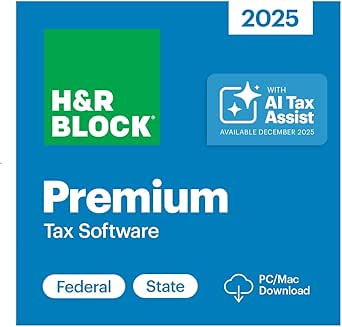 | Best Overall for Retirees with Multiple Income Sources | Tax year: 2025 | Platform: Windows and Mac | Federal e-files: 5 | VIEW LATEST PRICE | See Our Full Breakdown |
| TurboTax Premier 2026 Federal and State Tax Software for Windows and Mac |  | Best for Guided Investment Reporting | Tax year: 2026 | Platform: Windows and Mac | Federal e-files: 5 | VIEW LATEST PRICE | See Our Full Breakdown |
| H&R Block Deluxe + State 2022 Tax Software for Windows (Online Code) |  | Best for Historical 2022 Returns | Tax year: 2022 | Platform: Windows PC | Delivery: Online code | VIEW LATEST PRICE | See Our Full Breakdown |
| investment tax software for retiree | Tax year | Platform | Federal e-files | Federal preparation and printing |
|---|---|---|---|---|
| H&R Block Premium Tax Software | 2025 | Windows and Mac | 5 | Unlimited |
| TurboTax Premier 2026 Federal | 2026 | Windows and Mac | 5 | — |
| H&R Block Deluxe + State 2022 | 2022 | Windows PC | 5 free | Unlimited |
More Details on Our Top Picks
H&R Block Premium 2025 earns my top spot for retirees whose return extends beyond investment sales. Its description covers investment income alongside self-employment, rental property, and itemized deductions, a useful combination for someone drawing retirement income while still consulting, renting out a property, or itemizing. TurboTax Premier names a broader selection of investment-specific examples, including bonds, employee stock, and trust distributions, but H&R Block Premium sets out the more explicit mix of income types beyond investing.
For a retiree who wants to bring information forward rather than start from scratch, this edition supports common tax-form and prior-year return imports. It includes one state program download and five federal e-files, with unlimited federal preparation and printing. Those details make it practical for preparing returns for a household, but the state inclusion is limited to one program, and the listing says an internet connection and compatible printer are required.
The main caveat is the 2025 tax year: the program should be matched to the return year it is designed for, rather than purchased on the assumption that it handles a different year. Its stated minimums are Windows 10 or macOS 12 Monterey, so it may suit people with older computers better than TurboTax Premier 2026, which requires Windows 11 or macOS Sequoia 15 or later. I would choose this one for varied income and deductions; I would lean toward TurboTax when the priority is its named investment workflows and newer tax year.
Pros:- Addresses investment, self-employment, and rental income in one edition.
- Supports itemized deductions and imports of common tax forms and prior-year returns.
- Includes one state program download and five federal e-files.
- Works with Windows 10 or macOS 12 Monterey, according to the listed requirements.
Cons:- Designed for tax year 2025, so it does not fit returns for other years.
- Requires an internet connection and compatible printer.
- Includes one state program download.
Best for: Retirees with investment income plus rental, self-employment, or itemized deduction needs who are preparing a 2025 return on a compatible Windows or Mac computer.
Not ideal for: Anyone preparing a return for a different tax year, someone who needs more than one included state program, or a buyer who cannot meet the internet and printer requirements.
- Tax year:2025
- Platform:Windows and Mac
- Federal e-files:5
- Federal preparation and printing:Unlimited
- Included state program:1 download
- Minimum operating system:Windows 10; macOS 12 Monterey
- Internet and printer:Internet connection and compatible inkjet or laser printer required
Our verdict“I rank H&R Block Premium 2025 first for its stated breadth across investments, rental and self-employment income, and itemized deductions.”
TurboTax Premier 2026 Federal and State Tax Software for Windows and Mac
TurboTax Premier 2026 is my pick for retirees who want a guided path through an investment-heavy return and need software for tax year 2026. Its description specifically covers stocks, bonds, employee stock plans, rental property, and trust distributions. That range makes it the clearest match in this group for someone sorting through several kinds of investment-related documents. H&R Block Premium 2025 covers investment income too, but its description emphasizes the combination with self-employment, rental income, and itemized deductions rather than calling out bonds, ESPPs, and trusts.
The import options can help reduce repetitive entry: the product says it can import W-2, investment, and mortgage information from participating companies. Its step-by-step guidance and audit risk check may appeal to a retiree who wants prompts while completing the return. Those are workflow features, not a guarantee that every form or tax issue will be handled; buyers should verify that their financial institutions and documents are supported.
Its tradeoffs are concrete. Windows 11 or macOS Sequoia 15 or later is required, which rules out some otherwise capable older computers. One state download is included, but state e-file is sold separately; live tax advice also carries a fee. Compared with H&R Block Premium, this is the stronger named fit for trust and employee-stock income, while H&R Block has a lower listed operating-system floor and more explicit support for itemized deductions and self-employment.
Pros:- Names investment income from stocks and bonds as well as employee stock plans.
- Also identifies rental property and trust distributions as supported situations.
- Offers participating-company imports for W-2, investment, and mortgage information.
- Includes step-by-step guidance and an audit risk check.
Cons:- Requires Windows 11 or macOS Sequoia 15 or later.
- State e-file is sold separately.
- Live tax advice incurs a fee.
Best for: Retirees preparing a 2026 return with stocks, bonds, employee stock, rental property, or trust distributions who use a supported current operating system.
Not ideal for: People with older computers, those who need state e-file included, or buyers who expect live tax advice without an extra fee.
- Tax year:2026
- Platform:Windows and Mac
- Federal e-files:5
- State download:1
- Supported operating systems:Windows 11; macOS Sequoia 15 or later
- State e-file:Sold separately
- Live tax advice:Fee applies
Our verdict“I recommend TurboTax Premier 2026 to retirees who value guided investment workflows and need its newer tax year, provided their computer and state-filing needs fit.”
H&R Block Deluxe + State 2022 Tax Software for Windows (Online Code)
H&R Block Deluxe 2022 has a narrow place in this comparison: it is an option to examine only when preparing a return for tax year 2022. It supports guidance for stocks, stock options, home sales, and retirement, with mortgage interest and real estate tax deductions listed for Schedule A. It also supports imports of W-2, 1099, and 1098 documents, plus prior-year returns from TurboTax and Quicken. That gives it a useful feature set for its intended year, though its investment description is less expansive than TurboTax Premier 2026’s named coverage of bonds, ESPPs, and trust distributions.
There is a substantial gap between this edition and the other two: 2022 is an older tax year. It should not be chosen to prepare a more recent return. H&R Block Premium 2025 and TurboTax Premier 2026 are the relevant candidates here for their named years; this Deluxe product belongs only in a year-specific search. Its Windows-only platform also makes it less flexible than both newer options, which support Mac systems.
For a buyer who truly needs the 2022 edition, the included state program and five federal e-files are useful listed features, and unlimited federal preparation and printing offer flexibility. Yet the single state program and Windows PC requirement narrow its fit. I would skip it for current retirement filings and consider it only after confirming that the return being prepared is for 2022 and that the online code and computer meet the buyer’s needs.
Pros:- Provides guidance for stocks, stock options, home sales, and retirement income.
- Supports W-2, 1099, 1098, and some prior-year return imports.
- Includes one state program and five federal e-files.
- Lists mortgage interest and real estate tax deduction guidance for Schedule A.
Cons:- Designed for tax year 2022 and unsuitable for a different tax-year return.
- Runs on Windows PC only.
- Includes only one state program.
Best for: A Windows PC user who specifically needs software for a 2022 return and wants the listed investment, retirement, and itemized deduction guidance.
Not ideal for: Retirees filing a current-year return, Mac users, or anyone seeking the broader investment examples named by TurboTax Premier 2026.
- Tax year:2022
- Platform:Windows PC
- Delivery:Online code
- Federal e-files:5 free
- Federal preparation and printing:Unlimited
- Included state programs:1
- Supported imports:W-2, 1099, 1098, and prior-year returns from TurboTax and Quicken
- Investment income assistance:Stocks, stock options, home sales, and retirement
Our verdict“I would select H&R Block Deluxe 2022 only for a 2022 return; for a newer filing, its tax year makes it the wrong fit.”

How We Picked
I ranked these programs around the choices a retiree is most likely to face: whether the tax year fits the return, how directly the software addresses investment and retirement income, whether it can accommodate other common income or deductions, and what the included state and filing features cover. I gave tax-year fit substantial weight because software for an earlier year cannot simply be treated as an edition for a later return. That puts the 2022 product in a limited, historical role regardless of its stated features.
I then compared the product descriptions and listed specifications for stocks, bonds, stock options, retirement income, trust distributions, rental property, and self-employment. Those details help distinguish software suited to a straightforward portfolio from one that also addresses several income sources. I also considered import support and guided preparation, since importing supported forms can reduce manual entry and step-by-step prompts may help people who do not prepare returns every year.
Finally, I weighed the practical constraints: supported operating systems, state program inclusion, e-file limits, internet access, printer requirements, and fees identified in the descriptions. The ranking reflects the information provided for these exact editions; it does not assume every brokerage or tax situation is supported. I cannot infer the quality of tax advice, form coverage beyond the listed claims, or current availability from the supplied product details.
| investment tax software for retiree | Platform |
|---|---|
| H&R Block Premium Tax Software | Windows and Mac |
| TurboTax Premier 2026 Federal | Windows and Mac |
| H&R Block Deluxe + State 2022 | Windows PC |
Factors to Consider When Choosing Investment Tax Software For Retirees
I would start by matching the software to the return year, then compare the income types and computer requirements. For retirees, the right fit depends on the documents and deductions in the return, not simply on the word “investment” in the product name.Match the software to the return year
The tax year is the first filter. These editions are for 2022, 2025, and 2026; their features do not make them interchangeable. A retiree preparing a 2025 return should compare H&R Block Premium 2025, while a 2026 return points to TurboTax Premier 2026 among these products. The Deluxe 2022 edition is only a candidate for a return from that year. Check the filing year on the return before buying, especially if the product title and the year you are filing in differ.
List every kind of retirement and investment income
Write down the documents and income sources you expect to report: brokerage forms, stock sales, bond income, employee stock, retirement distributions, trust statements, rental income, or self-employment income. TurboTax Premier 2026 explicitly names stocks, bonds, ESPPs, and trust distributions. H&R Block Premium 2025 pairs investment support with rental and self-employment income, while Deluxe 2022 lists stocks, stock options, home sales, and retirement. Compare that list with your own forms and confirm any specific form coverage before purchase.
Consider deductions and other income sources
Some retirees have a return shaped by more than investment activity. Mortgage interest and real estate taxes may matter to homeowners who itemize, while consulting or rental income adds other reporting needs. H&R Block Premium 2025 specifically calls out itemized deductions, self-employment, and rental property. Deluxe 2022 names Schedule A guidance for mortgage interest and real estate tax deductions, but only for that tax year. The supplied TurboTax description does not list self-employment or itemized deductions, so check those requirements separately if they apply.
Check your computer before choosing
Operating-system requirements can decide the choice before features do. H&R Block Premium 2025 lists Windows 10 or macOS 12 Monterey; TurboTax Premier 2026 requires Windows 11 or macOS Sequoia 15 or later; H&R Block Deluxe 2022 is Windows PC only. Confirm the exact operating system on the computer where you will prepare the return. H&R Block Premium also lists an internet connection and compatible printer as requirements, so those should be part of the fit check.
Understand state and e-file coverage
Both newer editions list one state program or download, and each lists five federal e-files. That does not mean every state e-file is included: TurboTax states that state e-file is sold separately. H&R Block Premium lists an included state program download, while Deluxe 2022 includes one state program. If you file in multiple states or need a particular state filing method, verify the applicable edition’s terms before choosing.
Decide how much guidance you need
Step-by-step guidance appears in all three descriptions, but TurboTax Premier 2026 also lists an audit risk check and participating-company import options for W-2, investment, and mortgage information. H&R Block products list support for importing forms or prior-year returns. Imports depend on supported sources, so check whether your brokerage, tax software, or financial institution is included. TurboTax’s live tax advice carries a fee; if you want professional assistance, account for that when comparing its workflow with the other listed features.
Frequently Asked Questions
Which option is the best fit for a retiree with investment and rental income?
I would start with H&R Block Premium 2025 for a 2025 return because its description addresses investment income alongside rental property and self-employment income. TurboTax Premier 2026 also lists rental property, but it is for a different tax year and calls out more specific investment cases such as bonds and trust distributions. Match the edition to the return year and confirm the forms you need.
Which product specifically mentions bonds and trust distributions?
TurboTax Premier 2026 explicitly identifies stocks, bonds, employee stock plans, rental property, and trust distributions. That makes it the clearest match in this group for retirees with those named income sources, provided they are preparing a 2026 return and meet the operating-system requirements. The product description does not establish that every financial institution or trust document is supported, so check source compatibility.
Can I use the H&R Block Deluxe 2022 edition for a current return?
No. The product is designated for tax year 2022, so I would reserve it for preparing a 2022 return. For a return from another year, choose software designated for that year; the 2025 and 2026 products in this roundup have their own specific year labels. The year a return is filed is not always the same as the tax year covered, so verify the year on the return.
Do these products include state e-filing?
The listings describe one included state program or download for each product, but TurboTax says state e-file is sold separately. An included state program does not by itself establish that electronic filing is included for every state. Check the terms for the exact product and the state where you plan to file, particularly if you need more than one state return.
What should retirees check before buying desktop tax software?
I would verify the tax year, operating system, required documents, state coverage, and any listed hardware or internet requirements. H&R Block Premium 2025 requires Windows 10 or macOS 12 Monterey and lists a printer and internet connection; TurboTax Premier 2026 requires Windows 11 or macOS Sequoia 15 or later; Deluxe 2022 is Windows only. Also confirm that imports cover your brokerage or other financial sources and that the edition addresses your income types.
Conclusion
For a retiree with investments plus rental, self-employment, or itemized deduction needs, I recommend H&R Block Premium 2025 when preparing a 2025 return. For someone with bonds, employee stock, or trust distributions who wants guided investment workflows for a 2026 return, TurboTax Premier 2026 is the stronger match, assuming the computer and state-filing terms work. I would choose H&R Block Deluxe 2022 only for a 2022 return on a Windows PC. In every case, let the tax year and the forms you actually need report guide the final choice.