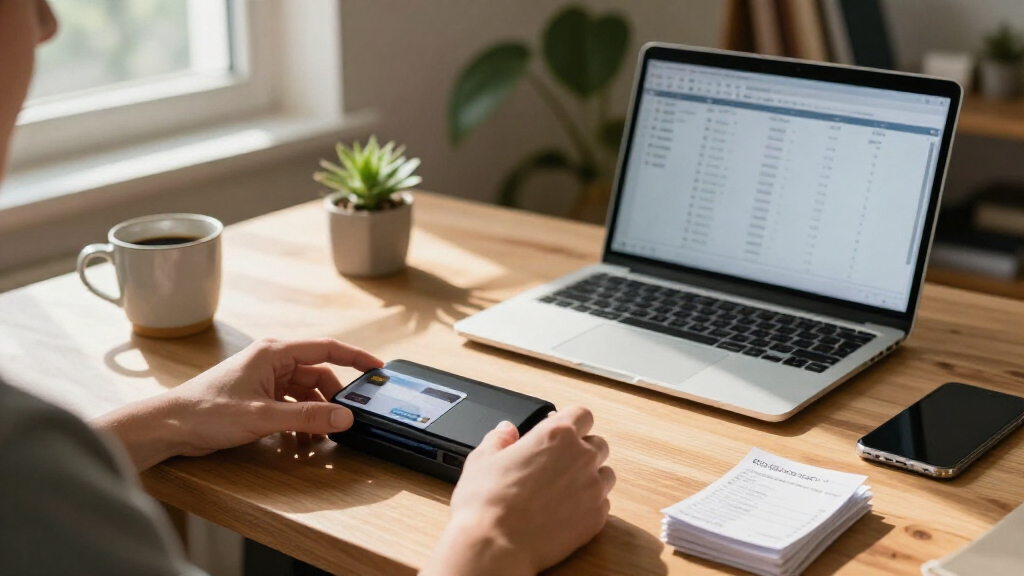
Portable document scanners range from handheld wands for occasional pages to compact feed scanners built for steady paperwork. For most buyers, I’d start with the Canon imageFORMULA R10 for its practical balance of portable design and automatic feeding; the Brother DS-740D stands out for duplex scanning, while the Epson DS-80W adds wireless flexibility. The main tradeoffs are speed and batch handling versus size, power needs, and the convenience of scanning without a computer. A wand scanner can be easy to carry, but it asks you to guide each pass by hand. Read on for the full comparison and help matching a scanner to your documents and routine.

Get smart everyday buys delivered free with Prime
- Fast, free delivery on millions of items
- Prime Video, Amazon Music and more included
- Member-only deals all year
Key Takeaways
- The Canon R10 is the strongest all-around fit for buyers who want a portable feeder rather than a handheld wand, while the Brother DS-740D is the clearer choice when duplex scanning matters most.
- Wireless convenience comes with a narrower shortlist: the Epson DS-80W is the standout for cable-free workflows, while many other compact models rely on a USB connection.
- Handheld wands trade speed for carry-anywhere flexibility. The MUNBYN and AOZBZ include memory cards, but they require more care and page-by-page handling than feed scanners.
- Simplex and duplex are not interchangeable. Buyers who scan two-sided forms or IDs should favor a duplex model instead of relying on manual page flipping.
- Compact single-sheet scanners dominate this lineup. For repeated batches, an automatic document feeder matters more than a small footprint; check each model’s supported workflow before choosing.
| MUNBYN Portable Handheld Wand Scanner, 900 DPI, A4, 16GB SD Card, Black |  | Best for Scanning Books and Loose Pages | Scanner type: Handheld wand scanner | Maximum scan size: A4 | Resolution options: 300, 600, and 900 dpi | VIEW LATEST PRICE | See Our Full Breakdown |
| IRIScan Express 4 Compact Portable USB Simplex Document Scanner |  | Best for Windows Users Who Need OCR | Scanner type: Portable document scanner | Scanning mode: Simplex, single-sided | Scan speed: Up to 8 pages per minute | VIEW LATEST PRICE | See Our Full Breakdown |
| AOZBZ 900 DPI Handheld Document Scanner with 16 GB SD Card |  | Best Handheld Scanner for Flexible Storage | Scanner type: Handheld document scanner | Maximum scan size: A4 | Resolution options: 300, 600, and 900 dpi | VIEW LATEST PRICE | See Our Full Breakdown |
| Canon imageFORMULA P-208II Personal Document Scanner |  | Best Compact Duplex Scanner for Mixed Media | Scanner type: Personal document scanner | Scanning: Duplex, both sides at once | Maximum scan speed: Up to 8 pages per minute | VIEW LATEST PRICE | See Our Full Breakdown |
| Canon imageFORMULA R10 Portable Document Scanner |  | Best for Portable Batch Scanning | Scanning: Duplex | Maximum scan speed: Up to 12 pages per minute | Automatic document feeder capacity: 20 sheets | VIEW LATEST PRICE | See Our Full Breakdown |
| Plustek S410 Plus Portable Document Scanner |  | Best for Searchable Office Files | Connection and power: USB; USB-powered | Optical resolution: 600 dpi | Sheet capacity: 1 sheet | VIEW LATEST PRICE | See Our Full Breakdown |
| Epson WorkForce DS-30 Portable Document Scanner |  | Best for Lightweight Mixed-Media Scanning | Scanner type: Sheet-fed | Connection and power: USB; USB-powered | Resolution: 600 dpi | VIEW LATEST PRICE | See Our Full Breakdown |
| Epson WorkForce ES-50 Portable Document Scanner |  | Best for Extra-Long Documents | Scanner type: Single-sheet-fed document scanner | Connection and power: USB; USB-powered | Scanning speed: As fast as 5.5 seconds per page | VIEW LATEST PRICE | See Our Full Breakdown |
| Brother DS-740De Duplex Compact Portable Document Scanner |  | Best for Double-Sided Scanning | Scanning: Duplex, color and monochrome | Scan speed: Up to 16 ppm | Connection: USB-C | VIEW LATEST PRICE | See Our Full Breakdown |
| Epson DS-80W Wireless Portable Document Scanner |  | Best for Wireless Mobile Scanning | Connection types: USB and Wi-Fi | Wireless device compatibility: PC, Mac, iOS, and Android | Power: USB or battery-powered wireless operation | VIEW LATEST PRICE | See Our Full Breakdown |
| HP HPPS100 Portable USB Document and Photo Scanner |  | Best for Mixed Small Documents and Photos | Scanner type: Sheetfed document and photo scanner | Scanning: Single-sided (simplex) | Scan speed: Up to 15 pages per minute | VIEW LATEST PRICE | See Our Full Breakdown |
| Epson DS-70 Portable Single-Sheet Document Scanner |  | Best for Long Documents and OCR | Scanner type: Single-sheet-fed document scanner | Scanning speed: As fast as 5.5 seconds per page | Optical resolution: 1200 dpi | VIEW LATEST PRICE | See Our Full Breakdown |
| Brother DS-640 Compact Mobile Document Scanner |  | Best for Broad Computer Compatibility | Scanner type: Business card and document scanner | Scan speed: Up to 16 pages per minute | Resolution: 300 dpi | VIEW LATEST PRICE | See Our Full Breakdown |
| portable document scanner | Compatibility | Scanner type |
|---|---|---|
| MUNBYN Portable Handheld Wand | Windows XP or later, Mac OS X 10.4, and Linux | Handheld wand scanner |
| IRIScan Express 4 Compact Port | Windows; not compatible with Mac | Portable document scanner |
| AOZBZ 900 DPI Handheld Documen | Windows XP/7/Vista and Mac OS 10.4 or later | Handheld document scanner |
| Canon imageFORMULA P-208II Per | Windows and Mac | Personal document scanner |
| Canon imageFORMULA R10 Portabl | Windows and Mac | — |
| Plustek S410 Plus Portable Doc | Windows 7, 8, 10, and 11 | — |
| Epson WorkForce DS-30 Portable | Windows and Mac | Sheet-fed |
| Epson WorkForce ES-50 Portable | Windows and Mac | Single-sheet-fed document scanner |
| Brother DS-740De Duplex Compac | — | — |
| Epson DS-80W Wireless Portable | — | — |
| HP HPPS100 Portable USB Docume | — | Sheetfed document and photo scanner |
| Epson DS-70 Portable Single-Sh | Windows and Mac | Single-sheet-fed document scanner |
| Brother DS-640 Compact Mobile | Windows, Mac, and Linux | Business card and document scanner |
More Details on Our Top Picks
MUNBYN Portable Handheld Wand Scanner, 900 DPI, A4, 16GB SD Card, Black
The MUNBYN wand scanner suits occasional jobs where feeding a sheet through a machine is impractical: scan a page in a bound book, a receipt, or a loose document, then save it to the included 16GB SD card. Its selectable resolution reaches 900 dpi, and USB file transfer does not require a driver. Unlike the Canon imageFORMULA R10, it does not automate feeding or duplex scanning; the user moves the scanner by hand, so consistent results take practice. That tradeoff buys a slim, lightweight design that can go where a desktop feeder cannot. It supports A4 pages and JPG or PDF output, but OCR software is not included, so searchable text requires a separate tool.
Pros:- Scans book pages and loose documents up to A4 size.
- Includes a 16GB SD card for storing scans without a computer nearby.
- Offers 300, 600, and 900 dpi resolution choices.
- Transfers files over USB without requiring a driver.
Cons:- Manual wand movement takes practice and can make consistent scans harder.
- Does not include OCR software for creating searchable documents.
- Requires the user to scan each page individually rather than feeding a stack.
Best for: Travelers, researchers, and students who need to capture individual pages from books or loose documents without carrying a sheet-fed scanner.
Not ideal for: Anyone digitizing stacks of paperwork or needing reliable OCR; manual scanning takes practice, and OCR software must be sourced separately.
- Scanner type:Handheld wand scanner
- Maximum scan size:A4
- Resolution options:300, 600, and 900 dpi
- Storage:16GB SD card included
- Output formats:JPG and PDF
- Computer connection:USB file transfer
- Compatibility:Windows XP or later, Mac OS X 10.4, and Linux
- Dimensions:0.84 x 10 x 0.7 in
Our verdict“Choose the MUNBYN for portable, occasional capture of book pages and single sheets, not for fast or automated document batches.”
IRIScan Express 4 Compact Portable USB Simplex Document Scanner
The IRIScan Express 4 is a practical choice for Windows users who want to turn paper into editable files without sourcing OCR software separately. Its bundled Readiris OCR and PDF tools can send scans to Word, Excel, or PDF, making it more workflow-ready than the MUNBYN wand scanner, which saves files to a card but does not include OCR. USB power also means one less adapter to pack. The tradeoff is a simplex-only feed: pages with printing on both sides need to be scanned twice, unlike the duplex Canon imageFORMULA P-208II. At up to 8 pages per minute, it is suited to modest document jobs, not high-volume batches. Its Windows-only compatibility rules it out for Mac users.
Pros:- Includes OCR and software for Word, PDF, Excel, and PDF editing.
- USB-powered operation avoids carrying a separate AC adapter.
- Scans color and black-and-white documents at the same stated speed.
- Compact design is suited to mobile work.
Cons:- Simplex scanning requires a second pass for double-sided pages.
- Compatible with Windows only, not Mac.
- Up to 8 pages per minute is less suited to large scanning batches.
Best for: Windows-based students, mobile professionals, and home-office users who scan single-sided paperwork and want included OCR and PDF editing tools.
Not ideal for: Mac users or anyone who regularly scans double-sided forms and needs duplex capture in one pass.
- Scanner type:Portable document scanner
- Scanning mode:Simplex, single-sided
- Scan speed:Up to 8 pages per minute
- Power:USB-powered
- Included cable:Micro USB 2.0
- Included software:TWAIN Driver, Button Manager, Readiris OCR, and Readiris PDF
- Output formats:Word, PDF, and Excel
- Compatibility:Windows; not compatible with Mac
Our verdict“Pick the IRIScan Express 4 if you use Windows and value included OCR more than duplex speed or Mac support.”
AOZBZ 900 DPI Handheld Document Scanner with 16 GB SD Card
The AOZBZ handheld scanner offers a straightforward alternative for buyers who want a wand scanner with removable storage and multiple resolution settings. It captures A4 documents and photos at 300, 600, or 900 dpi, and its included 16GB card can be replaced with a microSD card up to 32GB. That gives it a storage upgrade path the MUNBYN does not specify, though both require the user to move the scanner across each page by hand. USB 2.0 supports file transfer, and no preinstalled software is required. The main compromise is the same manual workflow that limits all wand scanners: it is slower and more dependent on a steady hand than a feeder such as the Canon imageFORMULA R10. It is best for occasional individual pages, not stacks.
Pros:- Provides 300, 600, and 900 dpi resolution options.
- Includes a 16GB SD card and supports microSD cards up to 32GB.
- Saves scans as JPEG or PDF.
- Works with Windows XP and later and Mac OS 10.4 or later.
Cons:- Manual scanning requires steady movement and practice.
- Does not provide automatic feeding for multi-page jobs.
- The narrow handheld form may be less comfortable for some users to guide across a page.
Best for: People who want a self-contained handheld scanner for occasional A4 pages and value removable storage that can be expanded beyond the included card.
Not ideal for: Office users scanning regular batches, or anyone who needs automatic feeding, duplex capture, or hands-free page alignment.
- Scanner type:Handheld document scanner
- Maximum scan size:A4
- Resolution options:300, 600, and 900 dpi
- Included storage:16GB SD card
- Maximum supported storage:32GB microSD card
- Connection:USB 2.0
- File formats:JPEG and PDF
- Compatibility:Windows XP/7/Vista and Mac OS 10.4 or later
Our verdict“Choose the AOZBZ for occasional handheld scanning with expandable card storage, but choose a sheet-fed model for routine paperwork.”
Canon imageFORMULA P-208II Personal Document Scanner
The Canon imageFORMULA P-208II combines a compact travel-friendly body with a feature that handheld wands cannot match: duplex scanning in one pass. It captures both sides at up to 8 pages per minute and handles receipts, business cards, photos, and other listed media, making it more versatile for mixed paper than the simplex IRIScan Express 4. Windows and Mac support also gives it broader compatibility than that model. Its small one-sheet capacity is the key tradeoff: this is a personal scanner for short jobs, not a batch machine like the Canon imageFORMULA R10, which holds up to 20 sheets and scans faster. USB power keeps the setup simple, but it also means the scanner needs a connected computer during use.
Pros:- Scans both sides of a document simultaneously at up to 8 pages per minute.
- Supports Windows and Mac.
- Handles business cards, receipts, photos, and other listed media.
- Compact, lightweight design is suited to travel.
Cons:- One-sheet standard capacity makes larger batches hands-on.
- Requires a USB connection rather than standalone operation.
- Its listed 600 dpi resolution and 24-bit color depth do not make it a high-capacity production scanner.
Best for: Mobile professionals who scan short runs of double-sided documents, receipts, and business cards on either Windows or Mac.
Not ideal for: People processing large stacks or seeking a standalone, battery-powered scanner; it holds one sheet and requires USB connection.
- Scanner type:Personal document scanner
- Scanning:Duplex, both sides at once
- Maximum scan speed:Up to 8 pages per minute
- Resolution:600 dpi
- Supported media:Business cards, paper, photos, and receipts
- Standard sheet capacity:1 sheet
- Connection:USB
- Compatibility:Windows and Mac
Our verdict“Choose the P-208II for compact duplex scanning across mixed media, but step up to the Canon R10 if you regularly feed stacks.”
Canon imageFORMULA R10 Portable Document Scanner
For buyers who need a portable scanner that can handle more than a few pages at a time, the Canon imageFORMULA R10 is the strongest fit in this group. Its 20-sheet feeder and duplex capture reduce the stop-and-start work required by the one-sheet P-208II, while speeds reach up to 12 pages per minute. Built-in software for Windows and Mac helps organize and edit scans without a separate installation step. The R10 remains USB-powered, so it is not an untethered option, and Canon says it is not intended for photo paper; the P-208II is the better match for mixed media that includes photos. At 998g, it is also heavier than a wand scanner, but that weight accompanies a more capable document-feeding workflow.
Pros:- 20-sheet automatic document feeder supports short batches.
- Duplex scanning captures both sides without turning pages manually.
- Scans at up to 12 pages per minute.
- Built-in software supports editing and organizing scans on Windows and Mac.
Cons:- USB connection is required for operation.
- Not intended for photo paper or photographic media.
- At 998g, it is heavier than handheld wand scanners.
Best for: Mobile workers and small offices that scan recurring batches of double-sided documents, receipts, and business cards on Windows or Mac.
Not ideal for: People who need to scan photographic paper, want a standalone scanner, or prioritize the lightest possible handheld device.
- Scanning:Duplex
- Maximum scan speed:Up to 12 pages per minute
- Automatic document feeder capacity:20 sheets
- Resolution:600 dpi
- Connection:USB
- Optical sensor:CIS
- Compatibility:Windows and Mac
- Dimensions:3.74 x 11.22 x 1.57 in
Our verdict“Choose the R10 if portable batch handling and duplex speed matter more than photo scanning or the lightest carry weight.”
Plustek S410 Plus Portable Document Scanner
The Plustek S410 Plus is a good fit for someone who wants portable, computer-connected scanning with OCR rather than standalone operation. Its included software can turn paper into searchable PDFs and editable Word or Excel files, while automatic button-free scanning can send files to a designated folder. It also accepts business cards and plastic ID cards, making it more versatile than a document-only setup. Compared with the Epson WorkForce ES-50, the Plustek emphasizes simple USB-powered use and OCR workflow, while the Epson lists a faster page time and support for extra-long documents. The main compromise is its one-sheet capacity: each page must be fed individually, and a computer connection is required to operate it. Choose it for small batches and organized digital records, not unattended stacks.
Pros:- USB-powered operation avoids batteries and a separate power adapter.
- OCR supports searchable PDFs and editable Word or Excel files.
- Button-free scanning can save output to designated folders.
- Handles paper, business cards, and plastic ID cards in a compact body.
Cons:- One-sheet capacity makes multi-page jobs hands-on.
- Requires a computer connection and supports Windows rather than Mac.
- Does not offer the stated long-document capacity of the Epson WorkForce ES-50.
Best for: Windows users who regularly digitize receipts, IDs, and short document batches into searchable or editable files.
Not ideal for: People who need to scan large stacks quickly or scan without carrying a connected computer.
- Connection and power:USB; USB-powered
- Optical resolution:600 dpi
- Sheet capacity:1 sheet
- Supported media:Letter and legal paper, business cards, plastic ID cards, invoices, and receipts
- Dimensions:1.6 × 11.7 × 1.9 in
- Weight:0.41 kg (less than 1 lb)
- Software:Plustek DocAction with OCR
- Compatibility:Windows 7, 8, 10, and 11
Our verdict“Choose the Plustek S410 Plus for compact, USB-powered scanning with useful OCR, provided your jobs are small and you work on Windows.”
Epson WorkForce DS-30 Portable Document Scanner
At 320 g, the Epson WorkForce DS-30 is the lightest-feeling choice here by listed weight, suited to buyers who want to carry a scanner with a laptop and handle more than standard pages. It accepts documents up to 8.5 × 14 inches, along with business cards and plastic ID cards, and its software adds OCR, searchable PDFs, and image correction. Against the Epson WorkForce ES-50, the DS-30 offers a similarly computer-powered portable approach but does not list the ES-50’s 72-inch document length or its stated 5.5-second page time. It scans one side at a time, so double-sided originals need extra passes. Some cloud features are also limited to Windows, which makes this less convenient for Mac users who rely on cloud workflows.
Pros:- Low listed weight of 320 g suits travel and mobile work.
- USB power removes the need for a separate power supply.
- Handles documents up to 8.5 × 14 inches as well as cards and plastic IDs.
- Includes OCR, searchable PDF creation, and image correction tools.
Cons:- Scans one side at a time, adding work for double-sided originals.
- Cloud-scanning features are limited on Mac.
- Does not list the ES-50’s extra-long document handling or page-time claim.
Best for: Laptop-carrying professionals who need a light scanner for occasional legal-size pages, cards, and ID documents.
Not ideal for: Mac users who need the full set of cloud features, or anyone digitizing frequent double-sided batches.
- Scanner type:Sheet-fed
- Connection and power:USB; USB-powered
- Resolution:600 dpi
- Maximum document size:8.5 × 14 in
- Sheet capacity:10 sheets
- Weight:320 g
- Supported media:Documents, business cards, and plastic ID cards
- Compatibility:Windows and Mac
Our verdict“Pick the DS-30 if low carry weight and mixed media matter more than duplex scanning or extra-long-page support.”
Epson WorkForce ES-50 Portable Document Scanner
The Epson WorkForce ES-50 earns its place for paperwork that standard portable scanners may not accommodate: it supports pages up to 72 inches long, while remaining USB-powered and compatible with Windows and Mac. Epson lists scanning as fast as 5.5 seconds per page, and the included OCR can create searchable PDFs and editable Word or Excel files. Its automatic feeding mode can combine individual scans into one file, useful when a multipage packet has to be fed page by page. Compared with the Brother DS-740De, the ES-50 is lighter at 9.44 ounces and handles very long originals, but it lacks the Brother’s duplex scanning and larger 25-sheet capacity. The single-sheet feed is the key limitation: it suits receipts, forms, and occasional long pages better than high-volume stacks.
Pros:- Supports documents up to 72 inches long.
- USB-powered design works without batteries or an external power supply.
- OCR supports searchable PDFs and editable Word and Excel files.
- Automatic feeding mode can combine separate page scans into one file.
Cons:- Single-sheet capacity requires feeding every page manually.
- Does not scan both sides in one pass like the Brother DS-740De.
- Cloud scanning requires an internet connection and installed software.
Best for: Mobile workers who scan receipts, forms, or unusually long pages and want OCR on Windows or Mac.
Not ideal for: People who often scan double-sided paperwork or need a feeder for larger batches.
- Scanner type:Single-sheet-fed document scanner
- Connection and power:USB; USB-powered
- Scanning speed:As fast as 5.5 seconds per page
- Maximum document size:8.5 in wide × 72 in long
- Optical resolution:1200 dpi
- Weight:9.44 ounces
- Software:Epson ScanSmart, Nuance OCR, and TWAIN driver
- Compatibility:Windows and Mac
Our verdict“Choose the ES-50 when long-page support and OCR matter more than duplex speed or batch feeding.”
Brother DS-740De Duplex Compact Portable Document Scanner
The Brother DS-740De is the lineup’s clearest pick for people who scan two-sided paperwork: it captures both sides in one pass and lists speeds up to 16 pages per minute. That can cut handling time compared with the Epson WorkForce ES-50, which feeds one sheet at a time and does not list duplex scanning. A 25-sheet standard capacity also gives the Brother an advantage for short stacks, while its vertical paper path helps limit desk footprint. It handles receipts, business cards, and plastic IDs, with software tools for OCR, auto-deskew, rotation, and blank-page removal. The tradeoff is weight: at 1.4 pounds, it is less carry-friendly than the 9.44-ounce ES-50. It also depends on a connected PC or laptop, and setup requires downloading drivers and software.
Pros:- Duplex scanning captures both sides in one pass.
- Listed speed reaches up to 16 pages per minute.
- 25-sheet capacity supports short stacks more readily than single-sheet models.
- Compact vertical paper path and USB-C connection suit a portable desk setup.
Cons:- At 1.4 pounds, it weighs more than the Epson WorkForce ES-50.
- Requires a PC or laptop for power and scanning.
- Drivers and included software require an internet connection to download.
Best for: Mobile office users who routinely scan two-sided forms and short document stacks from a PC or laptop.
Not ideal for: Travelers prioritizing the lightest possible kit, or buyers who need wireless scanning from phones and tablets.
- Scanning:Duplex, color and monochrome
- Scan speed:Up to 16 ppm
- Connection:USB-C
- Resolution:300 dpi
- Standard sheet capacity:25 sheets
- Maximum document length:72 inches
- Dimensions:2.5 × 11.9 × 1.8 in
- Weight:1.4 lb
Our verdict“Choose the Brother DS-740De if duplex speed and short-stack capacity outweigh the extra carry weight and computer dependence.”
Epson DS-80W Wireless Portable Document Scanner
For buyers who want to scan away from a computer, the Epson DS-80W is the standout: it supports Wi-Fi connections to PCs, Macs, iOS, and Android devices, and can switch between USB and battery-powered wireless operation. Its listed page time of as little as four seconds makes quick single-page capture appealing, while 1200 dpi resolution provides more detail than the 600 dpi listed for the Plustek S410 Plus. That flexibility comes with a clear limit: the DS-80W has a one-sheet capacity, so multi-page jobs still mean feeding pages individually. The Brother DS-740De is a better match for double-sided stacks, but it requires a PC or laptop and weighs more. The Epson’s portability and broad device support make it more adaptable, though its supplied specs do not describe OCR features.
Pros:- Wi-Fi scanning supports PCs, Macs, iOS, and Android devices.
- Switches between USB and battery-powered wireless operation.
- Listed page time is as little as four seconds.
- Lightweight at 10.56 ounces and offers 1200 dpi resolution.
Cons:- One-sheet capacity requires feeding pages individually.
- Does not offer the Brother DS-740De’s listed duplex scanning and 25-sheet capacity.
- Supplied product information does not specify included OCR software.
Best for: Field workers and mobile professionals who need to scan occasional pages to a phone, tablet, or computer without relying on a cable.
Not ideal for: People digitizing frequent multipage or double-sided batches, or buyers who require explicitly listed OCR software.
- Connection types:USB and Wi-Fi
- Wireless device compatibility:PC, Mac, iOS, and Android
- Power:USB or battery-powered wireless operation
- Resolution:1200 dpi
- Scanning speed:As little as 4 seconds per page
- Sheet capacity:1 sheet
- Weight:10.56 ounces
- Warranty:3-year limited warranty with next-business-day replacement
Our verdict“Pick the DS-80W for wireless scanning across mobile devices, but choose a duplex model for recurring stacks of two-sided pages.”
HP HPPS100 Portable USB Document and Photo Scanner
The HP HPPS100 suits a mobile workflow that includes more than standard pages: it accepts receipts, business cards, photos, and documents up to legal size. Its 1200 dpi optical resolution gives it more detail on paper and photo scans than the Brother DS-640’s listed 300 dpi, while HP WorkScan adds previewing, size detection, editing, and image cleanup. At just 3 ounces and powered over USB, it is easy to carry without packing a separate adapter. The tradeoff is that this is a simplex, single-sheet-at-a-time workflow, not a high-volume feed; the 10-sheet capacity is modest, and each page’s reverse side needs a separate pass. Choose it over the Epson DS-70 when photo detail matters more than its long-document capability and OCR emphasis.
Pros:- 1200 dpi optical resolution supports detailed scans of photos and small print
- Handles varied media, including receipts, business cards, photos, and paper
- USB-powered design avoids carrying a separate power supply
- HP WorkScan includes preview, size detection, editing, and image cleanup tools
Cons:- Simplex scanning means two-sided documents require a separate pass for each side
- Small-batch design and 10-sheet standard capacity are a poor fit for sustained high-volume work
Best for: Mobile users who regularly scan a mix of receipts, business cards, photos, and short document batches from a Windows or Mac computer
Not ideal for: People digitizing large two-sided files or long documents; it scans one side at a time and lacks the DS-70’s stated 72-inch document support
- Scanner type:Sheetfed document and photo scanner
- Scanning:Single-sided (simplex)
- Scan speed:Up to 15 pages per minute
- Optical resolution:1200 dpi
- Connection and power:USB 2.0; USB-powered
- Standard sheet capacity:10 sheets
- Supported paper sizes:2 × 2.9 inches minimum; 8.5 × 14 inches maximum
- Dimensions and weight:2 × 11.6 × 1.4 inches; 3 ounces
- Compatibility and software:Windows and macOS; HP WorkScan
Our verdict“Choose the HPPS100 for portable, mixed-media scanning where photo detail and lightweight USB operation matter more than duplex or bulk scanning.”
Epson DS-70 Portable Single-Sheet Document Scanner
The Epson DS-70 is the clearest fit here for scanning pages that exceed ordinary letter or legal length: it supports documents up to 8.5 × 72 inches, a range the HPPS100 does not match. Epson also includes OCR and document-management software for turning scans into editable text and searchable PDFs, which makes it more useful for archiving records than a basic image-only workflow. A page scans in as little as 5.5 seconds, and USB power keeps the kit simple when a computer is already part of the setup. The tradeoff is its single-sheet feed: you must load pages individually, unlike scanners built for batch handling. The Brother DS-640 advertises up to 16 ppm, while the DS-70’s listed speed is per page, so buyers should compare the stated measures carefully rather than assume equivalent throughput.
Pros:- Accepts long documents up to 72 inches, beyond the HPPS100’s 14-inch maximum
- Included OCR software can create editable text and searchable PDFs
- Scans a single page in as little as 5.5 seconds
- USB-powered operation needs no batteries or separate power adapter
Cons:- Single-sheet feeding makes multi-page jobs hands-on
- Requires a computer connection for power and operation
Best for: Field workers, researchers, and office users who scan long receipts, forms, or documents and need searchable or editable files on a computer
Not ideal for: Anyone who needs unattended batch scanning or a scanner that works without a computer, since pages feed individually and the computer supplies power
- Scanner type:Single-sheet-fed document scanner
- Scanning speed:As fast as 5.5 seconds per page
- Optical resolution:1200 dpi
- Maximum document size:8.5 × 72 inches
- Supported media:Documents, business cards, ID cards, and receipts
- Connection and power:USB; 2.5 watts
- Dimensions and weight:13 × 5.5 × 2.7 inches; 9.44 ounces
- Compatibility:Windows and Mac
- Included software:OCR and document-management software
Our verdict“Pick the DS-70 if long-page support and OCR matter more than batch feeding or computer-free operation.”
Brother DS-640 Compact Mobile Document Scanner
The Brother DS-640 is the most flexible pick in this group for buyers whose work spans different computer platforms: it supports Windows, Mac, and Linux, whereas the HPPS100 and Epson DS-70 list Windows and Mac compatibility. It also accepts an unusually broad set of media for a compact scanner, including embossed, laminated, and plastic ID cards, alongside paper, receipts, and business cards. Its listed speed reaches 16 pages per minute, slightly above the HPPS100’s 15 ppm, and it can handle pages up to 72 inches long like the DS-70. That speed advantage comes with a clear tradeoff: Brother lists 300 dpi resolution, far below the HP and Epson models’ 1200 dpi, so it is less suited to detail-sensitive photo work. It also needs a connected computer, and image rotation is PC-only.
Pros:- Supports Windows, Mac, and Linux, giving it broader stated compatibility than the HPPS100 and Epson DS-70
- Handles paper, receipts, business cards, embossed cards, laminated cards, and plastic IDs
- Scans at up to 16 pages per minute and supports documents up to 72 inches long
- Includes OCR and image-enhancement software with file, email, and cloud scanning options
Cons:- Listed 300 dpi resolution is lower than the 1200 dpi HPPS100 and Epson DS-70
- Requires a PC or laptop connection for power and operation
- Image rotation is available on PC only
Best for: Mobile teams and Linux users who need to scan receipts, business cards, and plastic or laminated IDs to a computer
Not ideal for: Photo-focused users who want higher listed optical resolution, or anyone who needs computer-free scanning or Mac-based image rotation
- Scanner type:Business card and document scanner
- Scan speed:Up to 16 pages per minute
- Resolution:300 dpi
- Maximum document length:72 inches
- Supported media:Business cards, embossed cards, ID cards, laminated cards, plain paper, plastic cards, and receipts
- Connection and power:USB; 2.5 watts; powered via included micro USB 3.0 cable
- Dimensions and weight:1.99 × 11.9 × 1.45 inches; about 1.5 lbs
- Compatibility:Windows, Mac, and Linux
- Warranty:One-year limited warranty
Our verdict“Choose the DS-640 for broad OS support and varied card handling, but favor the HPPS100 or DS-70 when higher listed optical resolution is the priority.”
How We Picked
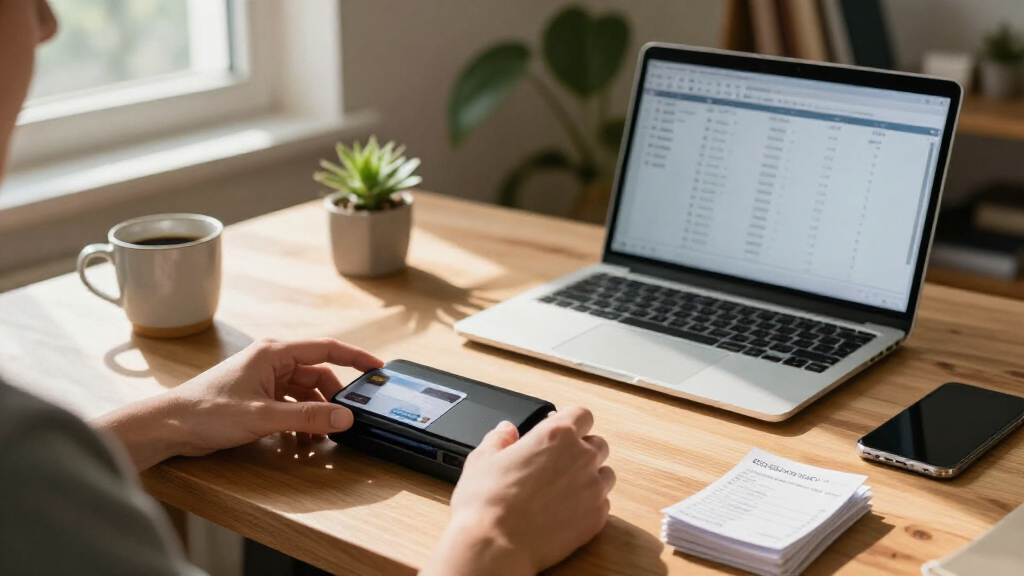
I compared these portable document scanners by the work they can realistically simplify: scanning receipts, forms, contracts, book pages, and travel paperwork away from a full-size office setup. The ranking weighs feed style, duplex capability, connectivity, power requirements, portability, and the likely learning curve. I also looked at whether a scanner’s design supports quick one-off captures or more consistent multi-page work, since those needs call for different hardware.
The order reflects usefulness across common workflows, not a single specification. Models with a practical feed system and fewer workflow limitations rank ahead for general use; duplex and wireless options earn distinction when those features solve a clear problem. Handheld scanners remain relevant for buyers who prize minimal carry weight or standalone capture, but the manual scanning process limits their appeal for routine paperwork. I treat advertised speed and resolution as only part of the decision: handling, setup, and document type matter just as much.
| portable document scanner | Compatibility |
|---|---|
| MUNBYN Portable Handheld Wand | Windows XP or later, Mac OS X 10.4, and Linux |
| IRIScan Express 4 Compact Port | Windows; not compatible with Mac |
| AOZBZ 900 DPI Handheld Documen | Windows XP/7/Vista and Mac OS 10.4 or later |
| Canon imageFORMULA P-208II Per | Windows and Mac |
| Canon imageFORMULA R10 Portabl | Windows and Mac |
| Plustek S410 Plus Portable Doc | Windows 7, 8, 10, and 11 |
| Epson WorkForce DS-30 Portable | Windows and Mac |
| Epson WorkForce ES-50 Portable | Windows and Mac |
| Brother DS-740De Duplex Compac | — |
| Epson DS-80W Wireless Portable | — |
| HP HPPS100 Portable USB Docume | — |
| Epson DS-70 Portable Single-Sh | Windows and Mac |
| Brother DS-640 Compact Mobile | Windows, Mac, and Linux |
Factors to Consider When Choosing Portable Document Scanners
The right scanner depends less on its smallest dimensions than on how your documents move through it. Before choosing, decide whether you need to scan one page at a time, process a short stack, capture both sides, or work away from a computer. These distinctions can prevent a compact device from becoming an awkward match for everyday paperwork.
Choose a Feed Style That Matches Your Documents
Handheld wand scanners suit occasional captures when carrying a powered feed scanner is impractical, but you guide the device across each page yourself. That can be a poor fit for delicate originals, long forms, or work where straight, repeatable results matter. Sheet-fed models handle pages more consistently and are usually easier for recurring paperwork. A compact feeder may still require you to insert each sheet individually, so do not assume “document scanner” means unattended batch scanning. If you regularly digitize stacks, check for an automatic document feeder rather than choosing on size alone.
Decide Whether Duplex Scanning Saves You Time
Duplex scanning captures both sides without making you turn each page over, which is especially useful for forms, statements, and double-sided correspondence. For single-sided receipts or notes, duplex hardware may add little practical value. Manual flipping can work for occasional two-sided pages, but it creates extra handling and makes page order easier to mix up. Consider the proportion of your paperwork that is printed on both sides, not just whether you sometimes receive a double-sided document. If that share is high, duplex support can matter more than a small difference in scanner footprint.
Match Connectivity and Power to Where You Scan
USB-powered models keep the kit simple when a laptop is always nearby, but they depend on a compatible computer and available port. Wireless operation can be more convenient at a shared desk or while traveling, though it may require extra setup and a clear understanding of where scans are saved. Handheld models with memory-card storage offer another route, but transferring files later becomes part of the routine. Check whether your intended device supports the scanner’s software and connection method before buying. A portable scanner is only portable in practice if its power and file-transfer workflow fit your usual location.
Think Beyond Maximum Resolution
Higher resolution is not automatically better for ordinary text documents. For searchable records, dependable text recognition, clean page alignment, and sensible file handling can matter more than capturing every page at the scanner’s highest setting. Photos, small print, and archival material may call for more detail, while receipts and routine forms often benefit from a quicker, lighter workflow. Resolution settings can also affect file size and scanning time. Choose around the material you expect to preserve rather than treating the largest DPI figure as a universal measure of quality.
Check Document Size, Condition, and Frequency
Paper size and condition can rule out a scanner before speed or connectivity becomes relevant. A device intended for standard sheets may not handle oversized pages, bound books, curled receipts, or fragile originals in the same way. Handheld wands can reach pages that do not feed through a slot, while feed scanners are generally better suited to loose sheets. Also estimate how many pages you scan in a typical session: a few travel documents call for different priorities than weekly office batches. Confirm supported paper dimensions and feeding guidance against your real documents.
Budget for Setup and Ongoing File Handling
The scanner is only one part of the workflow; software, drivers, destination folders, and searchable PDF support affect how useful scans are afterward. A simple USB model may suit someone who wants quick local capture, while a wireless workflow can help when files need to reach another device. Before buying, check operating-system compatibility and whether the included software supports the file formats and organization you need. Think about how you will name, back up, and retrieve scans months later. Paying more for a feature you will use every week may be worthwhile, but extra connectivity or resolution adds little if your scanning routine is occasional and basic.
Frequently Asked Questions
Should I choose a handheld wand or a sheet-fed portable scanner?
Choose a wand scanner when you need to capture occasional pages in places where a feeder is inconvenient, or when originals cannot pass through a feed slot. It requires you to move the scanner across each page, so steady handling matters. A sheet-fed model is a better fit for routine loose paperwork and more consistent page alignment. If you scan several pages at a time, check whether the model feeds a stack or requires individual insertion. Your document type and scanning frequency should settle the choice more than the word “portable” on the box.
Is duplex scanning worth choosing if I only sometimes scan both sides?
Duplex support pays off through reduced handling, not just a higher spec list. If most of your scans are one-sided, manually turning over a few pages may be perfectly manageable. If you often process two-sided forms or statements, duplex capture can save repeated steps and help preserve page order. Think about your typical session rather than an occasional unusual document. The Brother DS-740D is the lineup’s clear duplex-focused option, while several other models are better suited to simpler one-sided work.
Can a portable scanner work without a laptop?
It depends on the scanner’s connection and storage design. Many compact feed scanners connect by USB and rely on a computer to run the scan workflow. The MUNBYN and AOZBZ handheld wands use included SD-card storage, which supports capture without the same direct computer connection, though you still need a way to review and transfer files afterward. The Epson DS-80W is the standout wireless model in this group, but buyers should confirm its setup requirements and supported devices. Check the complete workflow—from capture to file access—before assuming a scanner is fully standalone.
What should I check before scanning receipts, photos, or fragile papers?
Confirm the supported media and handling method before feeding anything valuable. Receipts can be thin, curled, or faded, while photos and fragile originals may be better kept away from a feed mechanism unless the manufacturer supports that use. A wand scanner avoids pulling a page through a slot, but it still requires a steady pass across the surface. For important documents, scan a test copy first and keep the original safe until you verify the file. Also check whether the scanner’s available settings suit the detail and color your materials need.
When should I choose a larger desktop scanner instead?
A desktop document scanner is a better match for frequent, high-volume batches or workflows that depend on feeding many pages with minimal supervision. Portable models in this roundup favor compactness and single-sheet handling, so repeated stacks can take more attention. A desktop unit may also suit an office where the scanner stays in one place and multiple people share it. Portable designs make more sense when you scan modest volumes across different locations or need to store the device between sessions. Compare your weekly page volume and batch size before trading feeder capacity for a smaller footprint.
Conclusion
For a broad mix of home, travel, and office paperwork, I’d choose the Canon imageFORMULA R10 as the best overall because it offers a practical feed-scanner approach without making the handheld workflow the default. The Brother DS-740D is my pick for duplex scanning, while the Epson DS-80W suits buyers who want wireless flexibility. For beginners who mainly scan ordinary loose sheets, the Epson ES-50 is a straightforward single-sheet option to compare; shoppers prioritizing value should weigh the Canon P-208II against newer compact models based on the features they actually need. Choose the MUNBYN or AOZBZ wand when portability and standalone memory-card capture matter more than effortless page handling. For frequent stacks, prioritize a desktop feeder instead of expecting a pocket-sized scanner to do that job.
Black Friday Picks
FLEXISPOT 42-Inch Height-Adjustable Standing Desk Converter with Keyboard Tray, Black
As an affiliate, we earn on qualifying purchases.