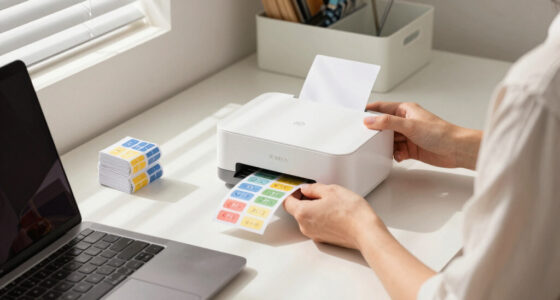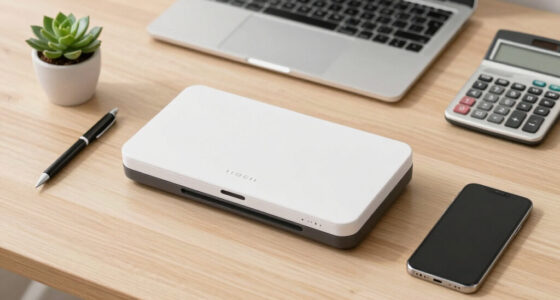

Finding the best receipt scanner for sole proprietors involves balancing speed, portability, and ease of use. The ideal model should streamline your record-keeping without adding complexity or cost. The ScanSnap iX2400 stands out for high-speed, one-touch operation, making it perfect for busy schedules. Meanwhile, the Epson WorkForce ES-50 offers portability for on-the-go needs, and the ScanSnap iX2500 Receipt Edition provides seamless integration with accounting software. All options come with tradeoffs: higher-speed models may be bulkier, while portable options might sacrifice some features. Continue reading for a detailed breakdown of these choices and more to help you pick the best fit for your business.
Key Takeaways
- High-speed scanners like the ScanSnap iX2400 excel for large volume processing but tend to be larger and less portable.
- Portability is critical for sole proprietors who often work outside the office, making models like Epson ES-50 or Canon R10 appealing.
- Wireless and cloud connectivity features significantly reduce manual data entry, saving time and reducing errors.
- Auto document feeders (ADF) with higher page capacity are better for busy periods, but they often increase the scanner’s size and cost.
- Price varies widely; models with advanced features tend to cost more, but budget options can still deliver solid performance for basic needs.





More Details on Our Top Picks
ScanSnap iX2400 High-Speed Simple One-Touch Button Color Document, Photo & Receipt Scanner with 100 Page Auto Document Feeder for Mac or PC, Black
This model stands out for its incredible scanning speed of up to 45 pages per minute and a 100-sheet capacity, making it ideal for sole proprietors with high-volume needs. Compared with the Epson WorkForce ES-50, which is more portable, the iX2400 offers a more robust automatic document feeder and advanced cleanup features that ensure cleaner images and organized digital files. Its simple one-touch operation and Quick Menu integration make it accessible even for users unfamiliar with scanning technology, though this convenience comes with a higher price point and larger footprint. The automatic detection of document size, de-skewing, streak removal, and the all-in-one ScanSnap Home software streamline management, reducing manual editing. However, the reliance on a wired USB connection might limit flexibility for some. Best for busy sole proprietors who need fast, reliable, and organized scans without fuss.
Pros:- Fast scanning speed of up to 45 pages per minute
- Large 100-page auto document feeder reduces frequent reloading
- Automatic cleanup features for clear, organized digital images
- All-in-one ScanSnap Home software simplifies management
Cons:- Relatively bulky and less portable compared to portable models
- Requires wired USB connection, limiting mobility
- Higher cost compared to basic portable scanners
Best for: Sole proprietors with high scanning volumes who prioritize speed and organization
Not ideal for: Owners seeking a compact, portable scanner for occasional use or on-the-go tasks
- Scanner Type:Color document scanner
- Connection Type:USB
- Resolution:600 dpi
- Page Capacity:100 pages
- Speed:45 pages per minute
- Dimensions:13.15″D x 5″W x 2.65″H
- Weight:Approx. 4.2 pounds
- Software:ScanSnap Home
Bottom line: This scanner is best suited for sole proprietors who need high-volume, efficient, and organized scanning with minimal manual effort.
Epson WorkForce ES-50 Portable Sheet-Fed Document Scanner for PC and Mac
This pick makes the most sense for sole proprietors who need a compact, lightweight scanner for occasional or mobile use. Its extremely portable design—weighing just over a pound—fits easily into a bag or briefcase, making it ideal for remote work or travel. Compared with the ScanSnap iX2400, which excels in high volume, the ES-50 offers slower speeds (up to 5.5 seconds per page) but compensates with portability and quick setup via USB without external power. It handles single sheets, ID cards, and receipts efficiently, with simple software tools for organizing scans. However, it lacks the larger paper capacity and advanced cleanup features of larger models, so it’s less suited for heavy everyday use. Best for sole proprietors who prioritize mobility and quick, occasional scans on the road.
Pros:- Extremely lightweight and portable (approx. 1.3 pounds)
- No external power supply needed—USB powered
- Fast single-page scans in about 5.5 seconds
- Compatible with both Windows and Mac
Cons:- Limited paper capacity (single sheet at a time)
- Slower overall throughput for bulk scanning
- Basic cleanup features, less suited for graphics-heavy documents
Best for: Mobile sole proprietors needing quick scans during travel or remote work
Not ideal for: Owners with high-volume scanning needs or requiring detailed cleanup features
- Scanner Type:Portable sheet-fed
- Connection Type:USB
- Resolution:600 dpi
- Paper Size:Up to 8.5″ x 72″
- Speed:5.5 seconds per page
- Weight:Approx. 1.3 pounds
- Power:USB powered
- Compatibility:Windows and Mac
Bottom line: This portable scanner is perfect for sole proprietors who need quick, on-the-move receipt and document scans without bulk processing or extensive cleanup.
ScanSnap iX2500 Receipt Edition, Works with QuickBooks, Wireless or USB High-Speed Cloud Enabled Invoices & Receipts Scanner, 100 Page Auto Document Feeder for Mac or PC, Black
This model makes the most sense for sole proprietors who want seamless integration with QuickBooks and efficient data extraction. Its fast double-sided scanning at 45 ppm and a 100-page auto feeder make handling large batches straightforward, while the large touchscreen simplifies operation. Compared to the ScanSnap iX2400, which emphasizes speed and cleanup, the iX2500 offers more tailored features for financial management, including automatic recognition and extraction of invoice and receipt data, reducing manual entry. The wireless capability allows for flexible placement, and the software supports cloud exports, making it ideal for digital bookkeeping. The tradeoff is a somewhat higher cost and larger size, which might be less suitable for tight spaces. Best for sole proprietors focused on simplifying bookkeeping with fast, reliable data capture.
Pros:- High-speed double-sided scanning at 45 ppm
- Large 100-page auto document feeder
- Intelligent data extraction for QuickBooks
- Wireless and USB connectivity with a large touchscreen
Cons:- Relatively larger and less portable than smaller models
- Higher price point for advanced data features
- Requires power outlet or USB connection, limiting placement options
Best for: Small business owners who need quick, organized receipt and invoice data for bookkeeping
Not ideal for: Owners requiring a lightweight, portable scanner for infrequent use
- Scanner Type:Color document and receipt scanner
- Connection Type:Wireless and USB
- Resolution:600 dpi
- Page Capacity:100 pages
- Speed:45 pages per minute
- Dimensions:10.6″W x 10.4″D x 7.4″H
- Weight:Approx. 4.4 pounds
- Software:Custom data extraction for QuickBooks
Bottom line: This scanner is ideal for sole proprietors who want fast, organized financial data extraction integrated with QuickBooks and cloud services.
Epson RapidReceipt RR-400W Wireless Compact Desktop Color 2-Sided Document & Tax Receipt Scanner with ScanSmart AI PRO Data Management Software & 20-Page Auto Doc Feeder
This pick is best suited for sole proprietors who value AI-enabled data extraction and a compact footprint. Its robust 20-page auto feeder and 2-sided scanning at up to 30 pages per minute make bulk processing efficient, while the ScanSmart AI PRO software converts scans into categorized, AI-ready data, ideal for integrating with financial software like QuickBooks or TurboTax. Compared with larger scanners like the ScanSnap iX2500, the RR-400W emphasizes AI-driven automation and space-saving design, though it offers a slightly slower scan speed. Its wireless connectivity provides flexibility, but its smaller paper capacity and lower resolution (300 dpi) limit use for graphics-heavy or detailed image needs. Best for sole proprietors who want AI-powered, space-efficient scanning for receipts and documents.
Pros:- AI PRO data extraction for categorized digital files
- Compact design saving up to 60% desk space
- Wireless connectivity with fast 2-sided scanning
- Supports cloud and financial software integration
Cons:- Lower resolution (300 dpi) limits detailed image quality
- Smaller paper capacity (20 pages)
- Slower than larger high-volume scanners
Best for: Owners seeking AI-based data categorization and compact desk setup
Not ideal for: High-volume or graphics-heavy scanning needs requiring higher resolution and larger capacity
- Scanner Type:Color 2-sided document scanner
- Connection Type:Wireless and USB
- Resolution:300 dpi
- Page Capacity:20 pages
- Speed:30 pages per minute
- Dimensions:6.26″D x 11.5″W x 6.34″H
- Weight:Approx. 10.56 ounces
- Software:ScanSmart AI PRO
Bottom line: This scanner is best for sole proprietors who want AI-powered automation and a small footprint for receipts and simple documents.
Epson Workforce ES-580W Wireless Color Duplex Tax Receipt & Desktop Document Scanner for PC and Mac with 100-sheet Auto Feeder (ADF), Intuitive 4.3′ Touchscreen
The Epson Workforce ES-580W stands out for its fast, high-capacity handling, making it ideal for sole proprietors managing large volumes of receipts and documents. Compared with the ScanSnap iX1300, which excels in space-saving and portability, this Epson model offers a larger 100-sheet ADF and wireless functionality that suits heavier workloads. Its ability to send scans directly to cloud or devices without a computer simplifies workflow, but it comes with a larger footprint and a higher price point. The OCR features produce searchable PDFs that streamline tax prep, yet the setup can be more complex than simpler, portable options. This pick makes the most sense for entrepreneurs who need speed, reliability, and high capacity in their scanning process.
Pros:- High-speed scanning at up to 35 pages per minute
- Large 100-sheet auto feeder for bulk processing
- Wireless connectivity with direct cloud and device uploads
- Excellent OCR for searchable PDFs
Cons:- Larger footprint may not suit small or cluttered spaces
- Higher price compared to portable models
- Initial setup and configuration can be more complex
Best for: Sole proprietors with frequent, high-volume receipt and document needs who prioritize speed and capacity.
Not ideal for: Casual users or those with limited space, as its size and cost may outweigh their simple needs.
- Scanner Type:Document
- Connection Type:Wi-Fi
- Resolution:300 dpi
- Standard Sheet Capacity:100
- Color Depth:30 bits
- Item Dimensions:14.5 x 9.95 x 11.25 inches
- Item Weight:3.7 kg
- Warranty:1-year limited
Bottom line: Perfect for sole proprietors who need a dependable, high-capacity scanner for frequent, bulk document handling.
Canon imageFORMULA R10 – Portable Document Scanner, USB Powered, Duplex Scanning, Document Feeder, Easy Setup, Convenient, Perfect for Mobile Users, White
The Canon imageFORMULA R10 is tailored for sole proprietors who need a portable and easy-to-use scanner, especially for mobile or remote work. While the Epson ES-580W offers more capacity and bulk, the Canon R10 emphasizes ultralight design and quick setup, with a small footprint perfect for travel or small home offices. Its ability to handle duplex scans at a modest 12 pages per minute makes it suitable for light to moderate daily use, but it lacks the high-volume capacity of larger desktop models. The built-in software and compatibility with both Windows and Mac streamline initial use, though the slower scanning speed may be a tradeoff for portability. This device makes the most sense for entrepreneurs who frequently move between locations or have limited space.
Pros:- Compact, lightweight, ideal for mobile use
- Plug-and-play with no driver installation needed
- Duplex scanning in a small form factor
- Compatible with Windows and Mac
Cons:- Limited sheet capacity (20 sheets)
- Slower at 12 pages per minute compared to desktop models
- Less suited for high-volume daily scanning
Best for: Solo entrepreneurs needing a lightweight, portable scanner for occasional or mobile use.
Not ideal for: High-volume or heavy-duty scanning tasks, as its capacity and speed are limited.
- Scanner Type:Document
- Connection Type:USB
- Resolution:600 dpi
- Standard Sheet Capacity:20
- Color Depth:48 bits
- Item Dimensions:4.5 x 11.7 x 3.3 inches
- Item Weight:4.4 pounds
- Warranty:1-year
Bottom line: Best for sole proprietors who need a portable, quick setup scanner for light, on-the-go tasks.
Epson RapidReceipt RR-60 Mobile Tax Receipt and Color Document Scanner with Complimentary Data Management Software for PC & Mac
The Epson RapidReceipt RR-60 is highly suited for sole proprietors who focus on digitizing receipts and invoices efficiently, with smart categorization features. Unlike the larger Epson ES-580W, the RR-60 emphasizes portability and AI-driven data extraction, making it ideal for frequent travel or small office environments. Its compact size and USB power mean it can be tucked away easily and used anywhere, but it’s limited in sheet capacity, handling just a handful of pages at a time. The software’s AI capabilities for automatic categorization and export to financial programs are real advantages, though it doesn’t match the high speed or volume of desktop models. This scanner is perfect for entrepreneurs who prioritize organized, quick receipt processing on the go.
Pros:- AI-powered smart categorization of receipts and invoices
- Compact, portable design with USB power
- Fast scanning up to 10 pages per minute
- Supports export to QuickBooks, TurboTax, and cloud services
Cons:- Limited sheet capacity (few pages at a time)
- Not suited for large-volume bulk scanning
- Requires connection to PC/Mac for full functionality
Best for: Sole proprietors needing an efficient, portable receipt scanner with smart data management features.
Not ideal for: Heavy daily bulk scanning or high-volume document workflows, due to its limited capacity.
- Scanner Type:Document
- Connection Type:USB
- Resolution:1200 dpi
- Standard Sheet Capacity:5
- Color Depth:30 bits
- Item Dimensions:Under 10 oz
- Item Weight:Under 10 oz
- Warranty:Included software support
Bottom line: Ideal for sole proprietors who need a mobile, organized receipt scanning solution with smart data export features.
ScanSnap iX1300 Compact Wireless or USB Double-Sided Color Document, Photo & Receipt Scanner with Auto Document Feeder and Manual Feeder for Mac or PC, Black
The ScanSnap iX1300 combines compact size with fast duplex scanning, making it a great choice for sole proprietors who need reliable everyday scanning without clutter. Compared to the Epson ES-580W, which is more high-capacity and feature-rich, the iX1300 excels in ease of use, with a one-touch scan button and seamless wireless connectivity. Its smaller footprint and the ability to connect via Wi-Fi or USB make it suitable for small offices or home setups, though its paper capacity is limited to 50 sheets. The software bundle offers good management tools, but its slower speed of 30 pages per minute may be a downside for larger batches. This scanner suits entrepreneurs looking for a space-efficient, flexible device for regular, moderate scanning tasks.
Pros:- Compact, space-saving design
- Wireless and USB connectivity
- Fast duplex scanning at 30 ppm
- User-friendly interface with one-touch operation
Cons:- Limited sheet capacity (50 sheets)
- Slower than bulk desktop models for high-volume tasks
- May require software updates for full cloud integration
Best for: Solo business owners who need a reliable, space-efficient scanner for everyday moderate workloads.
Not ideal for: High-volume or heavy-duty users needing maximum capacity and ultra-fast throughput.
- Scanner Type:Document
- Connection Type:Wireless and USB
- Resolution:600 dpi
- Standard Sheet Capacity:50
- Color Depth:48 bits
- Item Dimensions:11.7 x 4.5 inches
- Item Weight:4.4 pounds
- Warranty:Included
Bottom line: Best for entrepreneurs who want a versatile, compact scanner for daily moderate document and receipt scanning.
Portable Document Scanner, 900DPI Handheld Scanner Wand for Documents & Receipts, A4 Photo Image Scanner JPG/PDF, Portable Scanner for Laptop, USB 2.0 High Speed Transfer, Supports Micro SD Card
The Portable Handheld Scanner Wand is designed for sole proprietors who need quick, on-the-fly scans of receipts, notes, or photos without the bulk of larger scanners. Unlike the Epson ES-580W or ScanSnap iX1300, which are more suited for bulk work, this device offers maximum portability and instant use—simply plug into a USB port and start scanning. Its adjustable DPI (300/600/900) allows for different quality needs, from quick receipts to detailed images, but the scanning speed is slower, and it requires manual effort to move the wand across the document. Its support for Micro SD cards adds flexibility for storage, but the handheld operation may sacrifice some image consistency or ease of use for certain users. This device is ideal for entrepreneurs needing quick, spontaneous scans during travel or fieldwork.
Pros:- Ultra-portable and lightweight
- Supports Micro SD card for large storage
- Adjustable DPI for different needs
- No driver/software required, plug and play
Cons:- Manual operation can be slow and inconsistent
- Lower image quality compared to dedicated scanners
- Not suitable for bulk scanning needs
Best for: Solo entrepreneurs or travelers requiring a lightweight, instant scanning solution for receipts and documents.
Not ideal for: High-volume or precise scanning tasks where consistency and speed are priorities.
- Scanner Type:Handheld
- Connection Type:USB
- Resolution:900 dpi
- Supported Storage:Micro SD up to 32GB
- Color Depth:48 bits
- Item Dimensions:Less than 5 inches long
- Item Weight:Under 1 pound
- Warranty:None
Bottom line: Great for spontaneous, quick scans on the move, especially for entrepreneurs who value portability over volume.
Brother DS-640 Compact Mobile Document Scanner
The Brother DS-640 stands out for its exceptional portability, weighing only 1.5 pounds and fitting in a pocket, making it ideal for sole proprietors who often work outside a traditional office. Its blazing speed of 16 pages per minute ensures quick scanning of receipts and documents, comparable to larger desktop models like the ScanSnap iX1300, but with a much smaller footprint. The included software suite offers OCR and multi-destination scanning, boosting productivity on the move. Compared to the Epson RapidReceipt RR-600W, which offers AI-driven data extraction, the DS-640 sacrifices some advanced features for portability and ease of use. However, it lacks a document feeder, limiting batch scanning capabilities, and is primarily suited for individual, low-volume tasks. This pick is perfect for sole proprietors who need a reliable, portable scanner to handle occasional receipts and documents.
Pros:- Extremely lightweight and compact for portability
- Fast scanning speeds up to 16ppm for quick document capture
- Supports multiple OS including Windows, Mac, and Linux with versatile software
Cons:- No document feeder limits batch processing
- Limited to individual or low-volume use; not suitable for high-volume workflows
- Requires connection to a computer or laptop for operation, not standalone
Best for: Solo entrepreneurs who frequently travel or work remotely and need quick, portable scanning.
Not ideal for: Businesses requiring high-volume batch scanning or integrated data extraction features.
- Scanner Type:Business Card, Document
- Connection Type:USB
- Resolution:300 dpi
- Weight:1.03 pounds
- Dimensions:11.9″ W x 1.45″ H x 1.99″ D
- OS Support:Windows, Mac, Linux
Bottom line: This scanner is ideal for sole proprietors who prioritize mobility and quick scans over batch capacity.
ScanSnap iX1300 Compact Wireless or USB Double-Sided Color Document, Photo & Receipt Scanner
The ScanSnap iX1300 makes a compelling case for ease of use with its single-touch operation and fast duplex scanning of up to 30 pages per minute, making it well-suited for solo entrepreneurs with moderate volume needs. Its space-saving design ensures it stays out of the way on a cluttered desk, unlike larger models like the Epson RR-600W. The automatic de-skew, blank page removal, and color optimization guarantee consistently high-quality scans with minimal setup, ideal for users new to digital workflows. Compared to the Brother DS-640, which excels in portability, the iX1300 offers more batch processing with an automatic document feeder, although it is less pocket-friendly. A notable tradeoff is its higher cost and slightly larger size, making it less suitable for those who need ultra-portable solutions. Perfect for beginners seeking an intuitive, high-speed scanner with batch capabilities for receipts and documents.
Pros:- Fast duplex scanning up to 30ppm with one-touch operation
- Space-saving design that fits small desks
- Automatic features like de-skew and blank page removal for high-quality results
Cons:- Larger than portable handheld models, less pocket-friendly
- Higher price point compared to basic portable scanners
- Requires power source via USB or wireless, not fully standalone
Best for: Newcomers or small business owners wanting simple setup and efficient batch scanning.
Not ideal for: Travelers needing a pocket-sized scanner or users with very limited space.
- Scanner Type:Document, Receipt, Photo
- Connection Type:Wi-Fi, USB
- Resolution:600 dpi
- Sheet Capacity:20
- Speed:up to 30ppm duplex
- Dimensions:11.7″ W x 3.3″ H x 4.5″ D
Bottom line: This scanner suits sole proprietors who want an easy-to-use, high-speed device for moderate batch processing with minimal fuss.
Epson RapidReceipt RR-600W Wireless Desktop Color 2-Sided Document & Tax Receipt Scanner
The Epson RapidReceipt RR-600W is designed for business owners who want more than just scanning—its AI PRO data management software converts stacks of receipts into categorized, AI-ready data suitable for QuickBooks or TurboTax, making it ideal for organized, data-driven sole proprietors. Its robust 100-page auto document feeder supports high-volume batch scanning, far exceeding portable models like the Brother DS-640 or beginner-friendly ScanSnap iX1300. The 4.3″ color touchscreen enables PC-free scanning directly to email, cloud, or USB, streamlining workflows. Compared to less feature-rich models, the RR-600W prioritizes automation and AI integration, but at a higher price point and with a larger footprint. It’s less suitable for those needing ultra-portable solutions or minimal setup. This is best for entrepreneurs who want to maximize data organization and automation in their receipts processing.
Pros:- AI-powered data extraction for organized digital records
- High-volume 100-page auto feeder for batch scanning
- PC-free operation with a large color touchscreen
Cons:- Significantly larger and heavier than portable models
- Higher price reflecting advanced AI features
- Larger desk space required
Best for: Business owners focused on data management, financial integration, and high-volume batch scanning.
Not ideal for: Sole proprietors who need a lightweight, portable scanner or minimal tech setup.
- Scanner Type:Document, Receipt
- Connection Type:Wi-Fi
- Resolution:600 dpi
- Sheet Capacity:100
- Speed:up to 35 ppm duplex
- Dimensions:14.25″ D x 10.25″ W x 12.38″ H
Bottom line: This scanner is ideal for sole proprietors who want automated, AI-enabled receipt management and have space for a desktop device.

How We Picked
To determine the best receipt scanners for sole proprietors, I evaluated each model based on performance, ease of use, build quality, and value. Speed and accuracy are priorities, especially for busy owners handling many receipts. Portability was also a key factor, since many sole proprietors need to scan on the go, so battery life and size mattered. I considered software compatibility with popular accounting tools, as seamless integration reduces manual work. Cost-effectiveness was important, but I avoided overly cheap models that compromise on essential features. The ranking reflects a balance between these factors, favoring models that provide reliable, user-friendly experiences suited to solo entrepreneurs.Factors to Consider When Choosing Best Receipt Scanner For Sole Proprietors
Choosing the right receipt scanner for a sole proprietor depends on several key factors. While features like speed and connectivity are critical, understanding how these align with your specific workflow can prevent costly mistakes. Here are the main considerations to help refine your decision:Processing Speed and Capacity
If you handle a high volume of receipts regularly, prioritize scanners with faster speeds and larger auto document feeders. This reduces the time spent on scanning and minimizes interruptions. However, faster models often come with increased size and cost, so balance your volume needs with available space and budget.
Portability and Power Options
If you often work outside your home or office, portability becomes essential. Compact, lightweight models with rechargeable batteries can make a big difference, allowing you to scan receipts anywhere without being tethered to a power outlet. Consider how often you’ll need to take your scanner on the road versus stationary use.
Software Compatibility and Connectivity
Seamless integration with accounting software like QuickBooks or Xero can save time and reduce errors. Wireless connectivity options such as Wi-Fi or Bluetooth enable easy transfer of scanned data to your devices without cables. Ensure your chosen scanner supports the platforms you use most frequently.
Ease of Use and Maintenance
User-friendly interfaces, simple setup processes, and maintenance features like easy paper jam removal are vital for solo operators who can’t afford downtime. Look for models with clear indicators and straightforward software that doesn’t require extensive technical knowledge.
Cost and Long-term Value
While budget models can handle basic needs, investing in a more durable, feature-rich scanner can pay off over time by reducing frustrations and increasing efficiency. Consider the total cost of ownership, including replacement parts, software updates, and warranty support, to ensure long-term value.
Frequently Asked Questions
Can I use a receipt scanner for digital tax record keeping?
Absolutely. Most receipt scanners are designed to create digital copies that can be easily stored, organized, and retrieved for tax purposes. Many models come with software that automatically sorts and categorizes receipts, simplifying your record-keeping process and ensuring compliance during tax season.
Is wireless connectivity necessary for a sole proprietor?
Wireless features are not essential but can greatly enhance convenience. They allow you to scan and transfer receipts without cables, making it easier to work from multiple locations or even from mobile devices. If you primarily scan in a fixed location, a wired model might be more straightforward and cost-effective.
How important is auto document feeder capacity?
For busy periods or high-volume receipt processing, a larger auto document feeder (ADF) can save time by scanning multiple pages automatically. However, higher capacity ADFs tend to be bulkier and more expensive. Think about your typical workload to determine if this feature justifies the extra cost and size.
Do portable scanners compromise on features?
Many portable scanners are designed to be lightweight and battery-powered, which can mean fewer features like dual-sided scanning or high-capacity feeders. If portability is your priority, expect some tradeoffs in speed or capacity. For occasional or on-the-go scanning, these models are often sufficient.
Should I pay more for a scanner with advanced software?
Investing in a scanner with integrated software that offers automatic categorization, OCR, or direct upload to cloud services can save significant time and reduce errors. While these features increase the upfront cost, they often lead to better long-term efficiency, especially if you process many receipts regularly.
Conclusion
For busy sole proprietors handling large volumes of receipts, the ScanSnap iX2400 offers unmatched speed and reliability as the best overall choice. If portability and on-the-go scanning are your priorities, the Epson ES-50 or Canon R10 provide excellent options without sacrificing too much functionality. Those seeking a balance of features and value might prefer the ScanSnap iX2500 Receipt Edition for its seamless software integration. Budget-conscious entrepreneurs should consider models like the Brother DS-640 or basic Epson options, which deliver solid performance at a lower price. Ultimately, your choice depends on your specific workflow, volume, and whether mobility or speed matters most to your business success in 2026.