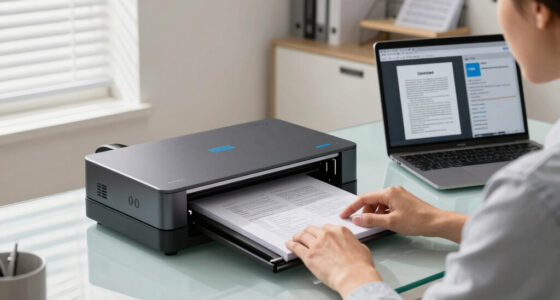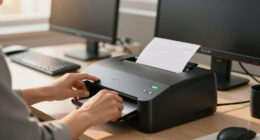
When searching for the best fast scanner for W-2s and receipts, speed and reliability are key. The Epson Workforce ES-580W stands out for its high-speed duplex scanning and user-friendly touchscreen, making it ideal for busy tax season. The ScanSnap iX2500 offers seamless cloud integration and a large touchscreen for simplified operation, perfect for small offices. However, buyers face tradeoffs between speed, portability, and price, often needing to balance these factors. Continue reading for a detailed comparison that helps you find the right fit for your needs.
Key Takeaways
- Duplex scanning and large auto feeders significantly improve efficiency for W-2s and receipts.
- Wireless and cloud-enabled models offer better integration but may come at a higher cost.
- Portability varies widely; compact models excel for mobile use but may sacrifice some speed or features.
- Ease of setup and intuitive interfaces are essential for non-technical users to avoid frustration.
- Higher-priced premium models generally provide faster speeds and more robust software, justifying the investment for frequent users.


More Details on Our Top Picks
Epson WorkForce ES-50 Portable Sheet-Fed Document Scanner for PC and Mac
This lightweight, USB-powered scanner is ideal for professionals who need quick, on-the-go document scans. Its speed of 5.5 seconds per sheet is competitive for its size, but it falls short of larger, high-capacity models like the ScanSnap iX2500, which can handle 45 pages per minute. The ES-50’s versatility in handling long pages, ID cards, and receipts makes it perfect for mobile users, though its small size limits batch processing for large volumes. Its simple setup and Epson ScanSmart software streamline the scanning workflow, but image quality isn’t suited for graphics or detailed photos. Compared to bulkier desktop options, this excels in portability but sacrifices some speed and advanced features.
Pros:- Extremely lightweight and portable
- USB powered — no external power supply needed
- Handles long pages and ID cards easily
- Compatible with Windows and Mac
Cons:- Limited batch capacity for large volumes
- Image quality not ideal for detailed graphics
- No duplex scanning feature
Best for: Freelancers or field agents who need a portable, easy-to-use scanner for quick W-2s and receipts.
Not ideal for: Office environments with high-volume scanning needs, where speed and capacity matter more than portability.
- Scanner Type:Document
- Connection Type:USB
- Resolution:1200 dpi
- Sheet Capacity:1 sheet at a time
- Media Size:Up to 8.5 x 72 inches
- Wattage:2.1 watts
- Color Depth:16 bpp
- Dimensions:13.15 x 5 x 2.65 inches
- Weight:0.59 pounds
Bottom line: This pick is perfect for mobile professionals who prioritize size and convenience over high-volume throughput.
ScanSnap iX2400 High-Speed Simple One-Touch Button Color Document, Photo & Receipt Scanner with 100 Page Auto Document Feder for Mac or PC, Black
The ScanSnap iX2400 makes quick work of large stacks, with a formidable speed of 45 pages per minute and a 100-sheet automatic feeder. Its one-touch operation and Quick Menu software provide effortless organization, surpassing the slower 5.5-second scans of the Epson ES-50. It’s ideal for small to medium-sized offices or busy professionals who process receipts, W-2s, or multiple documents daily. While its speed and capacity are impressive, the bulkier size and higher price point could deter casual users or those with minimal volume needs. The iX2400’s automatic detection and cleanup features make it a reliable choice for high-volume, high-speed workflows, but it’s less portable than the ES-50.
Pros:- Fast scanning at up to 45 pages/min
- Large 100-page automatic document feeder
- One-touch operation with intuitive software
- Removes streaks and blank pages automatically
Cons:- Less portable due to size
- Higher cost than compact models
- Requires power outlet, not USB-only
Best for: Small business owners or accountants needing rapid, reliable batch scans of receipts and W-2s.
Not ideal for: Travelers or remote workers with minimal scanning needs who prefer a lightweight, portable device.
- Scanner Type:Document, Photo & Receipt
- Connection Type:USB, Wi-Fi
- Resolution:600 dpi
- Sheet Capacity:100 pages
- Media Size:Up to legal size
- Sensor Technology:CIS
- Color Depth:24 bits
- Dimensions:11.5 x 6.34 x 6.26 inches
- Weight:7.7 pounds
Bottom line: This scanner is best suited for high-volume environments where speed and capacity are critical.
Epson Workforce ES-580W Wireless Color Duplex Tax Receipt & Desktop Document Scanner for PC and Mac with 100-sheet Auto Feeder
The ES-580W stands out for its wireless capability and large 4.3-inch touchscreen, making it ideal for office environments that value seamless connectivity. Its speed of 35 pages per minute and duplex scanning are comparable to larger desktop models like the ScanSnap iX2500, but it offers the convenience of wireless operation, letting users send scans directly to cloud services or mobile devices without a tether. Its 100-sheet auto feeder supports batch processing, but the 22 dpi resolution may not satisfy those needing detailed image quality or high-resolution scans for graphics. The touchscreen simplifies operation, yet it’s bulkier than portable options, making it less suitable for mobile use.
Pros:- Wireless and wired connectivity options
- Large 4.3-inch touchscreen
- Duplex scanning at 35 ppm
- Handles up to 100 pages in the feeder
Cons:- Lower resolution for detailed images
- Bulkier than portable models
- Wattage of 17W might be high for some environments
Best for: Office teams or remote workers needing wireless, duplex scanning with easy file management.
Not ideal for: Field agents or mobile professionals requiring ultra-lightweight, portable scanners.
- Scanner Type:Color Duplex Document
- Connection Type:Wi-Fi, USB
- Resolution:600 dpi
- Sheet Capacity:100 sheets
- Media Size:Legal
- Sensor Technology:CIS
- Color Depth:24 bits
- Dimensions:9.9 x 11.4 x 11.5 inches
- Weight:6.17 pounds
Bottom line: This scanner is ideal for office settings that prioritize wireless operation and high daily throughput.
Canon imageFORMULA R40 Office Document Scanner Receipt Edition, for PC and Mac, Scan & Extract Data to QuickBooks Online
The Canon R40 Receipt Edition excels at batch processing receipts and invoices, with a speed of 40 pages per minute and an auto feeder capable of handling multiple document types. Its software integration with QuickBooks Online makes it especially appealing for small business accounting workflows, setting it apart from the more general-purpose ScanSnap iX2500. While it offers color duplex scanning and easy setup, its resolution of 600 dpi is sufficient for receipts and W-2s but less ideal for detailed graphics or high-res photos. Its straightforward interface and data extraction capabilities make it a smart choice for users who need organized, searchable files and direct cloud uploads, but it’s less portable and more office-bound.
Pros:- Fast 40 ppm scanning speed
- Auto Document Feeder for batch processing
- Integration with QuickBooks Online
- Color duplex scanning
Cons:- Heavier and less portable
- Lower resolution not suited for detailed images
- Primarily designed for receipts and invoices
Best for: Small business owners or accountants needing fast receipt processing and direct financial software integration.
Not ideal for: Travelers or remote workers who prefer a compact, portable scanner for occasional use.
- Scanner Type:Office Document & Receipt
- Connection Type:USB, Ethernet
- Resolution:600 dpi
- Sheet Capacity:Auto feeder for 40 pages
- Media Size:Legal
- Sensor Technology:CIS
- Color Depth:24 bits
- Dimensions:9.9 x 11.4 x 9.6 inches
- Weight:6.17 pounds
Bottom line: This scanner is best for small businesses focused on expense management and data extraction from receipts.
ScanSnap iX2500 Wireless or USB High-Speed Cloud Enabled Document, Photo & Receipt Scanner with Large 5″ Touchscreen and 100 Page Auto Document Feeder for Mac or PC, White
The ScanSnap iX2500 offers a premium combination of speed, capacity, and connectivity, making it ideal for busy offices or home setups that require frequent batch scanning of W-2s and receipts. Its 45 pages per minute throughput and 100-sheet feeder surpass most portable models, while its large 5-inch touchscreen simplifies operation and customization. Wireless and USB connectivity options provide flexible placement and direct sharing to cloud services. Although it’s more expensive and bulkier than portable options like the Epson ES-50, the iX2500’s advanced features—automatic file naming, optimization, and multi-platform compatibility—justify its higher price for intensive use. It’s less suited for travel or minimal volume users.
Pros:- High-speed 45 ppm dual-sided scanning
- Large 5-inch touchscreen interface
- 100-sheet automatic document feeder
- Wireless and USB connectivity
Cons:- Higher cost compared to compact models
- Less portable due to size
- Requires power outlet
Best for: Small to medium-sized offices or professionals needing efficient, high-volume scanning with extensive software features.
Not ideal for: Travelers or remote workers with minimal scanning requirements who need a lightweight device.
- Scanner Type:Document, Photo & Receipt
- Connection Type:Wi-Fi, USB
- Resolution:600 dpi
- Sheet Capacity:100 pages
- Media Size:Up to legal
- Sensor Technology:CIS
- Color Depth:24 bits
- Dimensions:9.9 x 11.4 x 6 inches
- Weight:6.17 pounds
Bottom line: This scanner is best for professional environments that demand fast, reliable, high-capacity document handling.
Epson RapidReceipt RR-60 Mobile Tax Receipt and Color Document Scanner with Complimentary Data Management Software for PC & Mac
This compact, USB-powered scanner stands out for its ability to quickly organize receipts and invoices into categorized digital data, directly competing with larger desktop models like the ScanSnap iX2500. Compared to bulkier scanners, the RR-60’s lightweight design (under 10 oz) makes it ideal for mobile use, but this portability means it sacrifices some speed and capacity—scanning just 10 pages per minute and handling small stacks at a time. Its AI-driven Smart Data Extraction simplifies categorization, making it a smart choice for those who need quick, on-the-go processing. However, it’s less suited for high-volume tasks or long pages, where larger, faster scanners excel. This pick makes the most sense for accountants, freelancers, or small business owners who frequently work outside the office and value portability over high throughput.
Pros:- Extremely lightweight and portable, weighing under 10 oz
- AI-powered data extraction for categorizing receipts and invoices
- Easy export to cloud services like Dropbox and Google Drive
Cons:- Limited to 10 pages per minute, slower than desktop models
- Small automatic feeding capacity, not ideal for bulk scanning of large stacks
Best for: Mobile professionals and small business owners needing fast, portable W-2 and receipt scanning
Not ideal for: Large offices handling thousands of pages, as its speed and capacity are limited
- Scan Speed:up to 10 pages per minute
- Weight:under 10 oz
- Connectivity:USB-powered
- Page Capacity:Automatic feeding for up to 8.5″ x 72″ pages
- Resolution:High-resolution optics with auto cropping
- Software:ScanSmart AI PRO for categorization
Bottom line: Perfect for on-the-go users who need quick receipt and W-2 scans without bulk capacity.
Brother DS-640 Compact Mobile Document Scanner, (Model: DS640)
This ultra-compact, under-2-inch-thick scanner offers blazing fast speeds of up to 16 ppm in color or black-and-white, making it suitable for quick W-2 and receipt processing. Unlike the ScanSnap iX2500, which is more feature-rich but bulkier, the DS-640’s micro USB 3.0 connection allows use virtually anywhere with a laptop, making it ideal for mobile professionals. It handles documents up to 72 inches long and supports multiple formats like ID cards and plastic cards, providing versatility for various paperwork. Its software suite includes OCR and document management, but it lacks some AI-driven categorization features of higher-end models. It’s best for individuals who want reliable, fast, portable scanning on a budget but don’t need extensive cloud integration or high-volume capacity.
Pros:- Extremely compact and lightweight (about 1.5 lbs)
- Fast scan speeds of up to 16 ppm
- Supports a variety of document types including IDs and plastic cards
Cons:- No wireless connectivity, relies solely on USB
- Plastic casing may feel less durable over time
Best for: Small business owners or freelancers needing portable, fast W-2 and receipt scans on a budget
Not ideal for: High-volume offices or users needing advanced AI categorization or cloud connectivity
- Scan Speed:up to 16 ppm
- Weight:about 1.5 lbs
- Connection Type:USB 3.0
- Document Length:up to 72 inches
- Supported Media:Business cards, ID cards, laminated cards
- Software:OCR included
Bottom line: Ideal for mobile professionals seeking a fast, budget-friendly scanner for receipts and W-2s on the go.
Epson RapidReceipt RR-600W Wireless Desktop Color 2-Sided Document & Tax Receipt Scanner with ScanSmart AI PRO Data Management Software for PC & Mac Touchscreen & 100-Page Auto Document Feeder
This wireless, high-capacity scanner is designed for serious document management, with a 100-page auto feeder and 35 pages per minute duplex scanning, surpassing many portable options like the Brother DS-640. Its AI-powered Data Management Software elevates productivity by categorizing and extracting data for easy integration with financial apps like QuickBooks. The 4.3″ color touchscreen allows for PC-free operation, making it suitable for busy offices or remote setups. While it’s bulkier and more expensive than portable models, it excels in handling large stacks of W-2s, receipts, and invoices rapidly and accurately. Its advanced paper skew and staple protections make it ideal for high-volume environments, but it’s less suited for mobile use due to size and weight. This scanner is best for small to medium-sized offices needing fast, reliable, and AI-enhanced processing.
Pros:- High-capacity 100-page auto feeder
- Fast duplex scanning at 35 ppm
- AI-powered data extraction and categorization
Cons:- Bulkier and heavier than portable scanners
- Higher price point
Best for: Small to medium offices or tax professionals requiring high-volume, AI-integrated W-2 and receipt scanning
Not ideal for: Individuals needing ultra-portability or minimal desk space
- Scan Speed:up to 35 ppm duplex
- Page Capacity:100 pages
- Connectivity:Wi-Fi and USB
- Resolution:600 dpi
- User Interface:4.3″ color touchscreen
- Software:ScanSmart AI PRO
Bottom line: Excellent for offices or tax preparers seeking fast, high-volume, AI-enabled document management.
ScanSnap iX2500 Wireless or USB High-Speed Cloud Enabled Document, Photo & Receipt Scanner with Large 5″ Touchscreen and 100 Page Auto Document Feeder for Mac or PC, Black
This premium scanner offers a blend of speed, versatility, and cloud connectivity, making it a top choice for detailed document management. Its 45 ppm speed rivals high-end desktop models like the ScanSnap iX2500 Receipt Edition, with a large 5″ touchscreen for easy operation. The 100-page auto feeder and support for Mac and PC cater to busy professionals handling large batches of W-2s, receipts, and invoices. Its cloud integration simplifies exporting to services like Dropbox or Google Drive, and the software’s automatic optimization and naming features enhance organization. Compared to the Epson RR-600W, which emphasizes AI data extraction, the iX2500 offers a more user-friendly interface and broader media support, but at a higher cost. This makes it ideal for users who want fast, flexible, and cloud-ready scanning with minimal fuss.
Pros:- Fast 45 pages per minute duplex scanning
- Large 5″ touchscreen for easy operation
- Supports both Wi-Fi and USB connections
Cons:- Higher price compared to basic portable models
- Larger size may require more desk space
Best for: Professionals and small businesses needing versatile, fast, cloud-enabled W-2 and receipt scans
Not ideal for: Those requiring ultra-portable scanners or minimal desk footprint
- Scan Speed:45 ppm duplex
- Page Capacity:100 pages
- Connectivity:Wi-Fi, USB
- Resolution:600 dpi
- Screen Size:5-inch touchscreen
- Software:Advanced automatic management
Bottom line: Best suited for professionals seeking a fast, versatile, and cloud-compatible scanner for W-2s and receipts.
ScanSnap iX2500 Receipt Edition, Works with QuickBooks, Wireless or USB High-Speed Cloud Enabled Invoices & Receipts Scanner, 100 Page Auto Document Feeder for Mac or PC, Black
This scanner emphasizes seamless integration with QuickBooks, with features tailored for expense and receipt management, including automatic data extraction and optimized profiles. Its 45 ppm speed approaches that of higher-end models, making it suitable for processing W-2s and receipts efficiently. Compared to the Epson RR-600W, which offers AI data modeling for categorization, the iX2500 is more user-friendly, with a large touchscreen and easy cloud connectivity. Its 100-page auto feeder supports high-volume batch processing, but it’s bulkier and more expensive than portable options like the Brother DS-640. It’s best for small businesses or accountants who need quick, reliable, and easy integration with financial software, especially QuickBooks, without sacrificing speed or cloud flexibility.
Pros:- Fast 45 ppm duplex scanning
- Supports direct QuickBooks data extraction
- Large 5″ touchscreen for easy profile selection
Cons:- Larger footprint and higher price
- Less AI-driven data categorization compared to Epson models
Best for: Accountants and small business owners focused on expense management with QuickBooks
Not ideal for: Users needing ultra-portable or minimal desk space scanners
- Scan Speed:45 ppm duplex
- Page Capacity:100 pages
- Connectivity:Wireless, USB
- Resolution:600 dpi
- Screen Size:5-inch touchscreen
- Software:Optimized for QuickBooks
Bottom line: Ideal for QuickBooks users who want fast, reliable receipt and W-2 scanning with simple software integration.
Epson Workforce ES-C220 Compact Desktop Document Scanner with 2-Sided Scanning and Auto Feeder (ADF) for PC as Well as Mac
This scanner stands out for its remarkable combination of speed, compact design, and multi-page batching capabilities. Compared with the Epson WorkForce ES-580W, it offers a more space-efficient footprint while still supporting double-sided scans at 30 ppm, making it ideal for small offices or busy home setups. Its 20-page auto feeder and intelligent image adjustments—like cropping and dirt detection—help streamline W-2 and receipt scanning without sacrificing quality. However, its reliance on USB and the need for internet download of software can be limiting for offline use or those preferring a straightforward setup. The versatility to scan passports, cards, and standard papers adds extra value, especially for multi-purpose document management. The main tradeoff is that it doesn’t include wireless connectivity or an advanced touchscreen like the ES-580W, which could be a drawback for users wanting a more integrated experience.
Pros:- Space-saving design reduces desk footprint by 60%
- Fast two-sided scanning at 30 ppm/60 ipm
- Supports batch scanning with a 20-page auto feeder
- Versatile document handling, including passports and cards
Cons:- Requires internet for software installation, which may delay setup
- Limited to USB connection, lacking wireless options
- No touchscreen, which can reduce on-device control
Best for: Small business owners or home users who need fast, high-quality scans with minimal desk space usage.
Not ideal for: Users seeking wireless connectivity or a large touchscreen interface for easy on-device controls.
- Scanner Type:Document Scanner
- Connection Type:USB
- Resolution:300 dpi
- Sheet Capacity:20 pages
- Color Depth:24-bit
- Media Size:up to 8.5″ x 120″
Bottom line: This pick is ideal for users needing a compact, fast scanner that handles diverse document types efficiently.

How We Picked
These products were evaluated based on their scanning speed, auto feeder capacity, compatibility with both PC and Mac, ease of use, and software features. We prioritized models that can handle high volumes of W-2s and receipts efficiently while maintaining reliability. Additional factors included portability for mobile scanning, wireless connectivity for convenience, and overall build quality. Products were ranked to reflect their suitability for different user needs—from basic home use to busy office environments—highlighting where tradeoffs are made between speed, features, and price.Factors to Consider When Choosing Best Fast Scanner For W-2s And Receipts
Choosing the best fast scanner for W-2s and receipts involves understanding key features that impact performance and usability. Speed is critical during tax season, but it must be balanced with ease of operation and software capabilities. Auto feeder capacity determines how many documents can be scanned without interruption, which is essential for larger volumes. Connectivity options like wireless or cloud integration can streamline workflows but may add to the cost. Lastly, consider the scanner’s size and portability if mobile use is important, as well as compatibility with your existing computer system.Speed and Auto Feeder Capacity
Fast scanning speeds and large auto feeders are priorities for handling W-2s and receipts efficiently. Models with duplex scanning can scan both sides simultaneously, saving time during tax prep. An auto feeder with a capacity of 50-100 pages allows for continuous scanning without frequent reloading, which is a significant time-saver. However, higher speed and capacity often come with increased price and size, so consider your workflow volume when choosing.
Connectivity and Software Features
Wireless connectivity and cloud compatibility enable seamless integration with apps like QuickBooks, Dropbox, or Google Drive, making document management smoother. These features are especially useful if you need to scan directly into cloud storage or accounting software. Keep in mind that such features may add complexity or cost, so assess whether they align with your tech setup. Simple models with USB connection can be more straightforward but less flexible.
Size and Portability
Portability becomes important if you need to scan on the go or in multiple locations. Compact, lightweight models like the Epson WorkForce ES-50 are perfect for mobile use but typically have smaller auto feeders and slower speeds. Larger, desktop models excel for high-volume scanning but are less convenient to move around. Balancing size with your workflow volume and space constraints is key.
Ease of Use and Software
Intuitive interfaces, such as touchscreens and simple setup procedures, are vital for avoiding frustration, especially for users who aren’t tech-savvy. Some models include dedicated buttons or one-touch scan features that speed up routine tasks. Software quality also matters—look for options that automatically recognize document types, OCR capabilities, and easy export options to simplify record keeping.
Price and Overall Value
Higher-end scanners tend to offer faster speeds, larger auto feeders, and more advanced software, which can justify their cost for heavy users. Budget models may suffice for occasional W-2 or receipt scanning but often lack speed or capacity for larger batches. Consider your expected volume and whether the added features will genuinely improve your workflow to determine if the investment makes sense.
Frequently Asked Questions
Is a duplex scanner necessary for W-2s and receipts?
While duplex scanners are not strictly necessary, they offer a significant efficiency boost by scanning both sides of documents simultaneously. This feature saves time during busy tax seasons when you’re processing numerous receipts and W-2s. If speed is a priority and your documents are double-sided, investing in a duplex model makes sense. For low-volume or single-sided document needs, a simpler scanner might suffice.
Can I use a portable scanner for large volumes of W-2s and receipts?
Portable scanners are ideal for mobile use or limited volumes, but they typically have smaller auto feeders and slower speeds. For high-volume tasks like preparing W-2s or extensive receipt archiving, a desktop model with larger capacity and faster throughput will be more efficient. Portable options are best if you need flexibility or scan occasional documents on the go.
How important is software compatibility when choosing a scanner?
Software compatibility can significantly streamline your workflow by enabling direct integration with tax, accounting, or cloud storage apps. Look for models that support OCR and export features compatible with your existing tools. Software ease of use also impacts setup time and daily operation, so choosing a scanner with intuitive, feature-rich software can save you time and frustration.
Should I prioritize speed over auto feeder capacity?
It depends on your typical volume. If you process hundreds of receipts or multiple W-2s regularly, a larger auto feeder combined with high speed is more advantageous. However, if your volume is low or sporadic, a smaller, slower scanner may suffice. Balancing speed with capacity ensures you’re not wasting time or risking document loss due to overloading the feeder.
Is wireless connectivity worth paying extra for?
Wireless features add convenience by allowing direct scans to cloud storage or devices without cables, which can streamline your workflow. However, they often come at a higher price and can sometimes introduce connectivity issues. If your setup relies heavily on cloud apps or mobile scanning, investing in a wireless model makes sense. For simple, occasional scanning, a wired model may be more reliable and cost-effective.
Conclusion
The best overall scanner for most users remains the Epson Workforce ES-580W, thanks to its combination of speed, duplex capability, and user-friendly touchscreen, making it ideal for busy environments. For those seeking the best value, the Epson Workforce ES-C220 offers reliable performance at a lower price point. Beginners or infrequent users might prefer the compact and simple Epson WorkForce ES-50. Heavy users or small offices should consider models with larger auto feeders and advanced software, like the ScanSnap iX2500, for streamlined, high-volume scanning. Ultimately, your choice depends on your volume, portability needs, and budget.