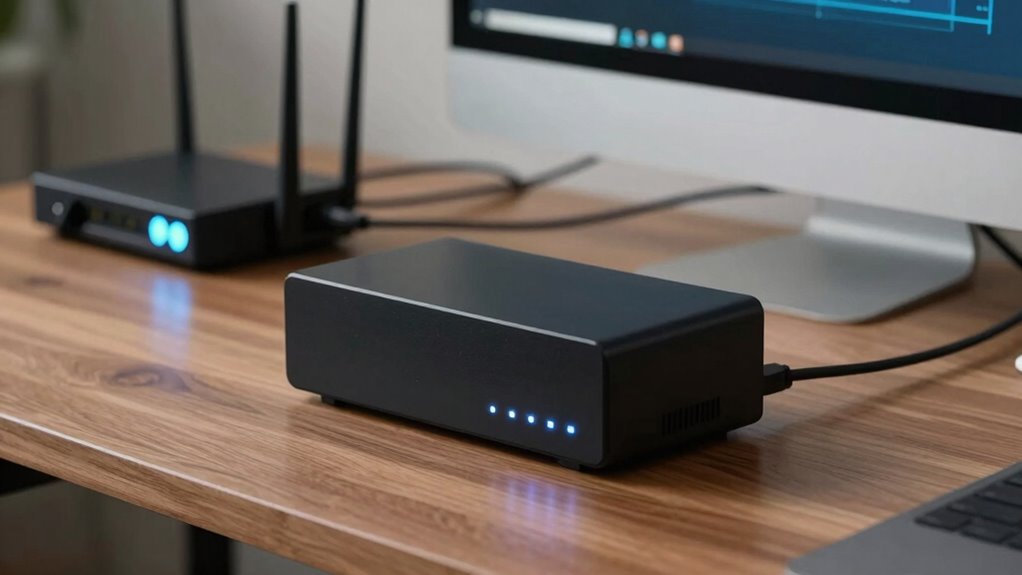

A UPS safeguards your devices from power outages by providing immediate backup power and helps prevent data loss from sudden shutdowns. It also offers surge protection, absorbing some electrical spikes. However, it doesn’t shield against severe surges, prolonged outages, or hardware failures. It won’t protect against physical damage from drops or spills. Understanding these boundaries ensures you can better safeguard your equipment—stick around to discover how to maximize your protection strategy.

Get smart everyday buys delivered free with Prime
- Fast, free delivery on millions of items
- Prime Video, Amazon Music and more included
- Member-only deals all year
Key Takeaways
- A UPS provides backup power during outages and prevents data loss from sudden shutdowns.
- It protects against brief power disruptions but not prolonged outages or severe surges.
- Many UPS units include surge protection, but they are not foolproof against high or sustained surges.
- A UPS does not prevent hardware failure, physical damage, malware, or damage from electrical anomalies beyond its scope.
- Regular maintenance and additional surge protectors are essential for comprehensive device protection.

Uninterruptible Power Supplies (UPS) are vital for safeguarding your electronic devices from power disruptions. They act as a buffer during outages, providing backup power so you don’t lose valuable work or risk hardware damage. When considering what a UPS actually protects, it’s important to understand its core functions. Primarily, a UPS offers immediate power support during a blackout, preventing sudden shutdowns that could corrupt data or harm sensitive components. This is especially essential for computers, servers, and networking equipment, where even brief power interruptions can cause significant issues.
However, a UPS’s protection isn’t unlimited. It doesn’t shield your devices from every electrical anomaly, like a severe power surge or prolonged outages. Instead, it provides a controlled environment during brief disruptions, giving you enough time to save your work and shut down safely if needed. The battery lifespan of your UPS plays a critical role here. Over time, the batteries degrade, reducing the duration of backup power available and potentially compromising your ability to recover from an outage. Regular maintenance and battery replacements are necessary to guarantee your UPS can do its job when you need it most.
While a UPS is excellent at handling power interruptions, it doesn’t prevent power surges from damaging your devices. Power surges—sudden spikes in electrical voltage—can occur due to lightning strikes, grid switching, or other electrical faults. Many UPS units include surge protection features, but these are not foolproof. They can absorb or divert some surge energy, yet extremely high or prolonged surges may still penetrate and damage your equipment. For thorough protection against power surges, combining a UPS with a dedicated surge protector is advisable. Additionally, understanding the electrical anomalies and their potential impact helps you set realistic expectations and guarantee your setup includes additional protections where necessary.
It’s also worth noting what a UPS doesn’t do. It doesn’t protect against hardware failures, malware, or physical damage like drops or spills. It’s primarily an electrical safeguard, not an all-encompassing device protector. Moreover, a UPS isn’t designed to run high-power appliances like refrigerators or HVAC systems; it’s meant for sensitive electronics that require clean, stable power. Understanding [the limitations of UPS systems] and their boundaries ensures you implement a comprehensive protection strategy for your valuable equipment.
As an affiliate, we earn on qualifying purchases.
Frequently Asked Questions
Does a UPS Protect Against Power Surges?
Yes, a UPS can protect against power surges by regulating voltage and preventing excess current from damaging your devices. It offers voltage regulation to stabilize fluctuating power levels, and its built-in surge protection absorbs sudden spikes. However, you still need to maintain the battery properly through regular battery maintenance to guarantee reliable backup power. While a UPS defends against surges, it’s not a substitute for dedicated surge protectors for complete protection.
Can a UPS Prevent Data Loss During Outages?
A UPS can prevent data loss during outages by providing backup power, but only if you maintain its batteries properly. Neglecting battery maintenance risks sudden failures, defeating its purpose. While the initial cost considerations may seem high, investing in a quality UPS guarantees your data stays safe when power cuts happen. You actively protect your data, but regular upkeep is essential to keep the system reliable when you need it most.
How Long Can a UPS Keep Devices Powered?
A UPS can keep your devices powered for a certain time, depending on its battery capacity and the load. Typically, smaller units offer a few minutes of runtime, enough to save your work and shut down safely. Larger UPS systems with higher battery capacity can provide power for 15 minutes or more. The exact runtime duration varies based on the devices connected and their power consumption, so always check specifications for precise estimates.
Is a UPS Effective Against Electrical Noise?
A UPS is quite effective against electrical noise, reducing interference by up to 50 decibels. Electrical interference, or noise, can cause data corruption or hardware issues. Your UPS uses noise filtering to protect sensitive equipment from such disturbances, ensuring cleaner power. This not only safeguards your devices but also improves their longevity. So, yes, a UPS actively shields your gear from electrical noise, keeping everything running smoothly.
Do All UPS Units Protect Against All Power Issues?
Not all UPS units protect against every power issue. While some offer extensive noise filtering and have higher battery capacities, others focus mainly on basic backup power. You need to choose a UPS tailored to your needs, considering factors like noise filtering capabilities and battery capacity. A higher-quality unit provides better protection against power surges, voltage fluctuations, and noise, but no UPS can handle every possible electrical problem.
Conclusion
Now that you know the ins and outs of a UPS, you’re better equipped to protect your gear from power hiccups. Remember, it’s like having a trusty sidekick — shielding your precious equipment from surges and outages, but not a time machine to fix every issue. So, don’t rely on it to prevent all disasters. Keep your backups ready, and don’t expect it to save your files from a Titanic-sized crash. Stay smart, stay protected!
Halloween Picks
halloween
As an affiliate, we earn on qualifying purchases.