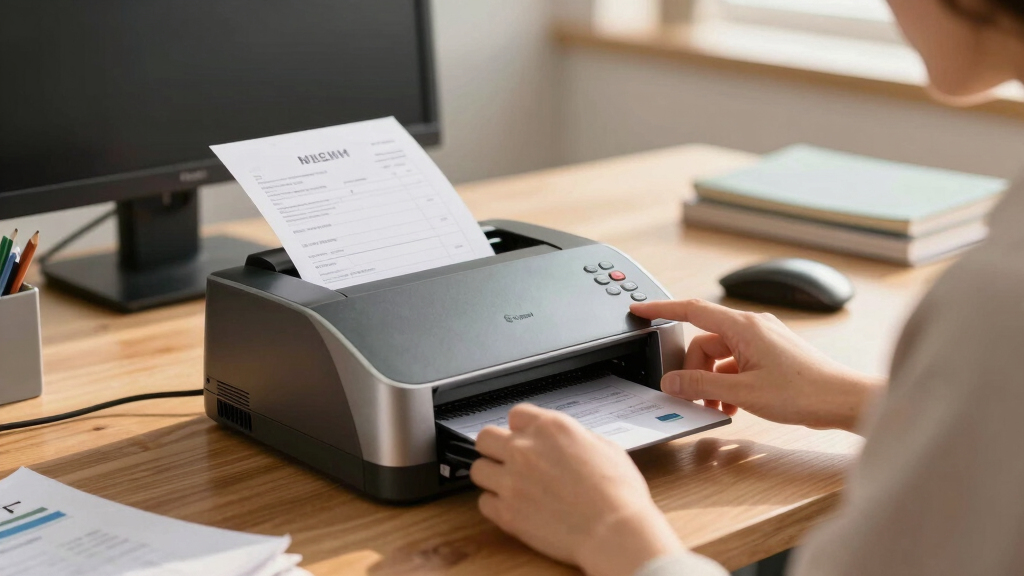
Finding the best MICR check printer for small business involves balancing reliability, security, and affordability. The VersaCheck HP Deskjet 2755 MX stands out as the overall best choice for its versatile all-in-one features and ease of use. For those prioritizing cost-efficiency, the Renewable Toner LBP6030W offers a compact laser option with preinstalled MICR cartridges. Meanwhile, the Troy 3001DW appeals to small teams needing wireless connectivity and faster printing speeds. These options highlight the common tradeoffs: higher-end models deliver more features and security but come at a premium, while budget options may sacrifice some convenience or speed. Continue reading for a detailed breakdown of each product to find the best fit for your small business.

Get smart everyday buys delivered free — and shop member deals
- Fast, free delivery on millions of items
- Access to Prime Big Deal Days deals on October 6–7
- Prime Video, Amazon Music and more included
Key Takeaways
- The best MICR printers balance security features with ease of use, especially for small teams or solo entrepreneurs.
- Wireless connectivity and speed are key differentiators, with premium models offering faster, more flexible printing options.
- Preloaded MICR cartridges simplify setup and reduce ongoing costs, making them ideal for small business owners seeking convenience.
- Budget-friendly models often compromise on speed or multifunctionality but can still meet basic check printing needs.
- Compatibility with check printing software and ease of maintenance significantly impact long-term satisfaction.


More Details on Our Top Picks
VersaCheck HP Deskjet 2755 MX MICR All-in-One Check Color Printer Gold Check Printing Software Bundle
This all-in-one inkjet printer combines standard printing, copying, and scanning with bank-compliant MICR check printing. Compared to the VersaCheck M15 MXD, it offers wireless connectivity from tablets and smartphones, making it more flexible for small offices. However, its print resolution of 4800 x 600 dpi is slightly lower than laser options, and setup requires a reliable Wi-Fi connection, which might be a hassle for some. The included VersaCheck X1 Gold software simplifies check creation, making it a strong choice for businesses that want an integrated solution. But, its 7.5 ppm black and white speed is slower than laser competitors, and ink replacements can be costly. This model is ideal for small businesses needing a multifunction inkjet with wireless check printing, but those with high-volume needs should consider laser options.
Pros:- All-in-one functionality with print, copy, and scan capabilities
- Built-in wireless for printing from tablets and smartphones
- Includes VersaCheck X1 Gold software for easy check creation
- Bank compliant check printing with MICR ink
Cons:- Slower print speed (7.5 ppm black and white) compared to laser alternatives
- Higher ink replacement costs and lower print resolution than laser models
- Setup depends on a stable Wi-Fi connection, which can be problematic
Best for: Small businesses that prioritize multifunctionality and wireless printing for checks and documents
Not ideal for: High-volume check printers or users requiring the fastest print speeds, due to slower ppm and ink costs
- Printer Type:Inkjet
- Connectivity:Wi-Fi, USB
- Output Type:Black MICR & Color
- Maximum Media Size:8.5 x 14 inches
- Maximum Sheet Capacity:1
- Print Resolution:4800 x 600 dpi
- Print Speed:7.5 ppm B&W
- Weight:7.55 pounds
Bottom line: This pick suits small offices needing an affordable, multifunction inkjet with wireless MICR check printing, but high-volume users should look at laser options.
VersaCheck M15 MXD MICR Check Printer and VersaCheck for MAC Check Printing Software Bundle
This laser printer delivers bank-compliant check printing with high-speed output of up to 19 ppm, making it suitable for small business environments. Unlike the VersaCheck HP Deskjet 2755, it offers faster printing and lower ongoing ink costs, thanks to its laser technology, and is compatible with Mac OS 10.13 and newer. However, it has a maximum sheet capacity of 150 and lacks duplex printing, which could be limiting for larger workloads. The included VersaToner MICR cartridge guarantees bank compliance, and setup via internet is straightforward. Yet, its weight of 12.1 pounds makes it less portable. This model is perfect for Mac users needing fast, cost-effective check printing, but not for heavy duplex or high-volume applications.
Pros:- Fast print speed of 19 ppm for checks and documents
- Low ongoing ink costs with MICR toner cartridge
- Compatible with macOS 10.13 and newer
- Includes 150-sheet input tray
Cons:- No duplex printing capability, limiting efficiency for larger print jobs
- Heavier and less portable than inkjet options
- Limited sheet capacity for high-volume needs
Best for: Mac-based small businesses seeking fast, reliable MICR check printing with low operating costs
Not ideal for: High-volume check printing with duplex requirements or Windows-only environments
- Printer Type:Laser
- Connectivity:Wi-Fi, USB
- Output Type:Bank compliant checks
- Maximum Media Size:8.5 x 14 inches
- Maximum Sheet Capacity:150
- Print Speed:19 ppm
- Weight:12.1 pounds
- Compatible OS:macOS 10.13+
Bottom line: This laser MICR printer is ideal for small businesses on Mac that need quick, cost-effective check printing, but not for large-volume or duplex jobs.
VersaCheck 4155 MXQ MICR All-in-One Color Check Printer and VersaCheck Gold Check Printing Software (Windows) Bundle
This color inkjet all-in-one offers printing, copying, and scanning combined with bank-compliant MICR check printing. Compared to the VersaCheck HP Deskjet 2755, it provides higher resolution (4800 x 1200 dpi) and a maximum sheet capacity of 500, making it suitable for moderate-volume environments. Nonetheless, some users report that its ink quality is subpar, with the ink being prone to smudging and lower durability, which is a drawback for professional check printing. Its speed of 8 ppm B&W is slower than laser options, and ink costs tend to be higher. The included VersaCheck software streamlines check design, but the initial setup and ink reliability can be concerns. This model is best for small offices needing color checks and document flexibility, but not for high-volume or durability-critical printing.
Pros:- Color printing with high resolution (4800 x 1200 dpi)
- Includes copying and scanning functions
- Large sheet capacity of 500 pages
- Bank compliant MICR check printing
Cons:- Reported issues with ink smudging and durability
- Slower speed (8 ppm B&W) compared to laser models
- Higher ink costs over time
Best for: Small businesses wanting colorful, multi-purpose check printing with scanning and copying features
Not ideal for: High-volume check printing or environments where ink durability is critical, due to ink quality issues
- Printer Type:Inkjet
- Connectivity:Wi-Fi, USB
- Output Type:Color MICR checks
- Maximum Media Size:8.5 x 14 inches
- Maximum Sheet Capacity:500
- Print Resolution:4800 x 1200 dpi
- Print Speed:8 ppm B&W
- Weight:about 8 kg
Bottom line: This color inkjet is suitable for small offices needing versatile color checks and document functions, but ink reliability may limit professional use.
VersaCheck HP DeskJet 4155 MXE MICR All-in-One Check Printer Presto Printing Software Bundle
This budget-friendly inkjet all-in-one offers printing, copying, and scanning with bank-compliant MICR check printing, suitable for low-volume needs. Unlike laser models, its slower speed of 5.5 ppm color and 8 ppm black and white might be a limitation for busy offices. Users report that the ink quality is poor, with frequent malfunctions and ink-related issues, which can lead to frequent replacements and frustration. Its 600 x 600 dpi resolution is adequate for basic checks, but not for detailed or professional-grade printing. The device’s portability is limited by its weight of over 8 kg, and setup can be tricky for some. This printer is best for very small, infrequent check printing needs where cost is a priority, but reliability and speed are compromised.
Pros:- Affordable price point
- Includes MICR check printing capability
- All-in-one with copy and scan functions
- Wireless connectivity
Cons:- Slow print speeds and poor ink quality
- Frequent malfunctions reported by users
- Not suitable for high-volume or professional use
Best for: Small offices with infrequent check printing on a tight budget, willing to accept lower reliability
Not ideal for: High-volume or professional check printing environments, due to slow speed and poor ink performance
- Printer Type:Inkjet
- Connectivity:Wi-Fi, USB
- Output Type:Bank MICR checks
- Maximum Media Size:8.5 x 14 inches
- Maximum Sheet Capacity:100
- Print Resolution:600 x 600 dpi
- Print Speed:5.5 ppm color
- Weight:about 8 kg
Bottom line: This budget inkjet MICR printer fits very low-volume or infrequent check needs but sacrifices speed and reliability for affordability.
VersaCheck HP DeskJet 4155 MXE MICR All-in-One Printer Presto Printing Software Bundle White
This color inkjet all-in-one combines multifunctionality with bank-compliant MICR check printing, suitable for small offices needing versatile document handling. Compared to the inkjet 4155 MXQ, it offers a similar feature set with the added benefit of a complete software bundle and MICR ink cartridges for professional checks. The 600 x 600 dpi resolution and 8 ppm black/white speed make it adequate for low to moderate workloads. Users cite issues with ink durability and occasional malfunctions, which can limit its reliability for continuous use. Its 8 kg weight makes it less portable. Setup and ink management may be inconvenient, and ongoing ink costs are a concern. This model is best for small offices that require color checks and multifunction capabilities, but not for high-volume or durability-sensitive printing.
Pros:- Color printing with decent resolution (600 x 600 dpi)
- Includes copy and scan functions
- Bank compliant MICR check capability
- Wireless connectivity and software included
Cons:- Inconsistent ink durability and occasional malfunctions
- Slower speed (8 ppm B&W), less suited for high-volume
- Higher ongoing ink costs
Best for: Small offices needing color, multifunction check printing with software support
Not ideal for: Heavy-duty check printing or environments requiring highly durable or fast laser output
- Printer Type:Inkjet
- Connectivity:Wi-Fi, USB
- Output Type:Color MICR checks
- Maximum Media Size:8.5 x 14 inches
- Maximum Sheet Capacity:500
- Print Resolution:600 x 600 dpi
- Print Speed:8 ppm B&W
- Weight:about 8 kg
Bottom line: This versatile color all-in-one is great for small offices with moderate check needs, but reliability issues may limit professional use.
VersaCheck M15 MXD MICR Check Printer and VersaCheck X1 Platinum Check Printing Software Bundle
This model stands out for its combination of reliable speed (up to 19 ppm) and comprehensive software bundle, including the VersaCheck X1 Platinum software, making it ideal for small businesses looking for a ready-to-use solution. Compared to the VersaCheck M22 MXE, it offers slightly slower print speeds but comes with a user-friendly setup and solid print quality. The inclusion of a 125 MICR toner cartridge ensures bank compliance, though its limited input capacity and slightly larger size could be drawbacks for very tight spaces. This pick makes the most sense for small business owners who want a straightforward, all-in-one MICR printing setup without sacrificing quality or compliance.
Pros:- Includes comprehensive check creation software for seamless check design
- Bank-compliant MICR toner ensures compliance with financial standards
- Wireless and USB connectivity for flexible setup
- Prints up to 19 ppm with a maximum of 150 sheets input
Cons:- Slower print speed compared to higher-end models like the VersaCheck M22 MXE
- Limited input tray capacity (150 sheets) may require frequent refills for high-volume use
- Installation requires internet connection which could complicate setup
Best for: Small businesses needing reliable, bank-compliant check printing with included software and easy setup.
Not ideal for: Businesses requiring high-volume printing or a compact footprint, as this model is somewhat bulkier and slower than premium alternatives.
- Printer Type:Laser
- Connectivity:USB, Wi-Fi
- Print Speed:19 ppm
- Max Input Sheets:150
- Max Media Size:8.5 x 14 inches
- Warranty:Limited warranty
Bottom line: Ideal for small businesses seeking a reliable, all-in-one MICR check printer with software included for straightforward deployment.
VersaCheck M22 MXE MICR Check Printer and VersaCheck X9 Platinum 5-User Check Printing Software Bundle
This option offers a faster print speed of up to 30 ppm and supports multi-user environments with a 5-user software license, making it suitable for small teams that need to print a higher volume of checks efficiently. Unlike the VersaCheck M15 MXD, it features auto-duplex and a slightly larger input tray capacity of 150 sheets, enhancing productivity. The MICR toner cartridge guarantees bank compliance, though the absence of a USB cable in the package may add to initial setup complexity. This pick makes the most sense for small teams or offices that prioritize speed and multi-user capabilities over compact size.
Pros:- Faster print speed (up to 30 ppm) boosts efficiency
- Includes multi-user software license for team use
- Auto-duplex printing reduces paper use and speeds up workflows
- Bank-compliant MICR toner for secure check printing
Cons:- No USB cable included, requiring additional purchase
- Larger physical size may limit placement options
- Higher cost due to multi-user software bundle
Best for: Small teams or small offices with higher check volume needs and multiple users needing access.
Not ideal for: Solo entrepreneurs or very space-constrained offices, as this model is bulkier and designed more for volume than compactness.
- Printer Type:Laser
- Connectivity:Wireless, USB (not included)
- Print Speed:30 ppm
- Input Capacity:150 sheets
- Max Media Size:8.5 x 14 inches
- Warranty:Standard
Bottom line: A strong choice for small offices or teams needing faster, multi-user MICR check printing with reliable bank compliance.
VersaCheck HP DeskJet 3755 MXE MICR All-in-One Check Printer X1 Gold Check Printing Software Bundle
This model combines multifunctionality—print, copy, scan—in a compact, lightweight design ideal for tight spaces, yet it includes MICR ink and software for bank-compliant check printing. Compared to laser options like the VersaCheck M15 MXD, it offers versatile features but at slower print speeds and potentially higher running costs due to ink usage. Its wireless capabilities and device compatibility make it highly flexible, though the all-in-one ink cartridges might require more frequent replacements, especially for high-volume users. This pick is perfect for small businesses that need a space-saving, all-in-one solution without sacrificing check compliance.
Pros:- Compact, lightweight design saves valuable space
- Includes all-in-one features (print, copy, scan)
- Wireless connectivity for convenient device printing
- Bank-compliant MICR ink cartridge included
Cons:- Slower printing speeds compared to laser models
- Higher ink costs for frequent use
- Potentially less durable for high-volume daily check printing
Best for: Small offices needing a space-efficient, multifunction printer with MICR check capabilities.
Not ideal for: High-volume check printing or businesses that prioritize speed over multifunctionality, as inkjet models tend to be slower and more costly in ink replacement.
- Printer Type:Inkjet All-in-One
- Connectivity:Wireless
- Print Speed:up to 8.5 ppm
- Max Media Size:8.5 x 14 inches
- Included Software:VersaCheck X1 Gold
- Warranty:Standard
Bottom line: A great choice for space-constrained small businesses seeking a multifunction check printer with wireless convenience.
VersaCheck 2855 MXE MICR All-in-One Color Check Printer and VersaCheck for MAC Check Printing Software Bundle
This all-in-one color check printer is tailored for Mac users, supporting macOS 10.13 and newer, with the ability to print checks in color for enhanced security features. It combines printing, copying, and scanning, making it versatile for small offices. Compared with black-and-white laser options, the color printing capability adds security for fraud prevention but may slow down the process and increase ink costs. The inclusion of check software and paper makes it a convenient choice for Mac-based small businesses that want to incorporate color features in their checks.
Pros:- Supports Mac OS 10.13 and newer
- Color printing enhances check security features
- Includes check software and paper for quick setup
- Wireless printing from various devices
Cons:- Slower speed compared to monochrome laser printers
- Color ink can be costly for frequent printing
- Limited to Mac environments
Best for: Small businesses or offices using Mac systems that benefit from color check printing for added security.
Not ideal for: High-volume check printers or Windows-only environments, as this model is optimized for Mac and color printing needs.
- Printer Type:All-in-One Color
- Connectivity:Wireless
- Print Speed:Variable, slower than monochrome
- Supported OS:macOS 10.13+
- Max Media Size:8.5 x 14 inches
- Included Software:VersaCheck for MAC
Bottom line: A solid option for small Mac-based offices needing color security and multifunction capabilities for check printing.
Troy 3001DW MICR Printer, Check Printing, Wireless, Built for Small Teams, 250 Sheet Capacity, 1 Tray, Up to 35ppm
This printer is tailored for small teams needing secure, in-house check printing with a high capacity of 250 sheets and a fast output of up to 35 ppm. Its design emphasizes security and compliance, utilizing TROY’s proprietary MICR toner, the only HP OEM MICR toner on the market, ensuring strong MICR signals. Compared with the VersaCheck models, it offers higher volume capacity and faster speeds, making it suitable for small offices with moderate check demands. However, its bulkier size and higher price point might deter those with space constraints or lower volume needs. It’s well-suited for offices prioritizing security and high throughput in check printing.
Pros:- High capacity (250 sheets) reduces refills
- Fast printing speed (up to 35 ppm) for efficient workflows
- Uses HP OEM MICR toner for maximum security and compliance
- Built-in wireless for flexible placement
Cons:- Larger footprint may not suit tight spaces
- Higher cost compared to entry-level models
- Designed primarily for security and volume, not compactness
Best for: Small teams or offices focused on secure, high-volume check printing with fast turnaround times.
Not ideal for: Solo entrepreneurs or very limited spaces, as this unit is larger and designed for consistent, secure operations rather than casual use.
- Printer Type:Laser
- Connectivity:Wireless
- Print Speed:up to 35 ppm
- Input Capacity:250 sheets
- Max Media Size:8.5 x 14 inches
- Toner:HP OEM MICR toner
Bottom line: Best suited for small teams requiring secure, high-volume MICR check printing with rapid output capabilities.
Renewable Toner LBP6030W Wireless MICR Check Printer, Compact Laser Printer, 19 PPM, preinstalled RT CRG-125 3484B001AA MICR Cartridge, Best for Printing Business and Personal Checks
This compact laser printer stands out for its balance of speed, affordability, and ease of use, making it the most versatile choice among small business check printers. Compared with the VersaCheck HP Officejet 200 MXE, it offers a more streamlined, dedicated check printing experience without the need for additional software bundles, which can appeal to those seeking simplicity. However, it lacks the portability features of the HP MXE and requires separate check software, which might be a drawback for users wanting an all-in-one solution. Its 19 ppm speed and 600×600 dpi resolution ensure crisp, quick checks, while the 150-sheet paper capacity supports consistent workflow. The preinstalled MICR cartridge simplifies setup, but the six-month warranty and limited paper handling options can be limiting for some.
Pros:- High-quality magnetic MICR toner for bank acceptance
- Wireless connectivity for flexible placement
- Fast print speed of 19 ppm
Cons:- Requires separate check printing software and fonts
- Limited paper handling capacity at 100 sheets
Best for: Small business owners who want reliable, high-quality check printing with minimal fuss.
Not ideal for: Users seeking portable printing solutions or all-in-one multifunctionality for diverse office tasks.
- Printer Type:Laser
- Print Speed:19 ppm
- Connectivity:Wi-Fi
- Print Resolution:600 x 600 dpi
- Maximum Paper Size:Legal (8.5 x 14 inches)
- Paper Capacity:150 sheets
Bottom line: This pick is ideal for small businesses that prioritize straightforward, dependable check printing without extra bells and whistles.
VersaCheck HP Officejet 200 MXE Portable Wireless MICR Check Printer and VersaCheck X9 Platinum 5-User Check Printing Software Bundle
This portable inkjet printer excels for users who need to print checks on the go, especially with its bundled software and versatile features, making it a strong alternative to the fixed laser options like the Renewable Toner LBP6030W. Compared with the laser model, the HP Officejet 200 MXE offers true mobility with battery and plug-in options, plus comprehensive check printing software, which streamlines the process for multi-user environments. The inclusion of VersaCheck X9 Platinum software supports multiple users and enhances check security, but the inkjet technology may not produce as crisp a check as laser MICR, and ink cartridges need replacement more frequently. Its ability to print anywhere makes it perfect for mobile professionals, but it’s less suited for high-volume, stationary office use.
Pros:- Wireless and battery-powered for true portability
- Includes comprehensive check printing software and MICR ink cartridge
- Supports multiple users with the VersaCheck X9 Platinum bundle
Cons:- Inks can be costly and require frequent replacement
- Inkjets may not produce as sharp or durable checks as laser MICR printers
Best for: Mobile professionals, field agents, or small teams needing flexible, multi-user check printing capabilities.
Not ideal for: Businesses requiring high-volume, stationary check printing with laser precision or those with limited budgets for ongoing ink costs.
- Printer Type:Inkjet
- Connectivity:Wireless
- Power Source:Battery and Plug-in
- Included Software:VersaCheck X9 Platinum
- MICR Ink:VersaInk magnetic MICR cartridge
- Color Printing:Yes
Bottom line: This solution is perfect for small teams or individuals who prioritize convenience and mobility over ultra-high-volume output.

How We Picked
The products in this roundup were evaluated based on performance, security features, ease of use, build quality, and value. Priority was given to printers that reliably produce MICR-compliant checks, as this is essential for banking approval. We also considered software compatibility, connectivity options, and ongoing costs, such as replacement cartridges and maintenance. The ranking reflects a balance between affordability and feature set, aiming to identify options suitable for small business owners who need dependable check printing without excessive complexity or expense.Factors to Consider When Choosing Best MICR Check Printer For Small Business
Choosing the right MICR check printer for a small business involves more than just price. You need to consider factors like security, speed, ease of setup, and ongoing costs. Making the wrong choice can lead to delays, increased expenses, or even compliance issues. This guide highlights key considerations that help you select a printer tailored to your specific needs, ensuring smooth operation and peace of mind.Security and Compliance
Since MICR checks contain sensitive financial data, security features are paramount. Look for printers that meet banking standards for MICR font quality and magnetic stripe encoding. Some models include security certifications that ensure your checks are accepted without issues. Failing to prioritize security can cause delays or rejection of your checks, so verify that the printer complies with your banking requirements before purchase.
Connectivity and Speed
Wireless options offer flexibility, especially for small teams or remote work setups, but may come with tradeoffs in speed or reliability. If your volume is high, opt for a model with faster print speeds to avoid bottlenecks. Consider whether the printer supports Ethernet or Wi-Fi, and whether it integrates seamlessly with your check software. These features influence how efficiently you can process payments daily.
Ease of Use and Software Compatibility
Setting up MICR check printers can be complex, especially for first-time users. Prioritize models with straightforward installation procedures and reliable software bundles. Compatibility with popular check printing software like VersaCheck can streamline your workflow. Avoid overly complicated interfaces or outdated software that could cause errors or delays in check processing.
Cost of Maintenance and Consumables
Ongoing costs, such as replacement MICR cartridges and paper, can add up over time. Some printers come with preloaded MICR cartridges, reducing initial setup hassle and cost. Consider the availability and price of consumables, as well as maintenance requirements. A model with affordable replacements and simple maintenance routines can save you money and frustration in the long run.
Build Quality and Size
Since space may be limited in small offices, compact and durable designs are preferable. Look for a sturdy build that can handle daily use without frequent breakdowns. A lightweight, space-saving model simplifies placement on a desk or shelf. However, ensure that smaller size does not compromise the printer’s ability to handle your volume or security needs effectively.
Frequently Asked Questions
Can I use any laser printer for MICR check printing?
Not all laser printers are suitable for MICR check printing. MICR fonts and magnetic ink require printers that can handle magnetic toner or MICR-specific cartridges, which standard models may not support. Using a regular laser printer without MICR compatibility can lead to check rejection by banks, risking delays and rejection fees. Always select a printer explicitly designed or certified for MICR printing to ensure compliance and smooth processing.
How much should I expect to spend on a reliable MICR check printer?
The price range varies considerably based on features and capacity. Budget models can start around $300, primarily suitable for low-volume use or basic printing needs. Mid-range options, often with wireless connectivity and faster speeds, typically range from $500 to $800. Premium models with enhanced security, higher speed, and multifunction capabilities can cost over $1,000. Evaluate your volume and security requirements to balance cost against long-term reliability.
Is it better to buy a combined all-in-one check printer or a dedicated MICR printer?
All-in-one printers offer convenience by combining check printing with scanning, copying, and printing functions, which can be valuable for small offices. However, dedicated MICR printers often provide higher security, better MICR font quality, and faster check production, making them more reliable for high-volume or compliance-critical tasks. Your choice should depend on whether you need multifunctionality or specialized check security and speed.
What security features should I look for in a MICR check printer?
Security features like encrypted printing, certified MICR fonts, and secure software integration are vital to prevent fraud and ensure bank compliance. Some models include password protection or security certifications that validate their MICR output. Preventing unauthorized access and ensuring data integrity reduces the risk of check fraud or rejection, which is especially important for small business payments processing.
How often will I need to replace MICR cartridges?
The frequency of cartridge replacement depends on your print volume. For small businesses with low volume, cartridges might last several months. Higher-volume environments may require replacements every few weeks. Some models come with preloaded cartridges, simplifying setup and reducing initial costs, but be prepared for ongoing expenses. Choosing a printer with affordable, readily available MICR cartridges can minimize downtime and expenses.
Conclusion
For small business owners seeking a dependable overall solution, the VersaCheck HP Deskjet 2755 MX offers a versatile, user-friendly option with strong security features. Those prioritizing cost-effectiveness and simplicity may find the Renewable Toner LBP6030W best suited, thanks to its compact laser design and preloaded MICR cartridge. For teams requiring wireless flexibility and faster throughput, the Troy 3001DW makes a compelling choice. Beginners or those with light volume needs should opt for models emphasizing ease of setup, while high-volume users should invest in more robust, secure options that meet banking standards. Tailor your choice based on your specific check volume, security needs, and budget to ensure smooth, compliant check processing.
Fall Picks
fall essentials
As an affiliate, we earn on qualifying purchases.