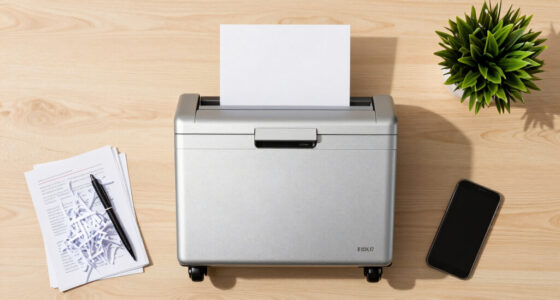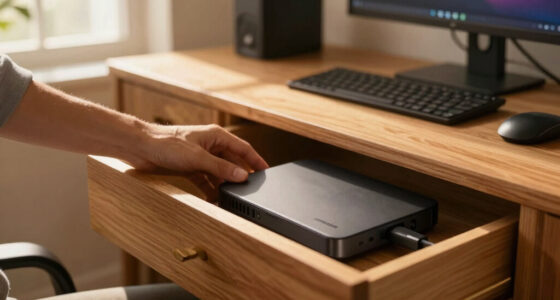

Finding the best receipt scanner for mileage and expense tracking means balancing ease of use, accuracy, and compatibility with your workflow. The NeatReceipts Mobile Scanner stands out as the overall best pick for its seamless digital filing and straightforward interface. For those who need portability, the Auto Mileage & Expense Notebook offers a simple manual tracking solution, while the ScanSnap iX2500 Receipt Edition excels with high-speed scanning and integration with QuickBooks. Each option presents tradeoffs: digital vs. manual, budget vs. premium features, and complexity vs. simplicity. Continue reading to see how these choices stack up and which one fits your specific needs.
Key Takeaways
- The best overall receipt scanner combines ease of use with strong digital filing capabilities, making it ideal for busy professionals.
- Manual mileage logs remain relevant for those who prefer simple, paper-based tracking or lack reliable tech access.
- High-speed scanners with cloud integration like the ScanSnap iX2500 are best for frequent users needing quick, accurate digitization.
- Budget options such as organizer envelopes and mileage notebooks can be sufficient for occasional or low-volume tracking.
- Choosing between digital and manual methods depends heavily on your workflow preferences and the volume of receipts or miles tracked.


More Details on Our Top Picks
NeatReceipts Mobile Scanner and Digital Filing System – PC
This compact and versatile scanner excels for those who want a portable, all-in-one solution. Compared to the ScanSnap iX2500, it offers unmatched mobility and ease of use on the go, especially since it runs directly from USB without needing external power. The software automatically extracts and organizes receipt data, simplifying expense reports and tax prep. However, its detection isn’t always perfect, often misclassifying large receipts as documents, and it lacks the ability to create sub-folders for finer organization. Compared with the ScanSnap, this model is more suited for mobile professionals who prioritize portability over advanced bulk scanning features. Pros: Lightweight design, USB-powered, automatic data extraction, compatible with multiple export formats. Cons: Occasional misclassification of receipts, limited folder organization, slower batch processing.
Verdict: Ideal for mobile users needing quick, on-the-fly receipt digitization and expense management. Specs:- Scanner Type: Book, Receipt, Document
- Connection Type: USB
- Resolution: 600 dpi
- Sheet Capacity: 15 sheets
- Sensor Technology: CCD, CMOS
- Item Weight: 1.7 pounds
Pros:- Lightweight and portable
- Powered by USB for convenience
- Automatic data extraction from receipts
- Export to multiple formats
Cons:- Inconsistent receipt detection accuracy
- No sub-folder organization
- Limited batch processing speed
Best for: Frequent travelers and mobile professionals needing portable, easy-to-use receipt scanning.
Not ideal for: Office workers with high-volume scanning needs who require detailed folder structures and bulk processing.
- Scanner Type:Book, Receipt, Document
- Connection Type:USB
- Resolution:600 dpi
- Sheet Capacity:15 sheets
- Sensor Technology:CCD, CMOS
- Item Weight:1.7 pounds
Bottom line: This is best for users who prioritize mobility and simplicity in expense digitization.
3-in-1 Receipt Organizer Envelopes with Expense & Mileage Logs | 12-Pack | Organize Receipts, Track Business Expenses & Record Auto Mileage | 9.5″ x 6.5″ | Made in USA
This organizer is perfect for small business owners and self-employed individuals who prefer a tangible, paper-based system. Its 12 envelopes are designed with indexing, making it easy to match receipts to expenses or mileage logs. Compared with the digital-oriented NeatReceipts, this product offers a straightforward, no-tech solution that requires less setup and no software learning curve. The main tradeoff is that paper organizers require manual entry and are less efficient for large volumes or remote work. Compared with the ScanSnap, this is best suited for users who want a durable, simple paper system without digital reliance. Pros: Made in the USA, clear indexing system, includes expense and mileage logs, durable paper construction. Cons: Manual data entry needed, less suitable for high volume, no digital backup options.
Verdict: Best for small-scale, paper-based record-keeping for entrepreneurs who value simplicity and durability. Specs:- Size: 9.5″ x 6.5″
- Material Type: Paper
- Additional Features: Water-resistant, Self-Adhesive
- Warranty & Support: 30-Day return
- Number of Items: 12
- Uses: Expense tracking, mileage recording
Pros:- Durable, water-resistant paper
- Includes expense and mileage logs
- Easy to use and portable
- Made in the USA
Cons:- Requires manual data entry
- Limited capacity for bulk receipts
- No digital backup or automation
Best for: Small business owners preferring physical receipts and manual record-keeping for expense tracking.
Not ideal for: Tech-savvy users needing digital backup and high-volume processing for receipts and mileage logs.
- Size:9.5″ x 6.5″
- Material Type:Paper
- Additional Features:Water-resistant, Self-Adhesive
- Warranty & Support:30 Days
- Uses:Expense and mileage tracking
- Number of Items:12
Bottom line: Ideal for users who want a durable, paper-based system for small-scale expense and mileage tracking.
ScanSnap iX2500 Receipt Edition, Works with QuickBooks, Wireless or USB High-Speed Cloud Enabled Invoices & Receipts Scanner, 100 Page Auto Document Feeder for Mac or PC, Black
This high-speed scanner is ideal for busy professionals who want seamless integration with accounting software like QuickBooks. Its 45 ppm double-sided scanning speed and 100-page automatic document feeder make it excellent for large volumes, surpassing the NeatReceipts in processing capacity. The large touchscreen simplifies workflow customization, and cloud connectivity allows for flexible storage options. Compared with the NeatReceipts, it offers more robust batch processing and better OCR accuracy, but at a significantly higher price point. The tradeoff is that it’s bulkier and less portable. Compared with the NeatReceipts, this is better suited for office environments or high-volume needs. Pros: Fast scanning speed, large document feeder, integrates with QuickBooks, wireless and USB connectivity. Cons: Higher cost, less portable, more complex setup, larger footprint.
Verdict: Recommended for professionals with high-volume scanning and accounting integration needs who operate primarily from an office. Specs:- Scanner Type: Document, Receipt
- Connection: Wireless, USB
- Resolution: 600 dpi
- Sheet Capacity: 100 sheets
- Speed: 45 ppm
- Sensor Technology: CIS
- Item Dimensions: 6.26″ D x 11.5″ W x 6.34″ H
Pros:- High-speed, double-sided scanning
- Large 100-sheet capacity
- Integration with QuickBooks
- Wireless connectivity for flexibility
Cons:- Costly investment
- Less portable due to size
- Complex setup process
Best for: Small business owners and accountants who process large volumes of receipts and invoices regularly.
Not ideal for: Travelers or solo freelancers needing portable, lightweight scanners for on-the-go use.
- Scanner Type:Document, Receipt
- Connection Type:Wireless, USB
- Resolution:600 dpi
- Sheet Capacity:100 sheets
- Speed:45 ppm
- Sensor Technology:CIS
- Item Dimensions:6.26 x 11.5 x 6.34 inches
Bottom line: Best suited for high-volume users requiring fast, reliable digital capture with accounting software integration.
This spiral-bound notebook is perfect for those who prefer manual, paper-based tracking. Its large enough to write comfortably and includes dedicated pages for mileage, expenses, and date entries. It’s especially useful for rideshare drivers or small business owners who want a quick, tangible record without digital fuss. Compared with the digital options like NeatReceipts or ScanSnap, this is less efficient for high volumes but offers unmatched simplicity and portability. The 60 pages are enough for a year’s worth of entries, but it’s not suitable for extensive or detailed digital record-keeping. Compared with the paper organizer, this notebook is more flexible for frequent use on the move. Pros: Easy to use, durable spiral binding, sufficient pages for a year, clear mileage and expense sections. Cons: Manual entry required, limited capacity, no digital backup, paper can wear with frequent use.
Verdict: Best for drivers or small business owners who prefer manual tracking and quick access without digital dependency. Specs:- Size: 5″ x 8″
- Pages: 60
- Binding: Spiral
- Material: Paper
- Uses: Mileage, expense, session tracking
- Style: Book
Pros:- Easy to use and portable
- Durable spiral binding
- Sufficient pages for annual tracking
- Clear dedicated sections for mileage and expenses
Cons:- Manual data entry needed
- Limited capacity for extensive use
- No digital backup or export options
Best for: Rideshare drivers or mobile entrepreneurs preferring manual logs for mileage and expenses.
Not ideal for: High-volume or digital-oriented users who need automated, searchable records.
- Paper Size:5 x 8 inches
- Pages:60
- Binding:Spiral
- Material:Paper
- Uses:Mileage and expense logging
- Style:Book
Bottom line: Great for those who want a straightforward, manual method for tracking mileage and expenses on the go.
12 Set Receipts Organizer & Expense Envelope, Business Expense Tracker, Business Expense Record Auto Mileage Log Organizer Envelope (Purple)
This set offers a durable, multi-purpose solution for small businesses or individuals who prefer paper organization. The envelopes store receipts, track expenses, and record mileage, making it a simple yet effective physical record-keeping system. Compared with digital scanners like NeatReceipts or ScanSnap, this product relies entirely on manual entry, but it excels in durability and ease of access. It’s ideal for users who want a straightforward, physical method without technology hassles, though it may not suit those with high volumes of receipts or requiring digital backup. The envelopes are made from heavy 100 lb paper, resistant to ink bleed and damage. Pros: Heavy-duty paper, multipurpose organizer, easy to write, includes mileage and expense tracking, portable. Cons: Manual data entry, limited capacity, no digital integration, best for small volumes.
Verdict: Perfect for entrepreneurs and small teams wanting a resilient, paper-based system for receipts and mileage logs. Specs:- Material Type: Paper
- Size: 9.5″ x 6.5″
- Quantity: 12 envelopes
- Additional Features: Durable, ink bleed resistant
- Uses: Expense, mileage, receipt storage
- Warranty & Support: Not specified
Pros:- Heavy-duty, ink bleed resistant paper
- Multiple uses: receipts, expenses, mileage
- Portable and easy to write in
- Durable construction for long-term use
Cons:- Manual data entry required
- Limited capacity for large volumes
- No digital backup or automatic organization
Best for: Small business owners or mobile workers who prefer physical receipt storage and manual expense tracking.
Not ideal for: High-volume or digital users who need automated processing and cloud backup options.
- Material Type:Paper
- Size:9.5″ x 6.5″
- Quantity:12
- Additional Features:Durable, Ink bleed resistant
- Uses:Expenses, mileage, receipts
- Warranty & Support:Not specified
Bottom line: Ideal for those seeking a resilient, paper-based organization system for receipts and mileage logs.
Adams ABFAFR12 Vehicle Mileage and Expense Journal, 5-1/4″ x 8-1/2″, Fits the Glove Box, Spiral Bound, 588 Mileage Entries, 6 Receipt Pockets, White
This mileage journal stands out for its simplicity, durability, and portability, making it ideal for drivers who prefer manual record-keeping without digital hassles. Compared to the Auto Mileage Log Book for Taxes, this option offers fewer entries—588 versus 1260—but its compact size and spiral binding make it easier to carry and use on the go. The six receipt pockets help keep relevant documents organized, though it lacks the detailed tracking features and comprehensive record options of digital apps. Its paper format means no batteries or syncing, but it also means manual effort and potential for human error. This journal is perfect for small business owners or freelancers who want a straightforward, portable solution for IRS documentation without digital dependence.
Pros:- Compact, fits easily in glove box for on-the-go logging
- Durable spiral binding withstands daily use
- Includes 6 receipt pockets for organized storage
Cons:- Limited to 588 entries, may not cover a full year for some users
- Requires manual entry, prone to human error and omission
- No digital backup or automatic tracking features
Best for: Small business owners or independent drivers who need a simple, portable mileage and expense record that fits in a glove compartment.
Not ideal for: Drivers seeking detailed digital tracking, automatic mileage recording, or extensive expense management features, as this is a manual paper log.
- Dimensions:5-1/4″ x 8-1/2″
- Entries:588
- Receipt Pockets:6
- Material:Heavy cardstock cover
- Weight:4 ounces
- Page Count:49 pages of entries
Bottom line: This journal is best suited for drivers who prefer a straightforward, portable paper log for basic mileage and expense documentation.
Auto Mileage Log Book for Taxes, Vehicle Maintenance Log Book, Mileage Tracker for Car, Spiral Bound Mileage Log Book for Expense Record Notebook, 5.9″x 8.6″, Black
This mileage log book offers significantly more entries—1260 compared to Adams’ 588—and a comprehensive layout that includes space for emergency contacts, maintenance, and insurance information, making it ideal for drivers who want detailed records. Unlike the Adams journal, its spiral binding and 100GSM water-resistant pages ensure durability and ease of use in various conditions. Its detailed layout helps prevent missing important data, especially for those who prefer a one-stop record for both mileage and vehicle maintenance. However, its size, while still portable, is slightly larger, and the extensive entries may be overkill for casual users or those with fewer trips. This pick makes sense for frequent drivers or small fleet operators who require meticulous, organized, and durable manual records for tax and maintenance purposes.
Pros:- 1260 entries, suitable for heavy usage throughout the year
- Water-resistant, thick 100GSM pages prevent ink bleed and water damage
- Includes space for emergency contacts, insurance, and maintenance logs
Cons:- Larger size than Adams journal, less pocket-friendly
- Manual entry still prone to human error and oversight
- No digital integration or automatic tracking features
Best for: Frequent drivers or small business fleets needing extensive, organized manual records for mileage, maintenance, and expenses.
Not ideal for: Occasional drivers or those preferring digital tracking, as the book’s size and volume of entries might be unnecessary and cumbersome.
- Dimensions:5.9″ x 8.6″
- Entries:1260
- Material:Waterproof PVC cover, 100GSM paper
- Page Count:Over 100 pages
- Additional Storage:Sections for emergency contacts, maintenance, insurance
- Weight:Not specified
Bottom line: This mileage and expense log is ideal for drivers who need a detailed, durable, and highly organized manual record system for frequent use.

How We Picked
Products were evaluated based on performance, usability, build quality, and integration capabilities specific to mileage and expense tracking. We prioritized solutions that streamline data entry, reduce manual effort, and support accurate record-keeping. The ranking favors tools that cater to different user needs — from digital scanners with automation to simple manual logs. Cost-effectiveness and overall value also influenced the order, ensuring options are suitable for both casual users and professionals with higher volume requirements.Factors to Consider When Choosing Best Receipt Scanner For Mileage And Expense Tracking
When selecting the best receipt scanner for mileage and expense tracking, it’s important to consider how the device fits into your overall workflow. Key factors like ease of use, compatibility with financial software, and the volume of receipts or miles you handle can influence your choice. Being aware of potential pitfalls, such as poor image quality or cumbersome interfaces, helps avoid costly mistakes. A balanced approach considers both upfront costs and long-term benefits, ensuring you pick a solution that genuinely simplifies your record-keeping.Performance and Speed
Efficiency in scanning and processing speed can make a significant difference, especially if you handle many receipts regularly. Look for models with auto document feeders and high scan speeds to save time. However, faster devices might come with higher costs or increased complexity, so consider your volume needs carefully. When scanning large batches, reliability and consistent image quality are more important than raw speed alone.
Ease of Use and Compatibility
Simplicity in operation helps prevent frustration and reduces errors. Devices with intuitive interfaces and clear instructions shine for less tech-savvy users. Compatibility with your existing software, such as QuickBooks or mobile expense apps, is also crucial. Investing in a scanner that integrates smoothly with your digital tools can significantly streamline your workflow, but beware of models that require complex setup or software updates.
Build Quality and Portability
Durability matters if you plan to take your scanner on the go or use it frequently. Compact, lightweight models excel for mobile professionals or those with limited desk space. Conversely, heavier, more robust units may offer longer-term reliability and higher throughput. Consider your environment and typical usage patterns when choosing between portable and desktop options.
Price and Long-Term Value
Budget options may suffice for occasional use but can fall short under frequent or demanding conditions. Premium devices often include advanced features like automatic OCR, cloud connectivity, and higher durability, which can justify the higher cost if you rely heavily on expense and mileage tracking. Evaluating the total cost of ownership, including software subscriptions or maintenance, helps make smarter purchasing decisions.
Manual vs. Digital Tracking
Deciding between manual mileage logs and digital scanning depends on your comfort with technology and the volume of data. Manual logs, like notebooks or envelopes, are low-tech but reliable and don’t require power or updates. Digital scanners automate much of the process but come with a learning curve and upfront costs. Combining methods can also work well, especially if you want a backup or prefer manual entry for some trips.
Frequently Asked Questions
Can a receipt scanner automatically categorize expenses and mileage?
Many modern receipt scanners come with OCR (optical character recognition) and software that can automatically categorize expenses and log mileage entries. Devices like the ScanSnap iX2500 integrate with popular accounting software, simplifying the process. However, accuracy depends on scan quality and the software’s capabilities, so manual review may still be necessary for precise record-keeping.
Is a digital scanner better than manual logs for tax purposes?
Digital scanners provide more organized, easily searchable records that can simplify tax filing and audits. They reduce the risk of missing receipts or misplacing physical copies. Still, maintaining manual logs can be beneficial as a backup method or for quick reference. Combining digital scans with manual logs offers the most comprehensive approach, especially for high-volume or complex expense tracking.
What features should I prioritize if I only track expenses occasionally?
If your tracking is infrequent, simple manual options like envelopes or notebooks may suffice. However, a basic digital scanner with minimal setup could still save time when you do scan receipts. Prioritize ease of use and affordability over advanced features, and select a device that can be stored easily without cluttering your workspace.
Are portable receipt scanners reliable for heavy-duty use?
Portability often means compromises in speed and durability. For occasional on-the-go scanning, portable models are convenient and reliable enough. But for high-volume, daily use, a more robust, desktop scanner with higher capacity and faster processing might be better suited. Always check reviews for reliability over extended periods and frequent usage.
How do I ensure my scanned receipts are legally compliant for tax deductions?
Maintaining clear, legible, and complete digital copies that mirror the original receipts is key. Use high-resolution scans and keep metadata like date, amount, and vendor intact. Store backups securely and retain original receipts as required by local tax laws. Digital records should be organized and accessible for audit purposes, providing a clear audit trail.