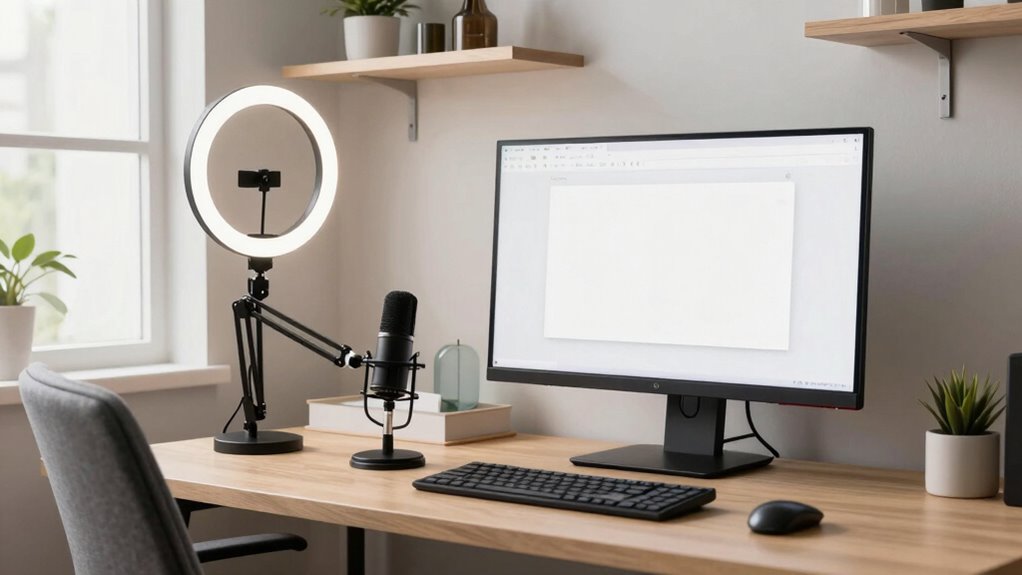

To create a more professional video setup without rebuilding your office, focus on simple, strategic changes. Use soft, diffused lighting like ring lights or natural light near windows to eliminate harsh shadows. Keep your camera at eye level and stabilize it with a tripod or stable surface. Frame yourself using the rule of thirds, avoiding overly wide or cramped shots. Small adjustments to lighting, camera angles, and framing can dramatically improve your video quality—continue to explore these tips for even better results.
Key Takeaways
- Use soft, diffused lighting like softboxes or ring lights to improve illumination without costly renovations.
- Position your camera at eye level and frame using the rule of thirds for a natural, engaging look.
- Keep your background clean and uncluttered to maintain a professional appearance.
- Adjust lighting and camera angles with small, strategic changes for a polished, intentional setup.
- Utilize stable surfaces or tripods to prevent shaky footage and enhance overall video quality.

Creating a professional video setup doesn’t have to be complicated or expensive. You can improve your video quality considerably with just a few strategic adjustments. The key lies in understanding and applying effective lighting techniques and choosing the right camera angles. These elements can transform a basic recording into a polished, engaging presentation without the need for costly equipment or a full office overhaul.
Start by focusing on lighting. Good lighting is essential for clear, professional-looking videos. Instead of relying solely on overhead fluorescents, opt for soft, diffused light sources. Natural light works well if you position yourself near a window, but if that’s not available, consider investing in affordable ring lights or softboxes. Use multiple light sources to eliminate harsh shadows and create a balanced illumination. Position your lights at a 45-degree angle from your face to add depth and dimension, avoiding direct front lighting that can flatten your features. Experiment with different angles and intensities to find what looks most natural and flattering on camera. Proper lighting not only enhances your appearance but also ensures your audience focuses on your message rather than distractions caused by poor illumination. Additionally, choosing appropriate lighting equipment can make a significant difference in your overall video quality.
Next, pay attention to camera angles. The way you position your camera can dramatically influence how viewers perceive you. A common mistake is placing the camera too low or too high, which can be distracting or unflattering. Aim to keep the camera at eye level; this creates a natural, engaging perspective and helps establish a connection with your audience. Use a tripod or stable surface to prevent shaky footage and maintain a consistent frame. Consider framing yourself using the rule of thirds—position your eyes about one-third from the top of the frame—to produce a balanced and professional composition. Avoid overly wide shots that make you seem distant or cramped shots that cut off important details. If possible, experiment with different angles to find the most flattering and engaging view. Remember, simple adjustments like these can make your videos look more intentional and professional, even with basic equipment. Additionally, understanding projector specifications such as resolution and contrast ratio can help you optimize your visual presentation in any space.
Furthermore, paying attention to lighting quality can significantly impact your overall video professionalism, ensuring your face is well-lit and inviting. Ultimately, creating a more professional video setup is about making small, deliberate changes. By mastering lighting techniques, you can ensure your face is well-lit and inviting. With thoughtful camera angles, you can present yourself in a confident, appealing way. You don’t need a fancy studio—just a little planning and some practical tweaks. These simple improvements will help you produce videos that look polished, professional, and ready to impress your viewers.
As an affiliate, we earn on qualifying purchases.
Frequently Asked Questions
What Budget Should I Allocate for Professional Video Equipment?
You should allocate around $500 to $1,500 for professional video equipment, depending on your needs. Start with budget planning to determine what’s essential, prioritizing key gear like a good camera, microphone, and lighting. Focus on equipment that enhances your video quality without overspending. Investing wisely guarantees you get the best results within your budget, making your setup look more professional without breaking the bank.
How Do I Improve Audio Quality Without Professional Soundproofing?
To improve audio quality without professional soundproofing, start with soundproofing techniques like adding rugs, curtains, or foam panels to reduce echo and background noise. Upgrade your audio equipment by investing in a quality microphone and audio interface, and use a pop filter to minimize plosive sounds. These simple adjustments considerably enhance clarity, making your videos sound more professional without major renovations or expensive soundproofing.
What Are the Best Lighting Options for Small Office Spaces?
For small office spaces, choose LED lighting with adjustable color temperature to create a professional look. Opt for soft, warm light (around 3000K) for a cozy feel or cooler (around 5000K) for a crisp, professional vibe. LED options are energy-efficient and produce minimal heat, making them ideal for tight spaces. Position lights to eliminate shadows and evenly illuminate your face, enhancing your overall video quality.
How Can I Reduce Background Distractions Effectively?
Think of your background as a stage—clutter can steal the spotlight. To reduce distractions, clear away background clutter and remove distracting objects that divert attention from you. Use a plain or neutral backdrop to keep focus on your message. Adjust your camera angle to hide unnecessary items, and consider adding a simple curtain or screen. These steps help your viewers focus on you, not the chaos behind you.
What Are Quick Setup Tips for Multiple Camera Angles?
To achieve quick setup tips for multiple camera angles, start by strategically placing your cameras to capture different perspectives—think wide, close-up, and side angles. Use adjustable mounts or tripods for easy repositioning, making sure each camera provides a clear view without overlapping. Incorporate some angle variety to keep your videos dynamic and engaging. Keep cables organized and test each camera before recording to guarantee seamless shifts and professional results.
Conclusion
So, there you have it—your secret weapon to transforming your chaotic corner into a sleek studio without blowing your budget. Who knew that a few strategic tweaks could elevate your professional image from “homegrown” to “high-end”? Now, sit back, relax, and watch your credibility soar faster than your Wi-Fi during a video call. Remember, a polished setup isn’t just for show—it’s your ticket to convincing everyone you’ve got it all together, even if your coffee mug says otherwise.